How to Humanize AI Content Before Publishing in WordPress

AI can turn a blank WordPress editor into a finished draft in minutes. That speed is useful when you publish regularly, but an AI-generated draft should rarely be the final version. Readers can notice when an article feels generic, repetitive, or disconnected from real experience.
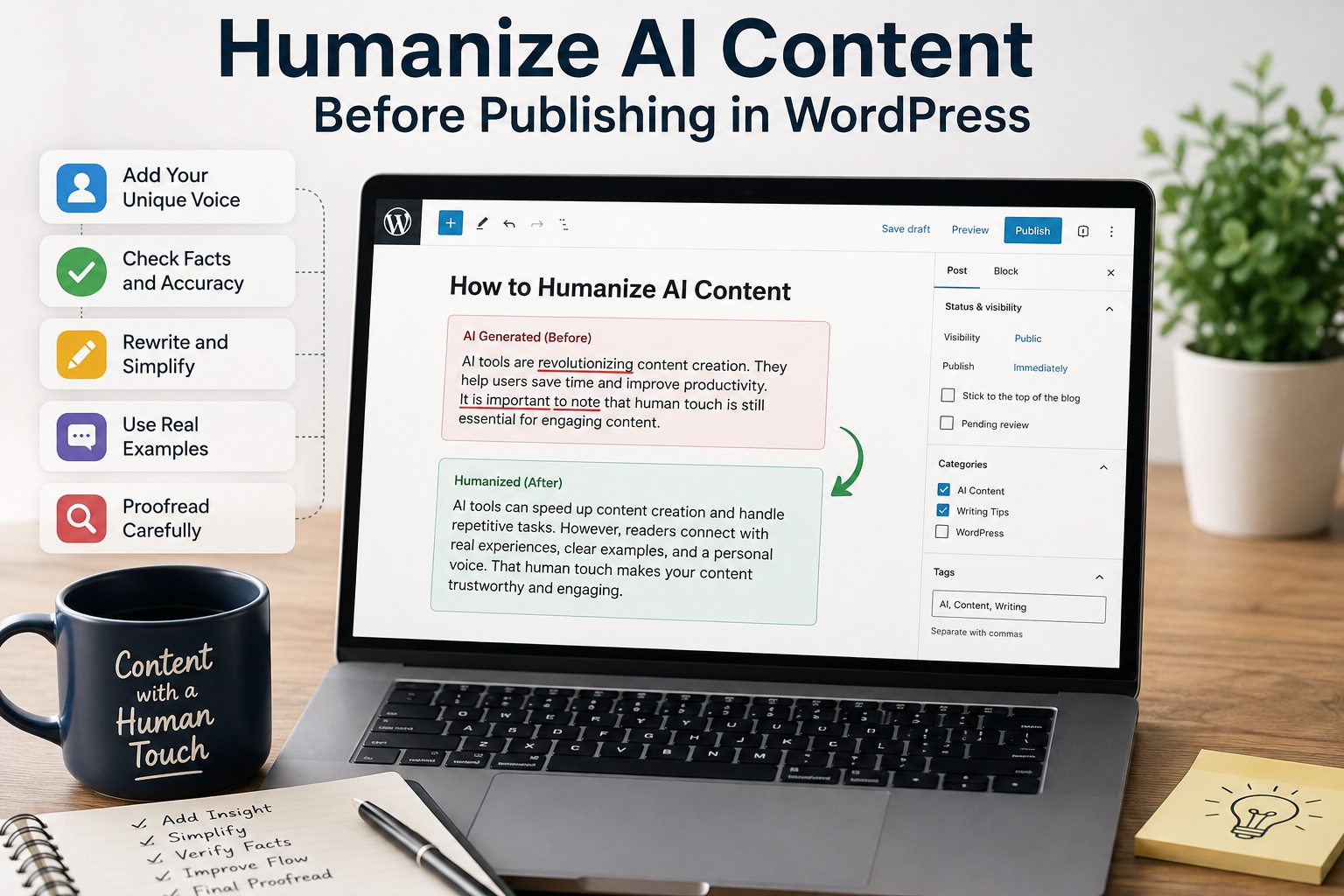
Humanizing AI content means editing the draft until it sounds like something a real person would choose to publish. That process includes checking facts, improving the structure, adding original insights, and removing wording that feels unnatural. A few thoughtful edits can make a large difference without forcing you to rewrite the entire article from scratch.
TLDR: AI can handle much of the first draft, but human editing should shape the final article. Review the facts, rewrite generic passages, add examples and opinions, vary sentence structure, and read the finished post as if you were a visitor. WordPress users can also use AI directly inside the editor while keeping the final editorial decisions in human hands.
Why AI Content Can Sound Unnatural
AI writing often follows recognizable patterns. It may use similar sentence lengths, repeat the same transition words, or explain obvious points in more detail than necessary. Even when the information is correct, the article can feel distant because it lacks a clear personality.
Another issue is generic language. An AI draft might say that something is “important for businesses” without explaining why it matters for a particular audience. A human editor can replace that broad statement with a specific example, observation, or recommendation.
If a paragraph still feels stiff after editing, a free AI humanizer can help identify wording that needs another pass. However, the final rewrite should still reflect your own voice and the expectations of your readers.
1. Start With a Human Editing Pass
Do not begin by changing every sentence. Read the entire draft once and identify the sections that feel vague, repetitive, or unlike the way you normally communicate.
Pay attention to sentences that could appear in almost any article on the same topic. For example, “Technology has changed the way businesses operate” provides little value unless the next sentence explains exactly what changed and why the reader should care.
Create a short editing checklist before you start. Look for generic introductions, repeated ideas, unnecessary transitions, unsupported claims, awkward wording, and sections that lack practical examples.
A useful first pass can include these questions:
- Does this sentence tell the reader something useful?
- Would I say this sentence in a real conversation?
- Is the claim specific enough?
- Can I replace a general statement with an example?
- Does this paragraph add something new?
2. Add Your Own Experience and Examples
Personal experience is one of the easiest ways to make AI-assisted content feel original. AI can explain how a WordPress feature works, but it does not have your actual experience using that feature on a website.
Add examples from your own workflow whenever possible. You might explain what happened when you used an AI writing tool, describe a problem you encountered, or show how you solved a particular publishing issue.
Even a small practical detail can change the character of a paragraph. Instead of simply saying that proofreading matters, explain which mistakes you usually catch during the final review and why those mistakes are easy to miss.
This approach also gives readers something they cannot get from a generic AI-generated explanation. Your observations become part of the article rather than another restatement of information that already exists online.
3. Rewrite Generic AI Phrases
One of the fastest ways to improve an AI draft is to remove phrases that sound interchangeable. Words such as “in addition,” “moreover,” “it is important to note,” and “in conclusion” are not always wrong, but repeated use can make an article feel mechanical.
Look for sentences that contain unnecessary introductions before reaching the actual point. A sentence such as “It is important to understand that website owners need to review their content” can usually become “Website owners should review the content before publishing it.”
When a sentence contains the right information but sounds awkward, you can paraphrase your text before adjusting it further for your audience. The goal is not simply to replace words with synonyms, but to make the sentence clearer and more natural.
Try replacing abstract language with concrete wording. Instead of writing that a process “enhances the overall user experience,” explain what changes for the visitor, such as finding an answer faster or understanding a product more easily.
4. Vary Sentence Length and Paragraph Structure
AI-generated text can sometimes fall into a predictable rhythm. Several paragraphs may contain sentences with similar lengths and structures, which makes the article feel repetitive even when the information is useful.
Mix short statements with longer explanations. Use a short sentence when you want to make a point clearly, then follow it with enough context to explain the reasoning.
Paragraph length matters too. AI Bud’s WordPress content examples use short, scannable paragraphs alongside headings and lists, which makes longer educational posts easier to navigate.
Do not make every paragraph exactly the same size. A two-sentence explanation, a three-sentence example, and a short bullet list can create a more natural reading experience.
5. Fact-Check Before Publishing
Humanizing content is not only about making it sound less robotic. Accuracy is part of good editing.
Check statistics, dates, product specifications, technical instructions, company information, and external references. If the AI draft makes a claim that you cannot verify, either find a reliable source or remove the claim.
Technical WordPress content deserves particular attention because plugins, integrations, pricing, and features can change. AI Bud, for example, describes its WordPress tools as supporting content generation, SEO-related workflows, images, chatbots, and different AI models, but current product details should still be checked against the relevant documentation before publishing.
A simple fact-checking workflow can look like this:
| Content element | What to check |
| Statistics | Original source and publication date |
| Product features | Current official documentation |
| Links | Destination and relevance |
| Technical instructions | Whether the steps still work |
| Quotes | Exact wording and attribution |
| Examples | Whether they accurately represent the situation |
6. Make the Introduction More Specific
The introduction deserves special attention because it determines whether visitors continue reading. AI frequently starts with broad statements that could introduce hundreds of different articles.
Compare “AI is changing content creation for businesses around the world” with a more specific opening such as “An AI tool can give you a 1,000-word WordPress draft before you finish your coffee. The problem begins when that draft is published without an editor.”
The second version immediately creates a situation the reader recognizes. It also introduces the problem without spending several sentences on background information.
A strong introduction should tell readers what problem the article addresses and what they will learn. You do not need to explain the entire subject before getting to the first useful point.

7. Use AI Inside WordPress, Then Edit the Result
Humanizing content does not mean avoiding AI. WordPress users can use AI tools to generate drafts, rewrite sections, create outlines, and assist with editing while keeping editorial control over the final result.
AI Bud’s Block Editor Assistant, for example, can generate content directly within the WordPress Block Editor based on selected language, writing style, tone, and prompts. The generated text can then be inserted into the editor for further work.
This creates a practical workflow: generate, review, edit, verify, and publish. The advantage is that AI handles repetitive drafting work while the editor decides what the article should actually say.
The same principle applies to AI-generated titles, excerpts, product descriptions, and other website content. AI can produce options quickly, but the final choice should reflect the website’s audience and editorial standards.
8. Read the Article Out Loud
There is one simple editing technique that is easy to overlook: read the article aloud.
Your ear catches problems that your eyes may skip. You may notice repeated words, awkward transitions, sentences that are too long, or phrases that sound unnatural when spoken.
Before publishing, check your grammar as well as your wording, especially after making several manual edits to an AI-generated draft. Grammar tools can identify small mistakes, but you should still decide whether a suggested correction fits the meaning and tone of the sentence.
You do not need to read every article aloud several times. One final pass is often enough to identify the parts that still feel artificial.
When a sentence makes you stop and mentally rewrite it while reading, rewrite it. That small signal usually means the sentence could be clearer.
Final Review Before You Publish
The goal is not to hide the fact that AI helped create the draft. The goal is to make sure the published article provides real value to the person reading it.
Before clicking Publish, check the article for accuracy, originality, useful examples, natural wording, and clear structure. Remove anything that exists only to make the article longer.
A strong AI-assisted workflow gives each tool a specific role. AI can help with ideas and first drafts, while human judgment determines what stays, what changes, and what deserves more explanation.
That approach works especially well in WordPress because AI can be part of the editing workflow rather than a separate step outside the publishing environment. AI Bud’s content tools are designed around this type of WordPress workflow, including content generation and Block Editor assistance.
The best final test is simple: Would you publish this article under your own name? If the answer is yes after editing, fact-checking, and adding your own perspective, the AI draft has done its job.