
Apparel Logo Design Guide: Choosing the Right Online Tool
Apparel logos live in a uniquely demanding world. Unlike logos that appear mostly on websites or business cards, a clothing logo has to look good on fabric, seams, tags, packaging, social media profiles, storefront signs, and sometimes even tiny zipper pulls. Choosing the right online logo design tool can make that process faster, more affordable, and more creative—but only if you know what features actually matter.
TLDR: The best online tool for apparel logo design should offer strong customization, high-quality export files, apparel mockups, and commercial usage rights. Look for tools that let you test your logo on shirts, hoodies, labels, and packaging before you commit. Avoid choosing based only on trendy templates; instead, focus on flexibility, scalability, and whether the logo will work in real production.
Why Apparel Logo Design Is Different
A logo for an apparel brand is more than a decorative mark. It often becomes the product itself. Think about a simple embroidered emblem on a polo shirt, a bold chest print on a hoodie, or a minimalist symbol sewn onto a woven label. In fashion and streetwear especially, customers may buy the item because of the logo, not despite it.
This means your logo needs to perform in several ways at once. It should be visually memorable, easy to reproduce, flexible across materials, and aligned with the identity of your brand. A delicate gradient mark might look beautiful on a screen but fail when stitched onto a cap. A detailed crest may impress on a website, yet become muddy as a small neck label.
Online logo design tools can help you explore ideas quickly, but apparel brands should choose them carefully. The right platform can save you money and give you production-ready assets. The wrong one can leave you with a logo that looks good only in a preview window.
Start With Your Apparel Brand Identity
Before comparing online tools, define what your apparel brand is trying to communicate. A luxury activewear label needs a different visual language than a skate brand, baby clothing boutique, outdoors company, or eco-friendly basics line.
Ask yourself:
- Who is your target customer? Are they teens, athletes, professionals, parents, travelers, or fashion collectors?
- What is your price point? Premium brands usually require more refined and restrained logos, while budget-friendly brands may favor clear and approachable designs.
- Where will the logo appear most often? Chest prints, hang tags, inside labels, embroidery, packaging, or social media?
- What emotional tone should it carry? Rugged, elegant, playful, rebellious, calm, futuristic, or nostalgic?
Once you know the personality of the brand, it becomes much easier to evaluate which online tool can support your vision. Some tools are better for modern minimalism, while others offer more illustrative, vintage, sporty, or mascot-based styles.

Important Features to Look For in an Online Logo Tool
Not every logo maker is built with apparel in mind. Many are designed for general small businesses, which means they may prioritize website headers and business cards rather than embroidery, screen printing, or garment labels. Here are the features that matter most.
1. Apparel Mockups
A good online tool should let you preview your logo on apparel items such as T-shirts, hoodies, caps, tote bags, jackets, and labels. Mockups help you see how the design behaves in real-world proportions. A logo that looks balanced on a white digital canvas may feel oversized, too thin, or awkwardly spaced when placed on a shirt.
Mockups are especially useful for comparing different logo variations. For example, you may discover that a horizontal wordmark works well across the chest, while a compact emblem looks better on a sleeve or cap.
2. Vector File Exports
For apparel production, vector files are essential. Look for tools that provide formats such as SVG, EPS, or PDF. Vector graphics can be resized without losing quality, which is crucial when your logo needs to appear on both a tiny woven tag and a large back print.
Raster files like PNG and JPG are useful for websites and social media, but they are not always enough for professional printing or embroidery. If a tool only gives you low-resolution raster files, it may limit your ability to manufacture quality products later.
3. Transparent Backgrounds
Your logo should be available with a transparent background. This allows it to sit cleanly on different fabric colors, product photos, packaging, and promotional materials. A white box around your logo can look amateurish and may cause issues when placing the design on black, navy, beige, or patterned garments.
4. Color Control
Apparel production often involves color limitations. Screen printing, embroidery, and woven labels may charge by the number of colors used. That makes it valuable to choose a tool that allows you to easily adjust color palettes and create one-color versions.
Ideally, your logo should work in:
- Full color
- One color
- Black
- White
- Reversed on dark backgrounds
If the logo loses its identity when converted to one color, it may not be practical for apparel.
5. Font Customization
Typography plays a major role in apparel branding. A fashion logo may be entirely type-based, using a custom wordmark to express the brand’s identity. When choosing an online logo tool, make sure it offers a strong font library and gives you control over spacing, weight, alignment, and letter arrangement.
Be cautious with overly trendy fonts. A typeface that feels fresh today may feel dated next season. For apparel brands, especially those aiming for long-term recognition, a simpler and more adaptable typographic style often performs better.
Template Quality: Helpful Shortcut or Creative Trap?
Templates can be incredibly useful, especially if you are building a brand on a limited budget. They provide structure and inspiration, helping you move quickly from a blank screen to a polished concept. However, templates can also create a problem: your logo may look similar to many other brands.
When using an online tool, do not simply accept the first attractive template you see. Instead, treat it as a starting point. Change the typography. Adjust the icon. Modify the layout. Test different colors. Remove unnecessary details. The more customization you apply, the more distinctive your final logo will become.
A strong apparel logo should feel intentional, not generic. If the tool gives you only shallow editing options, such as changing the name and color but not the layout or symbol, it may not be flexible enough for a serious clothing brand.
Think About Production Before You Fall in Love
One of the most common mistakes in apparel logo design is choosing a logo based only on how it looks onscreen. Clothing production has physical constraints. Ink spreads slightly on fabric. Embroidery thread cannot capture every tiny detail. Heat transfers may behave differently on cotton, polyester, nylon, or blended materials.
Before finalizing your logo, consider how it will be produced:
- Screen printing: Works best with bold shapes, clean lines, and limited colors.
- Embroidery: Requires simplified details, enough spacing, and readable shapes at small sizes.
- Woven labels: Need clarity, strong contrast, and minimal fine detail.
- Direct to garment printing: Allows more detail and color but still benefits from strong contrast.
- Heat transfer vinyl: Performs best with solid shapes and clean edges.
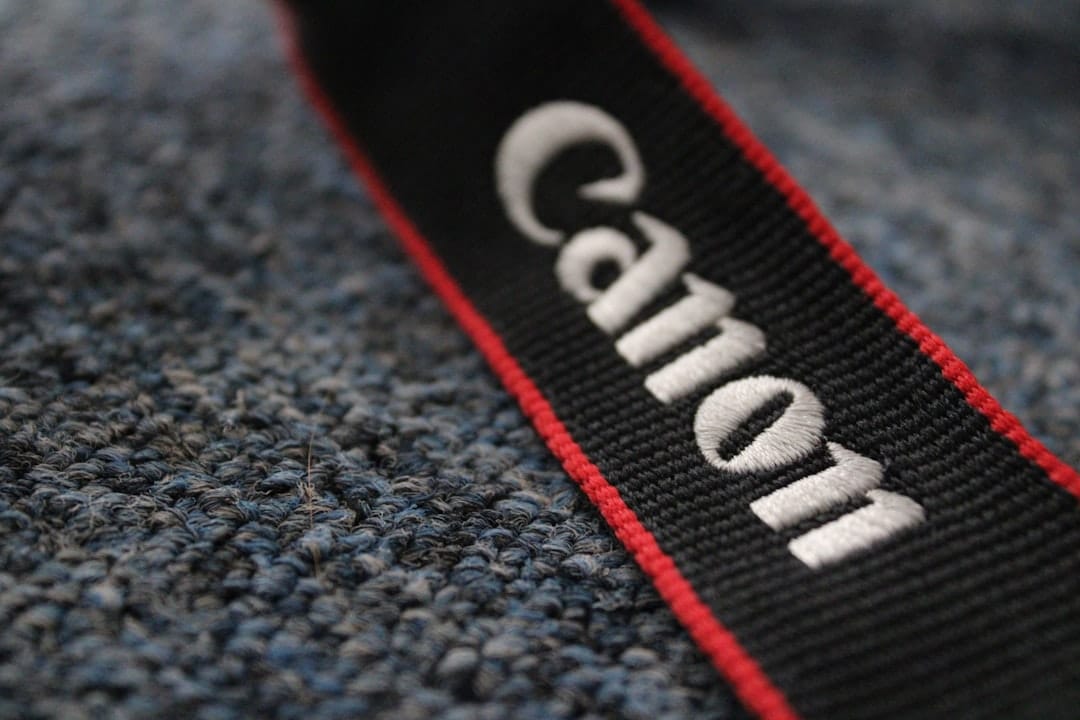
If an online tool allows you to preview your logo in simple black and white, at small sizes, and on apparel mockups, you will be better prepared for production. The goal is not just to create a beautiful logo; it is to create a logo that can survive the manufacturing process.
Check Licensing and Commercial Rights
This step is easy to overlook, but it is extremely important. Before using any online logo tool, read the licensing terms. You need to know whether you can use the final logo commercially, trademark it, modify it, and place it on products for resale.
For apparel brands, commercial rights are non-negotiable. Your logo will likely appear on items you sell, which is different from using it only on a personal project. Some platforms include commercial use in their paid packages, while others may have restrictions related to icons, fonts, or stock elements.
Look for clear answers to these questions:
- Can I use this logo on clothing for sale?
- Do I receive exclusive rights to the design?
- Are the fonts and icons legally licensed?
- Can I edit the logo after purchase?
- Can I register the logo as a trademark?
If the answers are vague, contact support or choose another tool. A logo dispute can be far more expensive than paying for a better design option upfront.
Evaluate Ease of Use Without Sacrificing Control
The best online logo tools balance simplicity with creative control. A beginner should be able to create something attractive without needing advanced design skills, but the tool should still provide enough options to refine the logo properly.
Look for an interface that makes it easy to:
- Move and resize elements precisely
- Change fonts and colors quickly
- Adjust spacing and alignment
- Create alternate layouts
- Preview the logo on different backgrounds
- Download multiple file types
Too much automation can make every logo feel similar. Too much complexity can slow you down. The right tool should help you make smart design choices, not force you into a rigid formula.
Build a Logo System, Not Just One Logo
Apparel brands usually need more than a single logo file. You may need a primary logo for your website, a small icon for labels, a stacked version for square tags, a one-color version for embroidery, and a simplified mark for social media.
A useful online design tool should make it easy to create a logo system. This means developing related variations that all feel like part of the same brand. For example:
- Primary wordmark: Used on your website, lookbooks, and packaging.
- Icon or monogram: Used on caps, labels, buttons, or sleeve details.
- Stacked layout: Used on hang tags and square graphics.
- One-color version: Used for embroidery, stamps, and minimal printing.
- Reversed version: Used on dark garments or black packaging.

This system gives your brand flexibility while maintaining recognition. It also makes your designs look more professional across collections and marketing channels.
Common Mistakes to Avoid
Even with a good online tool, it is possible to make poor design decisions. Watch out for these common apparel logo mistakes:
- Using too many details: Fine lines and tiny textures often disappear on fabric.
- Relying on gradients: Gradients can be difficult or expensive to reproduce consistently.
- Choosing unreadable fonts: Style should never completely overpower legibility.
- Ignoring small-size performance: Your logo should remain recognizable on labels and icons.
- Copying trends too closely: Trend-driven logos can make a brand feel temporary.
- Forgetting contrast: Low-contrast logos may vanish on certain garment colors.
A good test is to shrink your logo down to the size of a shirt label. If it still reads clearly, you are moving in the right direction.
How to Compare Online Logo Tools
When reviewing different platforms, create a simple checklist rather than judging only by the first impression. Try designing the same concept in two or three tools and compare the results.
Use this evaluation framework:
- Design quality: Are the templates modern, relevant, and suitable for apparel?
- Customization: Can you adjust fonts, symbols, spacing, shapes, and colors?
- Mockups: Can you preview the logo on clothing and accessories?
- File formats: Are vector files and transparent PNGs available?
- Rights: Are commercial usage terms clearly explained?
- Brand assets: Can you create multiple logo versions?
- Cost: Does the pricing match the quality and file access?
The cheapest option is not always the best value. If a slightly more expensive tool provides vector files, better licensing, and professional mockups, it may save you production costs and redesign work later.
Final Thoughts
Choosing the right online tool for apparel logo design is about more than finding something that looks stylish. It is about creating a mark that can live comfortably on fabric, packaging, digital platforms, and retail materials. The best tool will help you experiment quickly while still giving you the professional files and flexibility needed for real-world production.
Begin with your brand identity, test your logo across apparel applications, insist on proper file formats, and pay close attention to licensing. Most importantly, design with the future in mind. A great apparel logo should not only look good on your first T-shirt drop; it should still feel strong, recognizable, and wearable as your brand grows.
