
Tools That Help Businesses Create Better Video Content

Video is everywhere. On social media. On websites. In emails. Even in text messages. Businesses that use video well grab attention fast. They explain ideas clearly. They build trust. The good news? You do not need a Hollywood budget to create great videos. You just need the right tools.
TLDR: Great video content does not require a studio or a huge team. With the right tools, businesses can plan, record, edit, and share high-quality videos easily. From editing apps to AI voiceovers and analytics platforms, modern tools make everything faster and cheaper. The key is choosing simple tools that match your goals and skill level.
Let’s break down the tools that help businesses create better video content. Simple. Practical. And fun to use.
1. Video Editing Software That Makes Magic Simple
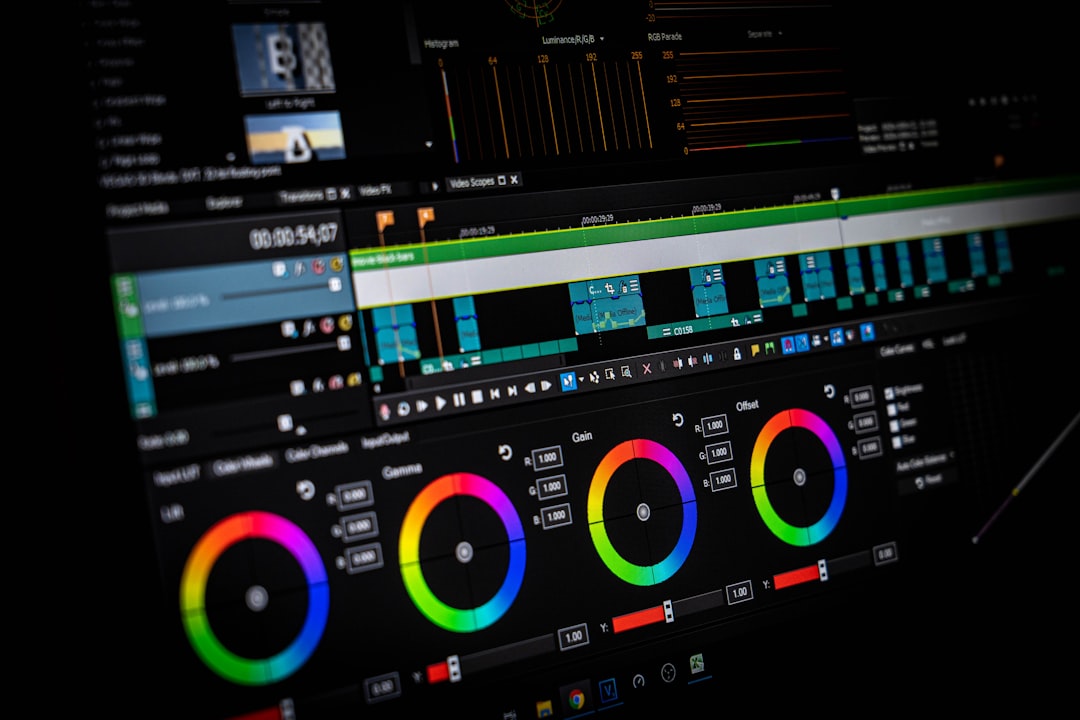
Editing is where the magic happens. This is where raw clips turn into polished stories.
Good video editing software helps you:
- Cut out mistakes
- Add music
- Insert text and graphics
- Adjust colors
- Create smooth transitions
There are tools for beginners and tools for pros. Many platforms now offer drag-and-drop editing. No technical skills needed. Just click. Trim. Drop. Done.
Look for features like:
- Auto captions
- Pre-built templates
- Stock music libraries
- Easy export formats
Templates are a huge time saver. They give your videos a consistent style. That helps with branding. And it makes your business look more professional.
2. Screen Recording Tools for Demos and Tutorials
If you sell software or services, screen recordings are powerful.
They help you:
- Teach customers how to use your product
- Create training videos
- Record presentations
- Share walkthroughs
Modern screen recording tools are simple. One click and you are recording. Many let you capture your screen and your face at the same time. That makes your video feel more personal.
You can also:
- Add highlights and arrows
- Zoom in automatically
- Edit mistakes after recording
This is perfect for small teams. You do not need a camera crew. Just your laptop and a good microphone.
3. AI Script Writing Tools to Beat Writer’s Block
Staring at a blank page is hard. Very hard.
AI writing tools can help generate video scripts in minutes. You give them a topic. They help outline ideas. They suggest hooks. They organize key points.
This saves time. And it boosts creativity.
Instead of spending hours thinking about what to say, you can focus on:
- Your message
- Your audience
- Your call to action
Always review and refine what AI creates. Add your brand voice. Keep it human. But use it as a starting engine. It can speed up production massively.
4. High-Quality Microphones for Clear Audio
Here is a secret. People forgive average video. They do not forgive bad audio.
If your sound is echoey or unclear, viewers click away.
A good microphone can transform your videos.
There are different types:
- Lavalier microphones – small and clip-on. Great for interviews.
- USB microphones – perfect for desk recording.
- Shotgun microphones – ideal for filming at a distance.
You do not have to spend thousands. Even affordable mics now deliver studio-like quality. Pair it with a quiet space. Or use tools that remove background noise automatically.
Clear audio builds trust. And trust builds sales.
5. Lighting Tools That Instantly Upgrade Your Look
Lighting changes everything.
Bad lighting makes you look tired. Or blurry. Good lighting makes you look sharp and confident.
You can use:
- Ring lights
- Softbox lights
- Portable LED panels
Even natural light works. Just face a window. Avoid harsh shadows.
Many small businesses start simple. A ring light. A clean background. A smartphone camera. That is enough.

Good lighting increases video quality instantly. No editing required.
6. Stock Video and Music Libraries
Sometimes you need extra visuals.
Maybe you want:
- City shots
- Office scenes
- Abstract backgrounds
- Product lifestyle clips
Stock libraries give you access to thousands of clips and images.
This is great for:
- Intro sequences
- Background visuals
- Social media ads
The same goes for music. Background music sets the mood. Energetic. Calm. Inspiring. Dramatic.
Choose music that matches your brand personality. Always check usage rights. Most platforms offer royalty-free options for business use.
7. Animation and Motion Graphics Tools
Not every video needs to show a person.
Animated explainers are powerful. They break down complex ideas. They keep attention high.
Animation tools now offer:
- Drag-and-drop characters
- Pre-animated scenes
- Custom color branding
- Text animation effects
This is perfect for:
- Explainer videos
- Product features
- Internal training
Motion graphics can also add energy to regular footage. Simple animated titles make your videos look modern and polished.
8. AI Voiceover Generators
Do not like recording your own voice? No problem.
AI voiceover tools create realistic narration in seconds. You type the script. Choose a voice. Press generate.
You can select:
- Different accents
- Male or female voices
- Various tones
This works well for ads. Explainer videos. Social content.
Still, if you want a personal brand feel, using your own voice can be more authentic. Use AI when speed matters. Use human voice when connection matters.
9. Teleprompter Apps for Confident Delivery
For many people, speaking on camera is scary.
Teleprompter apps fix that.
They scroll your script on your screen while you record. You look directly at the camera. But you still follow your script smoothly.
This reduces:
- Nervous pauses
- Forgotten lines
- Multiple retakes
Confidence makes videos more engaging. And faster to produce.
10. Collaboration Tools for Teamwork
Video is rarely a one-person job.
You might have:
- Writers
- Editors
- Marketing managers
- Clients
Collaboration tools help everyone stay organized.
They allow you to:
- Share drafts
- Collect feedback
- Track revisions
- Approve final edits
This reduces confusion. And endless email chains.
Clear communication means faster production cycles.
Teams producing large volumes of content may also benefit from the best video CMS software, which helps organize media assets, streamline approvals, and maintain efficient content workflows across departments
11. Analytics Tools to Measure What Works
Creating videos is only half the game. Measuring results is the other half.
Analytics tools show you:
- View counts
- Watch time
- Click-through rates
- Audience retention
This data tells you what works.
Maybe your audience drops off after 20 seconds. That means your intro is too long. Maybe short videos perform better than long ones. That gives you direction.
Use data to improve each new video. Small tweaks make big differences.

12. Caption and Subtitle Tools for Accessibility
Many people watch videos without sound.
Especially on social media.
Captions increase engagement. They also make your content accessible to hearing-impaired viewers.
Modern tools generate captions automatically. You just review and correct small errors.
Benefits include:
- Higher watch time
- Better SEO
- Wider audience reach
Simple captions can boost performance significantly.
How to Choose the Right Tools
There are many options out there. Too many.
Start with these questions:
- What type of videos am I making?
- What is my budget?
- How skilled is my team?
- How often will we create videos?
Do not buy everything at once.
Start small. Test. Improve.
A simple setup might include:
- A smartphone camera
- A ring light
- A USB microphone
- A beginner-friendly editing app
That alone is enough to produce strong content.
Final Thoughts
Video content is no longer optional. It is essential.
But creating great videos does not have to be complicated. Or expensive.
With the right tools, businesses can:
- Create faster
- Improve quality
- Stay consistent
- Engage customers
Start where you are. Use what you have. Add better tools over time.
The most important thing is not perfection. It is action.
Record. Edit. Publish. Learn. Repeat.
That is how better video content is made.
