
Is a Verizon Outage a Cyber Attack? Outage Analysis vs Network Monitoring and Incident Response Tools
A Verizon outage is not automatically a cyber attack. Most outages come from boring causes. Fiber cuts. Bad software updates. Power issues. Routing mistakes. Overloaded equipment. A cyber attack is possible, sure. But you need evidence before shouting “hackers” into the group chat.
TLDR: A Verizon outage may feel like an attack, but it is usually a technical failure until proven otherwise. Outage analysis tells you what happened after users lose service, while network monitoring and incident response tools help teams spot trouble early and react fast. For example, if 38% of users in Chicago lose mobile data at 9:12 a.m., monitoring can show whether towers stopped responding, DNS failed, or traffic got blocked. If logs show strange logins from 14 countries at the same time, then the cyber attack theory gets more serious.
Why People Think “Cyber Attack” So Fast
When phones stop working, panic gets loud. Texts fail. Calls drop. Maps freeze. Your food delivery driver vanishes into the void. So people open social media and ask the big question: “Was Verizon hacked?”
That reaction makes sense. We hear about ransomware, data breaches, and nation-state groups all the time. But a service outage and a cyber attack are not the same thing.
An outage means a service is down or degraded. A cyber attack means someone caused harm on purpose. The difference matters. One is a broken pipe. The other is someone smashing the pipe with a hammer.
Common Causes of a Verizon Outage
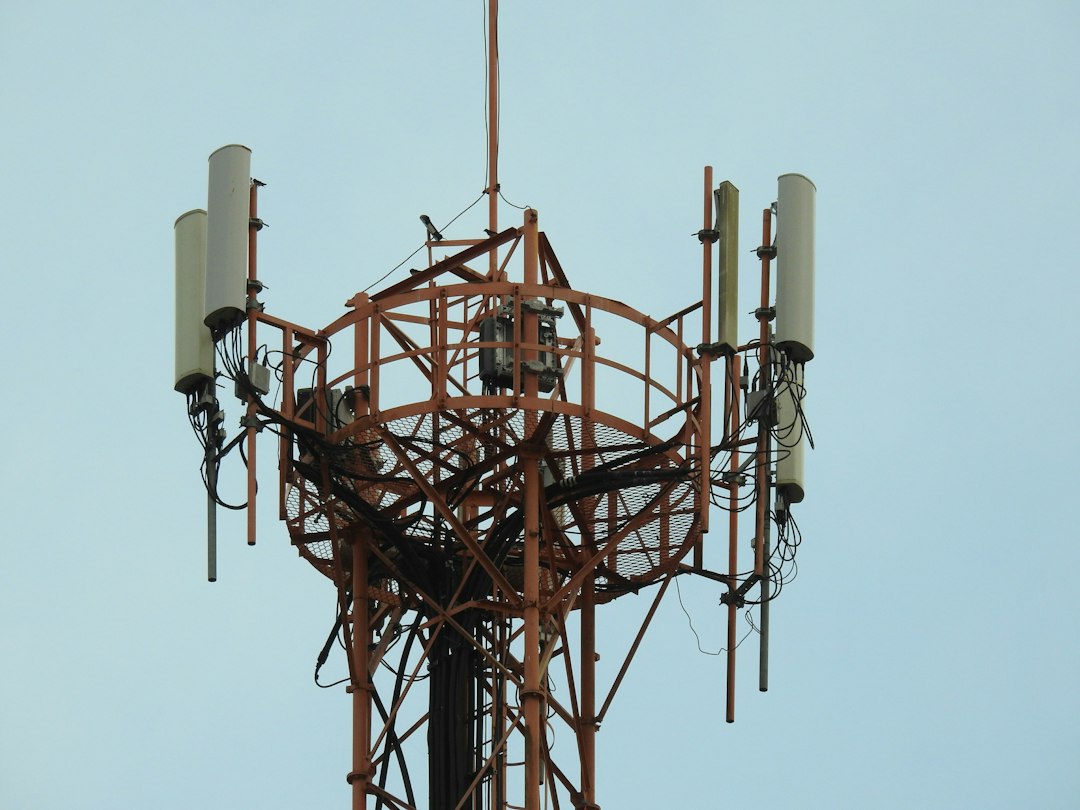
Telecom networks are huge. They are not one big magic box. They are made of towers, fiber lines, routers, switches, data centers, billing systems, DNS, cloud services, and software. That is a lot of stuff to break.
Here are common outage causes:
- Fiber cuts: Construction crews dig. Cables lose. Everyone groans.
- Software bugs: A patch goes sideways and devices misbehave.
- Routing errors: Traffic gets sent the wrong way, like GPS with a caffeine problem.
- Power failures: Backup systems help, but they are not magic.
- Hardware faults: Routers and switches can fail.
- Core network issues: A central system has trouble, and many users feel it.
- Third party failures: A vendor, cloud provider, or peering partner has a bad day.
None of these need hackers. They just need complexity. And telecom networks have plenty of that.
So, When Could It Be a Cyber Attack?
A cyber attack becomes more likely when the outage has odd signals. Not just “no bars.” Real clues.
Security teams look for signs like these:
- Unusual login activity from unknown locations.
- Traffic spikes that look like a denial of service attack.
- Malware alerts on internal systems.
- Changes to network settings that no approved person made.
- Data theft indicators before or during the outage.
- Known attacker tools found in logs or servers.
A huge outage alone is not enough proof. A cyber attack needs intent, method, and evidence. Without that, it is just a theory wearing sunglasses.
Outage Analysis vs Network Monitoring
These two get mixed up a lot. They are cousins, not twins.
Outage analysis is the detective work after something breaks. It asks:
- Who was affected?
- Where did service fail?
- When did it begin?
- Which systems stopped working?
- What changed right before the outage?
It is like checking the security camera after your sandwich goes missing from the office fridge.
Network monitoring watches systems in real time. It checks towers, routers, links, latency, packet loss, DNS, APIs, and traffic patterns. It sends alerts before users flood support channels.
Good monitoring says, “Hey, packet loss jumped from 0.2% to 18% in Dallas.” That is useful. Bad monitoring says, “Everything is fine,” while 80,000 people are restarting their phones in rage.
Honestly, it feels like some tools need a user to scream on social media before they believe an outage exists. That is not monitoring. That is gossip with dashboards.
What Incident Response Tools Do
Incident response tools are for the “uh oh” moment. They help teams organize the mess.
They collect alerts. They assign tasks. They store evidence. They track timelines. They help security and network teams talk to each other without 47 chaotic chat threads.
For a possible Verizon outage, incident response tools help answer:
- Is this a network failure or a security event?
- Which team owns the next step?
- What evidence has been checked?
- Has customer data been touched?
- Do regulators or customers need updates?
They are not crystal balls. They do not magically say, “This was a cyber attack.” They help humans prove it or rule it out.
A Simple Example
Picture this. It is 8:05 a.m. People in New York and Philadelphia start losing mobile data. Calls still work for some users. Texts are delayed. Social media lights up.
Network monitoring shows packet loss on several regional links. A traffic chart shows a 62% drop in successful data sessions. That points to a service problem.
Outage analysis checks recent changes. A routing update was pushed at 7:58 a.m. That update sent some traffic into a black hole. Annoying? Very. Cyber attack? Not yet.
Now change the story. The same outage happens. But security tools also find admin logins from unknown IP addresses. Several routers show config changes outside the normal process. A data center firewall logs strange command traffic. Now the cyber attack theory gets real.
Same user pain. Very different root cause.
Why User Reports Still Matter
User complaints are messy, but useful. If thousands of people report trouble in the same city, that is a signal. It is not perfect proof. Still, it helps teams see the human side of the outage.
For example, a monitoring tool may show normal server health. But users may still be unable to connect because of a regional routing issue. That gap matters.
Expect to waste time if tools do not connect user reports with technical data. A team may spend 20 extra minutes checking healthy servers while the real problem sits in a carrier path or DNS chain. That delay feels small on paper. It feels huge when phones are dead.
How Teams Separate Outage From Attack
Smart teams use a layered approach. No single tool wins the whole game.
- Check scope: Is it local, regional, national, or global?
- Check timing: Did it follow a software release or config change?
- Check traffic: Is there a flood, drop, loop, or strange route?
- Check identity logs: Any odd admin access?
- Check endpoint and server alerts: Any malware signs?
- Check customer impact: Which services failed first?
- Check recovery: Does rollback fix it?
If rollback fixes the outage, the cause may be a bad change. If attackers return after rollback, the story changes.
What Customers Should Do During a Verizon Outage
You probably cannot fix the carrier network from your couch. Still, you can do a few sane things.
- Restart your phone once. Not twelve times.
- Turn airplane mode on and off.
- Try Wi Fi calling if available.
- Check Verizon support channels.
- Use outage maps, but treat them as clues.
- Avoid sharing wild claims with no source.
If you run a business, have a backup plan. Use a second carrier for key staff. Keep emergency contact options ready. Test failover before you need it. Future you will be less grumpy.
The Fun, Simple Bottom Line
A Verizon outage can be caused by a cyber attack. But most outages are plain old technical chaos. Network monitoring catches symptoms fast. Outage analysis finds the root cause. Incident response tools manage the response when things smell security related.
Think of it like a restaurant. Monitoring hears the smoke alarm. Outage analysis finds the burnt pizza. Incident response checks if someone set the oven on fire on purpose.
Do not assume “cyber attack” just because service is down. Ask for evidence. Look at logs. Check changes. Compare regions. Follow the data. Your phone may be upset, but the truth still needs receipts.
