
ETL Testing Automation: Tools, Frameworks, and Strategies for Improving Data Pipeline Quality

Data pipelines are like tiny delivery trucks. They pick up data from one place. They clean it. They reshape it. Then they drop it off where people can use it. But what happens when a truck gets lost? Or drops a box? That is where ETL testing automation saves the day.
TLDR: ETL testing automation checks data pipelines without making humans click buttons all day. It helps teams catch broken data, missing rows, wrong formats, and slow jobs early. Good tools, smart frameworks, and simple strategies make data more trusted. Think of it as a friendly robot guard for your data factory.
What Is ETL Testing?
ETL means Extract, Transform, Load.
- Extract: Take data from a source. This may be a database, app, file, API, or cloud system.
- Transform: Clean and change the data. Fix dates. Remove duplicates. Join tables. Apply business rules.
- Load: Move the final data into a target. This may be a data warehouse, data lake, dashboard, or report system.
ETL testing checks if all of this worked correctly. It asks simple but important questions.
- Did all rows arrive?
- Are the numbers correct?
- Did the dates keep the right format?
- Did duplicates sneak in?
- Are private fields protected?
- Did the pipeline finish on time?
Manual testing can answer these questions. But it is slow. It is boring. It is easy to miss things. Automation makes the process faster and safer.
Why Automate ETL Testing?
Data teams move fast now. New tables appear. Business rules change. Dashboards update every hour. Some pipelines run all day. Some run every few minutes.
Manual checks cannot keep up. A person cannot count millions of rows by hand. Well, they can try. But please bring snacks.
Automation helps because it is:
- Fast: Tests run in minutes or seconds.
- Repeatable: The same checks run the same way every time.
- Reliable: Bots do not get tired or distracted.
- Scalable: Tests can cover many tables and pipelines.
- Early: Problems are found before reports break.
Bad data is expensive. It can cause wrong reports. It can hurt customer trust. It can lead to bad business choices. Automated ETL testing is like wearing a helmet before riding a bike. You hope you do not need it. But you are very glad it is there.
Common ETL Problems Automation Can Catch
Data issues often look small at first. Then they grow. Like a tiny gremlin fed after midnight.
Here are common problems automated tests can catch:
- Missing data: Some records did not move from source to target.
- Extra data: Duplicate rows appeared during processing.
- Wrong values: A calculation or mapping rule failed.
- Bad formats: Dates, currency, or text fields changed incorrectly.
- Null surprises: Required fields became empty.
- Broken joins: Lookup tables did not match correctly.
- Schema changes: A column was renamed, removed, or changed.
- Slow pipelines: A job took too long and delayed reports.
- Security leaks: Sensitive data was not masked or encrypted.
The goal is not to test everything forever. That would be a giant testing soup. The goal is to test the right things at the right time.
Types of ETL Tests
There are many flavors of ETL tests. None are scary. They just check different parts of the pipeline.
1. Data Completeness Tests
These tests check if all expected data arrived. For example, if the source has 10,000 orders, the target should not have 9,400. Unless there is a real business rule that filters orders.
2. Data Accuracy Tests
These tests compare values. They check sums, counts, prices, taxes, discounts, and categories. If total sales were $50,000 in the source, the target should not say $5,000,000. That is not growth. That is a bug wearing a party hat.
3. Transformation Rule Tests
These tests check business logic. For example:
- If country code is US, country name should be United States.
- If order status is C, status should become Completed.
- If user age is below 18, the account should be flagged as minor.
4. Schema Tests
These tests check structure. They confirm that columns exist. They check data types. They check required fields. They also catch surprise changes from source systems.
5. Reconciliation Tests
These compare source and target. They may compare row counts, totals, checksums, or sample records. This is like checking your suitcase after a flight. Socks? Yes. Toothbrush? Yes. Giant inflatable duck? Also yes.
6. Performance Tests
These tests make sure the pipeline runs within a healthy time limit. A job that used to take 10 minutes should not suddenly take 3 hours.
7. Security and Compliance Tests
These tests check if sensitive data is handled correctly. Names, emails, payments, health data, and personal IDs need care. Automation can check masking, access rules, and encryption.
Popular ETL Testing Automation Tools
There are many tools. Some are open source. Some are commercial. Some are built into data platforms. The best tool depends on your stack, budget, team skills, and data size.
Great Expectations
Great Expectations is a popular open source tool for data quality. It lets you define “expectations” for data. For example, you can expect a column to have no nulls. Or expect values to be between 1 and 100.
It creates clear reports. This makes it easier for engineers and business users to understand test results.
dbt Tests
dbt is loved by analytics engineers. It helps transform data in warehouses. It also supports tests.
You can test uniqueness, null values, relationships, and custom rules. If your team already uses dbt, this is a simple place to start.
Apache Airflow
Airflow is not only a testing tool. It is a workflow orchestrator. It schedules and monitors pipelines.
But it can run tests as pipeline steps. This is powerful. You can stop bad data before it flows downstream.
Deequ
Deequ is an open source library from Amazon. It works well with big data and Spark. It can measure data quality, detect anomalies, and validate constraints.
It is helpful when datasets are huge and need distributed processing.
Pytest and Python
Sometimes the best tool is simple code. Pytest can test ETL logic, SQL results, APIs, and files. Python is flexible. It connects to many systems.
This approach is great for teams that want custom tests and full control.
QuerySurge, Informatica, Talend, and Other Platforms
Commercial tools can provide rich interfaces, connectors, reports, and enterprise support. They may be easier for large teams. They can also help with audit trails and compliance.
Choose tools that fit how your team works. Do not pick a shiny tool just because it has a cool logo. Shiny logos do not fix broken joins.
What Makes a Good ETL Testing Framework?
A tool is not enough. You also need a framework. A framework is the plan for how tests are written, organized, run, and reviewed.
A good ETL testing framework should include:
- Reusable test patterns: Common checks should not be rewritten every time.
- Clear test data rules: Teams need safe and useful test data.
- Config driven tests: Many tests should be controlled by files or tables, not hard coded.
- Environment support: Tests should run in dev, test, staging, and production when needed.
- Good logging: Failures should explain what went wrong.
- Reporting: Results should be easy to read.
- CI CD integration: Tests should run automatically when code changes.
Think of the framework as a kitchen. The tools are knives, pans, and spoons. Without a good kitchen layout, cooking becomes chaos. And someone always loses the garlic.
Smart Strategies for Better Data Pipeline Quality
Start Small
Do not test every table on day one. Start with high value pipelines. Pick the data used by executives, finance, customers, or operations.
Begin with simple checks. Row counts. Null checks. Schema checks. Key totals. These give quick wins.
Test at Every Stage
Do not wait until the final report. Test at source, staging, transformed, and target layers.
This makes bugs easier to find. If the source is fine but staging is broken, you know where to look.
Use Data Contracts
A data contract is an agreement between data producers and data consumers. It defines the expected schema, meaning, quality, and freshness of data.
If an app team changes a field, the data team should know before everything explodes like popcorn.
Automate Regression Tests
A regression test checks that old features still work after changes. This is vital for ETL. A small SQL edit can change many reports.
Run regression tests when code changes. Run them before deployment. Run them after major source changes.
Monitor Production Data
Testing before release is great. But production still needs watching. Data can drift. Traffic can change. Source systems can send strange values.
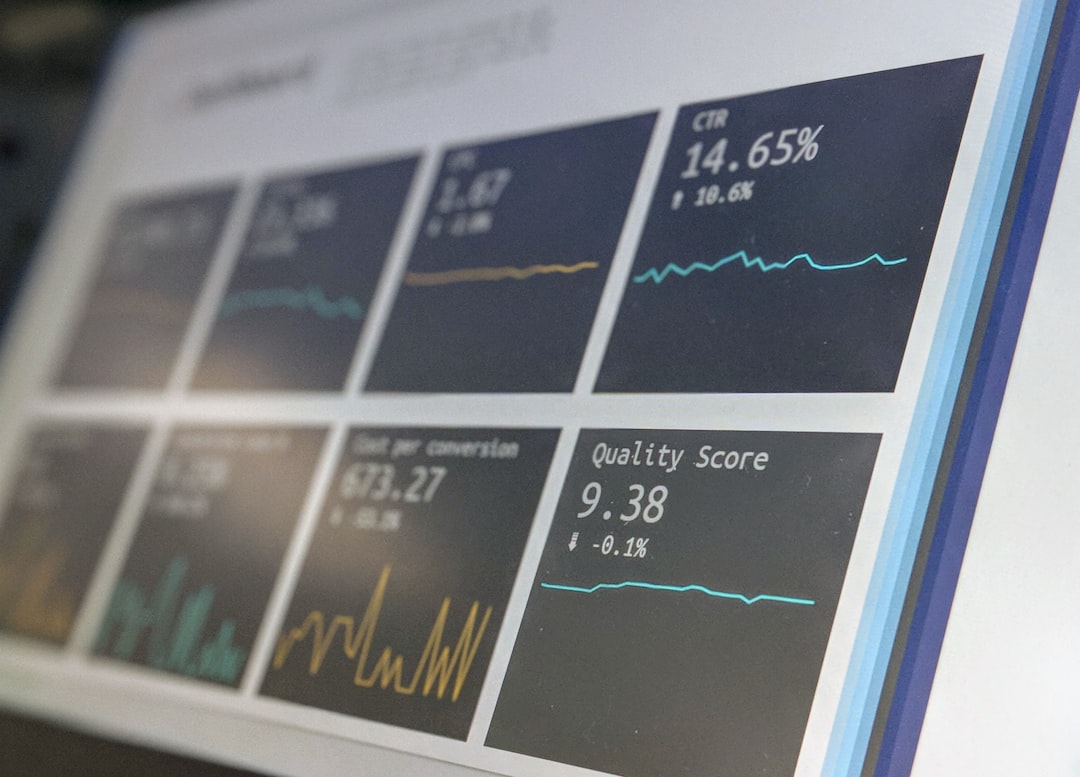
Use alerts for unusual row counts, missing files, late jobs, and strange trends.
Make Failures Useful
A bad alert says, “Test failed.” Thanks, robot. Very helpful.
A good alert says:
- Which test failed.
- Which table or pipeline was affected.
- What value was expected.
- What value was found.
- How serious the issue is.
- Who should respond.
Clear alerts save time. They also reduce panic.
Best Practices for ETL Testing Automation
- Version control your tests. Store tests with pipeline code when possible.
- Use naming standards. Test names should explain what they check.
- Tag critical tests. Some tests must block deployment. Others can warn only.
- Keep test data realistic. Fake data should still behave like real data.
- Avoid flaky tests. Tests that fail randomly will be ignored.
- Review failures often. Do not let broken tests become background noise.
- Measure quality trends. Track failures, freshness, completeness, and accuracy over time.
Common Mistakes to Avoid
Even smart teams trip sometimes. Here are traps to watch for:
- Testing too late: Bugs are harder to fix after data reaches dashboards.
- Only checking row counts: Counts matter, but values matter too.
- Ignoring business rules: Technical checks do not replace domain knowledge.
- No owner for failures: Every alert needs a human home.
- Too many noisy alerts: Alert fatigue is real. Be kind to your team.
- No documentation: Future teammates need to understand why tests exist.
A Simple Automation Flow
Here is a friendly flow for ETL testing automation:
- Define the most important data pipelines.
- List the key risks for each pipeline.
- Create basic tests for schema, counts, nulls, and totals.
- Add transformation rule tests.
- Run tests in CI CD before deployment.
- Run data quality checks during pipeline execution.
- Send clear alerts when tests fail.
- Review results and improve tests over time.
This does not need to be fancy. It needs to be steady. Small, useful tests beat giant forgotten test suites.
The Human Side of Data Quality
Automation is powerful. But it is not magic. People still matter.
Data engineers know the pipeline. Analysts know the business meaning. Product teams know the source systems. Compliance teams know the rules. Everyone has a piece of the puzzle.
The best ETL testing programs bring these people together. They agree on what “good data” means. They decide which failures are urgent. They keep improving.
Make data quality a team sport. Add snacks if possible.
Final Thoughts
ETL testing automation helps teams trust their data. It catches errors early. It speeds up releases. It protects dashboards, reports, models, and decisions.
You do not need to build a giant robot castle on day one. Start with a few strong checks. Pick the right tools. Build a simple framework. Add tests as your pipelines grow.
Good data does not happen by accident. It needs care, checks, and a little automation magic. With the right strategy, your data pipeline can stop being a mystery tunnel and become a smooth, cheerful, well tested data highway.
