
Engineering Design Software: SolidWorks and Autodesk Inventor Among the Design Platforms
For most engineering teams, SolidWorks and Autodesk Inventor are the safest CAD choices because they cover modeling, assemblies, drawings, simulation, and manufacturing prep without forcing teams into obscure workflows. SolidWorks has a huge user base, with Dassault Systèmes reporting millions of users across education and industry [source: SolidWorks]. Inventor is just as serious, especially for companies already tied to AutoCAD, Fusion, Revit, or Autodesk’s cloud tools.
TLDR: SolidWorks is often the better pick for product design teams that want a polished, familiar workflow and strong supplier support. Autodesk Inventor fits teams that live in the Autodesk system and need tight links to DWG files, factory layouts, or larger manufacturing projects. For example, a 10-person machine design team might cut drawing cleanup time by 20–30% if it standardizes templates, part libraries, and revision rules in either platform. The winner is rarely “the best software.” It is usually the one your team can use with the fewest daily headaches.
Why these two platforms keep showing up
Engineering design software has one job: turn ideas into parts that can actually be made. That sounds simple. It is not. A good CAD platform needs to handle sketches, constraints, assemblies, tolerances, materials, drawings, bills of materials, and changes from people who always seem to remember a new requirement at 4:55 p.m.
SolidWorks and Autodesk Inventor keep showing up because they are mature. They are not trendy toys. They are built for real product work, from brackets and housings to packaging equipment and industrial machines.
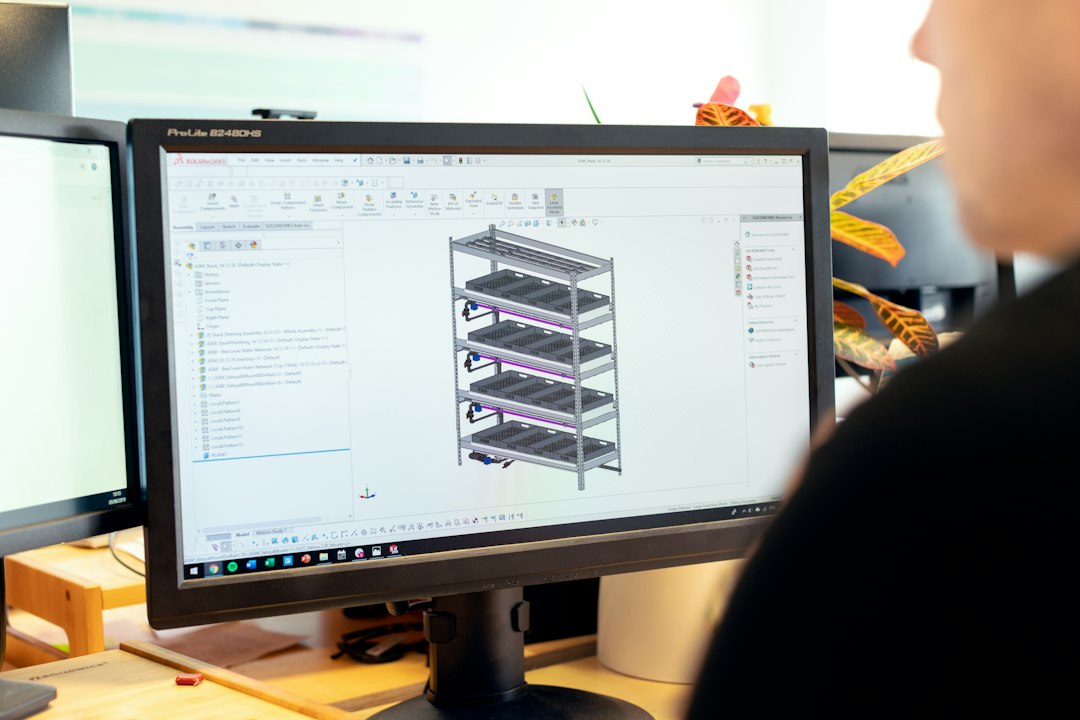
SolidWorks: popular, direct, and easy to adopt
SolidWorks is known for its clean modeling flow. Sketch, extrude, cut, fillet, mate, draw. That rhythm is easy to teach. New users can build useful parts quite quickly, which is one reason it is common in schools, startups, and mid-sized manufacturers.
Its biggest strength is the day-to-day design experience. Features are where many users expect them to be. Assemblies are clear. Drawings are strong. Sheet metal, weldments, surfacing, and mold tools are all there when needed.
- Best for: product design, machine parts, consumer products, fixtures, and small to medium assemblies.
- Strong points: fast learning curve, large user community, many tutorials, broad supplier file support.
- Common pain: large assemblies can slow down if teams do not manage mates, configurations, and references carefully.
Honestly, it feels like SolidWorks rewards good habits and punishes sloppy modeling. Rename a key feature or move a file outside the agreed folder system, and someone will spend 18 minutes hunting broken references. That is not fun. But it is also avoidable.
Autodesk Inventor: serious mechanical design inside the Autodesk world
Autodesk Inventor is a strong mechanical CAD tool with deep links to other Autodesk products. If your company already uses AutoCAD drawings, Vault, Fusion, Navisworks, or Revit, Inventor can feel like the more natural fit.
Inventor handles parametric parts, assemblies, drawings, frame design, sheet metal, tube and pipe, and iLogic automation. That last item matters. iLogic lets teams build rules into models, so a machine frame or enclosure can adjust based on user inputs.
- Best for: machine design, factory equipment, configured products, and teams using Autodesk file formats.
- Strong points: DWG support, automation through iLogic, good data management with Vault.
- Common pain: some workflows feel buried under extra clicks, especially for users coming from SolidWorks.
The annoying part is that Inventor can feel heavy for quick concept work. A small bracket edit that should feel instant may turn into a chain of dialog boxes, style checks, and update prompts. Not always. But often enough to notice.

How they compare in real work
Modeling: Both are parametric CAD tools. Both use sketches, constraints, features, and relationships. SolidWorks often feels smoother for direct part modeling. Inventor feels strong when designs depend on structured rules, standard components, and repeated product families.
Assemblies: SolidWorks mates are easy to understand. Inventor constraints are powerful and precise. For very large assemblies, success depends less on the logo and more on discipline. Lightweight modes, simplified parts, and clear folder structure matter a lot.
Drawings: Both can create production drawings with dimensions, tolerances, sections, details, and BOM tables. SolidWorks drawings are often praised for speed and polish. Inventor is excellent when connected to DWG-based workflows.
Simulation: Both offer simulation tools, but serious analysis still needs careful setup. Do not treat colored stress plots as truth. Mesh quality, boundary conditions, material data, and load assumptions decide whether the result is useful or just pretty.
Where other design platforms fit
SolidWorks and Inventor are not alone. Engineers also use PTC Creo, Siemens NX, CATIA, Fusion, Onshape, and FreeCAD. Each has a place.
- Creo: strong for complex products and strict engineering control.
- NX: powerful for advanced manufacturing, aerospace, and automotive work.
- CATIA: common in aircraft, vehicles, and high-end surface design.
- Fusion: good for smaller teams that want CAD, CAM, and cloud sharing.
- Onshape: browser-based CAD with excellent collaboration features.
The same thinking applies to design knowledge, documentation, and research notes. CAD teams often need a clean place to store decisions, test notes, and design rules. If your team struggles with slow or messy docs, this guide to knowledge managers for writers and academics can still be useful, since many of the same note-taking problems show up in engineering offices.
Choosing the right CAD tool
Start with your files, people, and suppliers. If your vendors send SolidWorks files every week, that matters. If your plant runs on DWG files and Autodesk Vault, that matters too. Training costs can be larger than the software bill.
Ask these questions before buying:
- What file formats do customers and suppliers use?
- How large are our assemblies?
- Do we need automation for product variants?
- Who will manage templates, libraries, and revisions?
- Will we need CAM, simulation, or PDM soon?
The practical answer: choose SolidWorks if you want wide adoption, quick onboarding, and a very familiar mechanical design workflow. Choose Autodesk Inventor if your company is already invested in Autodesk tools or needs strong DWG and rule-based design support. Either way, set standards early. Bad CAD habits spread fast, and cleaning them up later is painfully slow.
