
CRM for Manufacturing: HubSpot and Salesforce Among the Customer Management Choices
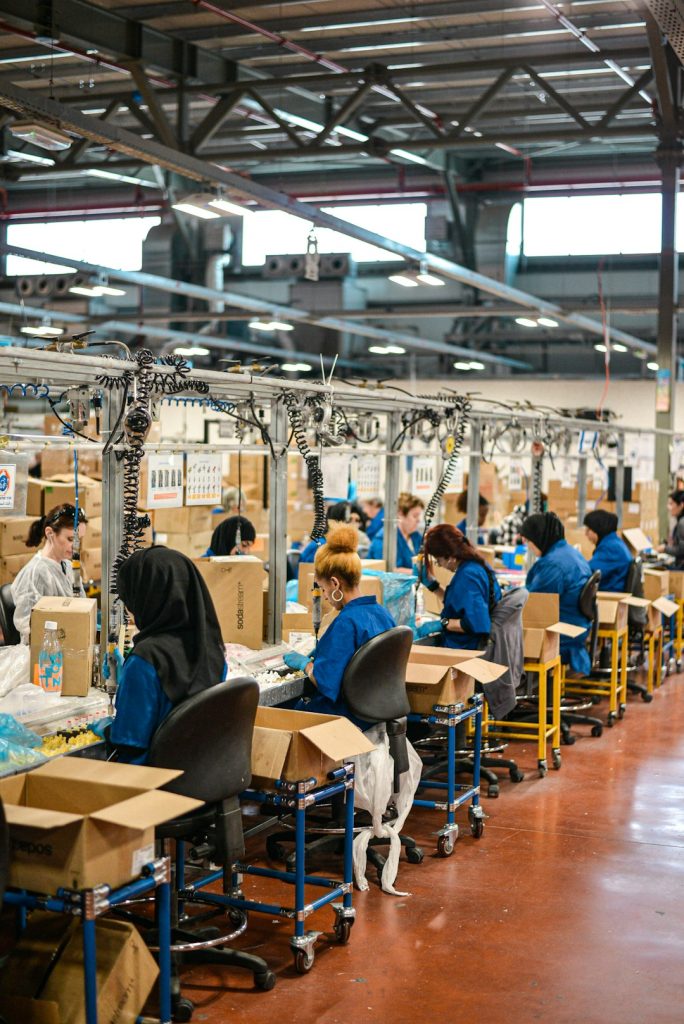
Manufacturers should choose a CRM based on how they sell, quote, service, and forecast demand, not based on brand name alone. HubSpot and Salesforce are common choices, but they are not the only serious options. Manufacturing contributed more than $2.9 trillion to the U.S. economy, so small process gains in sales and service can mean real money [source: NAM].
TLDR: A manufacturing CRM should connect sales, quoting, dealer activity, service cases, and production signals in one place. For example, a parts maker with 40 reps could cut quote follow-up time by 25% if every rep sees order history, open tickets, and plant lead times before calling a buyer. HubSpot is often easier for smaller teams. Salesforce is stronger for complex sales, partner networks, and custom workflows.
Why CRM matters in manufacturing
Manufacturing sales are rarely simple. A buyer may ask for a custom quote, send CAD files, request samples, wait for engineering approval, and then place a repeat order six months later. Without a CRM, much of that history lives in email threads, spreadsheets, or someone’s memory.
That creates slow replies. It also creates bad forecasts. A plant may plan for demand that never arrives. Or worse, sales may promise delivery dates that production cannot meet.
A good manufacturing CRM gives teams one shared record for each customer, distributor, quote, part, and service issue. It should help sales and operations work from the same facts.

What manufacturers should look for
The best CRM for a manufacturer depends on the sales model. A company selling standard parts online has different needs than a firm selling engineered equipment through dealers.
Key features often include:
- Account and contact tracking for buyers, engineers, dealers, and purchasing teams.
- Quote and proposal workflows with approval steps.
- ERP connection for inventory, pricing, invoices, and order status.
- Pipeline forecasting by product family, region, and rep.
- Service case management for warranty claims, repairs, and spare parts.
- Dealer or distributor visibility for channel sales.
- Marketing automation for trade shows, catalogs, and product launches.
It drives teams mad when a CRM looks polished but makes a rep click through six screens just to check whether a part shipped. Simple jobs should stay simple.
HubSpot for manufacturing
HubSpot is often a strong fit for small and mid-sized manufacturers that want fast setup and cleaner sales follow-up. Its main strength is ease of use. Sales teams can track deals, log calls, send sequences, and view marketing activity without heavy training.
HubSpot also works well for manufacturers that rely on inbound leads. A company running product pages, white papers, trade show campaigns, or sample requests can connect marketing and sales in one system.
Best fit: growing manufacturers, component suppliers, packaging firms, and B2B companies that need better lead handling without a huge admin burden.
Possible drawback: complex quoting, deep ERP sync, and advanced territory rules may require paid add-ons or custom work. Costs can also rise as contact lists and feature needs grow.
Salesforce for manufacturing
Salesforce is a better fit when the sales process has many layers. It can support direct sales, distributors, service teams, field reps, and executives at the same time. Its customization options are deep.
Salesforce Manufacturing Cloud is built for account-based forecasting, sales agreements, and demand planning. That can help firms track long-term customer commitments and compare forecasts with actual orders.
Best fit: larger manufacturers, global suppliers, industrial equipment makers, and companies with complex dealer networks.
Possible drawback: Salesforce can feel heavy. Admin work, setup time, and consulting costs can add up. The catch is that power often comes with more buttons, more rules, and more meetings.
Image not found in postmetaOther CRM choices to consider
HubSpot and Salesforce get a lot of attention, but other tools may fit better in certain cases.
- Microsoft Dynamics 365: useful when a manufacturer already uses Microsoft tools, Power BI, or Business Central. This guide on Microsoft Dynamics CRM and ERP explains how the CRM and back-office side can work together.
- Zoho CRM: a lower-cost option for smaller manufacturers that need sales tracking, email, and basic automation.
- Pipedrive: good for simple pipeline control, especially for sales teams that dislike bloated systems.
- NetSuite CRM: useful for firms already using NetSuite ERP.
- Creatio: strong for process-heavy teams that want no-code workflow tools.
Manufacturers selling replacement parts online may also study CRM patterns used by retailers and online sellers. This list of CRM platforms for ecommerce and retail businesses can help teams compare customer tracking for digital orders.
How to choose between HubSpot and Salesforce
The decision should start with process mapping. A manufacturer should list how a lead becomes a quote, how a quote becomes an order, and how service issues are handled after delivery.
HubSpot may be the better choice if:
- The team wants quick adoption.
- Marketing and sales need to work closer together.
- The sales process is clear but not highly complex.
- The company has limited CRM admin support.
Salesforce may be the better choice if:
- The company sells through many channels.
- Forecasting must connect with long-term supply plans.
- Custom approval flows are needed.
- Global teams need strict roles, permissions, and reporting.

Common implementation mistakes
Many CRM projects fail because the software is treated like a magic fix. It is not. Messy data stays messy unless someone cleans it. Bad sales habits also follow teams into the new system.
Manufacturers should avoid rolling out every feature at once. A phased launch works better. Start with accounts, contacts, deals, quotes, and tasks. Then add marketing, ERP sync, service cases, and dashboards.
Training also matters. Reps need to see why the CRM helps them sell, not just why management wants reports.
FAQ
What is the best CRM for manufacturing?
There is no single best CRM for every manufacturer. HubSpot suits many smaller and mid-sized firms. Salesforce fits larger or more complex sales teams. Microsoft Dynamics, Zoho, and NetSuite can also be strong choices.
Does a manufacturing CRM need to connect with ERP?
In most cases, yes. ERP data helps sales teams see inventory, pricing, invoices, open orders, and delivery status. Without that connection, reps may still rely on manual checks.
Is HubSpot good for manufacturers?
Yes, especially for firms that need easy lead tracking, email campaigns, pipeline views, and sales follow-up. It may need extra setup for advanced quoting or deep production data.
Is Salesforce too complex for small manufacturers?
Sometimes. Salesforce can be powerful, but small teams may find it costly or too admin-heavy. A simpler CRM may be better if the process is not complex.
How long does CRM setup take?
A basic setup may take a few weeks. A larger CRM project with ERP sync, custom fields, permission rules, and reporting can take several months.
