
Best AI-Powered Tools for Creating Logos, Posters, and Flyers
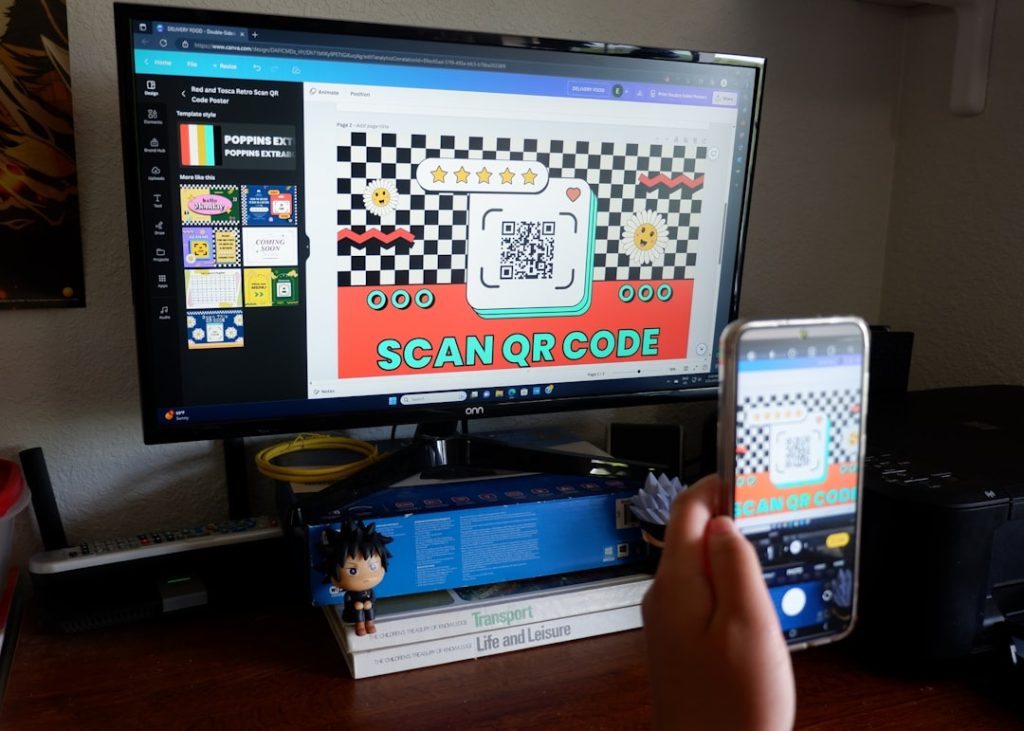
Artificial intelligence has changed how small businesses, creators, agencies, and event organizers approach visual design. Instead of starting every logo, poster, or flyer from a blank canvas, teams can now use AI-powered platforms to generate concepts, refine layouts, suggest color palettes, write promotional copy, and resize finished assets for multiple channels. The best tools do not replace human judgment; they speed up the early creative process and help non-designers produce polished materials with far less friction.
TLDR: The best AI-powered tools for creating logos, posters, and flyers include Canva, Adobe Express, Looka, Tailor Brands, Kittl, Microsoft Designer, VistaCreate, and PosterMyWall. Logo-focused platforms are strongest for brand identity, while all-in-one design tools are better for posters, flyers, social graphics, and marketing campaigns. The smartest choice depends on whether a user needs fast templates, AI image generation, brand kits, or print-ready exports.
Why AI Design Tools Matter for Logos, Posters, and Flyers
For many businesses, visual content is needed constantly: a new product launch, a seasonal sale, a conference announcement, a restaurant event, or a social media campaign. Traditional design workflows can be expensive and time-consuming, especially when multiple variations are needed. AI-powered design tools reduce that burden by generating starting points based on text prompts, industry categories, style preferences, and brand colors.
These platforms are especially useful because they combine several tasks in one workspace. A user may describe a flyer for a fitness bootcamp, choose a bold visual style, generate matching imagery, add promotional copy, and resize the design for Instagram, print, and email. For logos, AI tools can suggest symbols, typefaces, color combinations, and layout structures in minutes.
1. Design.com: Best AI Tool for Creating Branded Marketing Materials
Design.com combines AI-powered logo creation with tools for designing posters, flyers, business cards, and other marketing assets. Users can generate custom designs from a business name, prompt, or keywords, then quickly customize colors, fonts, graphics, and layouts using a beginner-friendly editor. With more than 1 million templates, over 750 fonts, and 62K+ custom vector shapes, there are plenty of options for creating unique designs.
For posters and flyers, Design.com offers thousands of professionally designed templates for promotions, events, sales, and business campaigns. Once a logo is created, brand colors and fonts can automatically carry across other designs, making it easy to keep everything consistent. Designs can be downloaded in high-resolution and vector formats or printed directly through the platform.
Best for: Small businesses, entrepreneurs, creators, and marketers who need logos and promotional materials quickly.
Notable strengths:
- AI-powered logo, flyer, and poster generation
- Thousands of customizable poster and flyer templates
- Automatic brand syncing across designs
- High-resolution and vector downloads
- Built-in print ordering and worldwide shipping
- Access to 50+ additional branding tools
Pricing:
- Free: Design, customize, and download a logo at no cost.
- Starter: $3/month annually ($9/month monthly) with high-res files, unlimited edits, social templates, and 50+ design tools.
- Value: $4/month annually ($14/month monthly) and includes everything in Starter plus a website builder.
- Premium: $5/month annually ($19/month monthly) and includes everything in Value plus link-in-bio tools and digital business cards.
Other tools:
- AI Logo Generator
- AI Flyer Generator
- AI Poster Generator
- AI Business Card Maker
- AI Website Builder
- AI Presentation Maker
- AI Background Remover
- Social Media Design Tools
2. Canva: Best All-Around AI Design Platform
Canva remains one of the most accessible platforms for creating logos, posters, flyers, presentations, and social media graphics. Its AI features, often grouped under its Magic Studio tools, help users generate images, rewrite text, remove backgrounds, create layouts, and resize designs for different formats.
For posters and flyers, Canva is especially strong because it offers a huge collection of templates for events, sales, menus, announcements, and community campaigns. A marketer can begin with a professionally designed template, then use AI to adjust the tone of the copy, create a background image, or generate a new graphic element. Its drag-and-drop editor makes it practical for beginners, while brand kits and collaboration tools make it useful for teams.
Best for: Small businesses, content creators, schools, nonprofits, and marketing teams that need quick, attractive designs.
Notable strengths:
- Large template library for flyers, posters, logos, invitations, and social posts
- AI writing and image tools for promotional material
- Brand kit features for consistent colors, fonts, and logos
- Easy resizing for print and digital campaigns
3. Adobe Express: Best for Professional-Looking Marketing Graphics
Adobe Express combines simplified design tools with the power of Adobe’s creative ecosystem. Its AI capabilities, supported by Adobe Firefly, allow users to generate images and text effects, remove backgrounds, create templates, and produce social-ready graphics. For posters and flyers, Adobe Express offers a refined design experience with strong typography and high-quality visual assets.
Adobe Express is a good fit for users who want the polish associated with Adobe products but do not need the complexity of Photoshop or Illustrator. It is effective for campaigns that require clean layouts, branded graphics, promotional posters, and attractive flyers. Since Adobe has placed emphasis on commercially safer AI generation, many businesses may find it appealing for marketing use.
Best for: Businesses and creators that want polished promotional graphics with strong AI image generation.
Notable strengths:
- Firefly-powered AI image generation
- Professional templates for events, ads, flyers, and social posts
- Excellent typography controls compared with many beginner tools
- Useful integration with Adobe’s broader creative ecosystem
4. Looka: Best for AI Logo Creation and Brand Kits
Looka is specifically designed for generating logos and brand identity materials. Instead of asking users to build a logo manually from scratch, it collects information about the business name, industry, preferred styles, colors, and symbols. The AI then generates multiple logo concepts that can be customized further.
Looka is particularly useful for entrepreneurs and early-stage businesses that need a complete identity quickly. In addition to logos, it can generate brand guidelines, business cards, social media assets, and other branded materials. While it may not replace a custom identity project from a professional agency, it provides a strong starting point for companies that need a credible visual identity on a limited budget.
Best for: Startups, solo founders, consultants, and small businesses needing a fast brand identity.
Notable strengths:
- Logo-first workflow built around brand identity
- Multiple concept variations generated quickly
- Brand kit output for consistent visual use
- Simple customization of icons, fonts, layouts, and colors
5. Tailor Brands: Best for Logo and Business Branding Packages
Tailor Brands is another AI-driven platform focused on branding. It helps businesses create logos by asking questions about style preferences, industry, and brand personality. The platform then generates logo options and allows users to customize elements such as fonts, spacing, colors, and icons.
Its advantage is that it extends beyond logo generation. Businesses can use it to create branded assets for digital presence, business cards, and other marketing needs. For users who want an all-in-one branding path rather than a single design file, Tailor Brands can be convenient.
Best for: New businesses that want a guided logo and branding process.
Notable strengths:
- Guided AI logo creation based on brand personality
- Business branding assets beyond the logo
- Beginner-friendly interface
- Useful for quick launch materials
6. Kittl: Best for Stylish Posters, Vintage Graphics, and Typography
Kittl has gained popularity among designers, merch creators, and small businesses because of its strong typography tools and stylish templates. It is particularly effective for posters, apparel graphics, labels, badges, and retro-inspired branding. Its AI features can help generate vector-style artwork, backgrounds, and design ideas that fit a specific aesthetic.
For flyer and poster creation, Kittl stands out when the design needs personality. A concert poster, café promotion, local market flyer, or boutique product announcement can benefit from its artistic layouts and decorative type options. The platform is also useful for those who care about print-ready design and visual texture.
Best for: Creators, print sellers, event promoters, restaurants, boutiques, and designers who want distinctive visual styles.
Notable strengths:
- Excellent typography tools for posters and flyers
- Strong template aesthetics, including vintage and bold styles
- AI artwork generation for unique visual elements
- Useful export options for print and merchandise
7. Microsoft Designer: Best for Fast AI-Generated Marketing Visuals
Microsoft Designer is built for fast visual creation from text prompts. A user can describe a campaign, event, product, or announcement, and the tool generates layout options with images and text. It is helpful for producing social media posts, digital flyers, invitations, and simple promotional graphics.
The platform is especially appealing to users already connected to Microsoft’s ecosystem. It can turn rough ideas into usable visuals quickly, making it suitable for everyday marketing tasks. While it may not offer the same depth of manual control as advanced design platforms, it performs well for rapid ideation and simple campaign assets.
Best for: Users who want quick AI-generated visuals from simple prompts.
Notable strengths:
- Prompt-based design generation
- Fast layout suggestions
- Good for social graphics and digital flyers
- Simple workflow for non-designers
8. VistaCreate: Best for Template-Based Flyers and Social Campaigns
VistaCreate is a design platform with a strong library of templates for flyers, posters, ads, banners, and social media posts. Its AI and automation features support background removal, quick editing, and visual content creation. It is easy to use and is particularly effective for businesses that need frequent promotional assets.
VistaCreate is a practical option for local businesses, real estate agents, fitness instructors, restaurants, and event organizers. It offers a smooth workflow for adapting a design across different channels, which is essential when one campaign needs both a printed flyer and multiple digital versions.
Best for: Local businesses and marketers producing recurring promotional materials.
Notable strengths:
- Wide template selection for flyers, posters, and ads
- Simple editing experience
- Good social media design tools
- Helpful for quick campaign production
9. PosterMyWall: Best for Event Flyers and Promotional Posters
PosterMyWall is built around promotional design, making it especially useful for flyers, posters, menus, event announcements, and digital signage. Its templates are practical and campaign-oriented, covering categories such as parties, church events, concerts, restaurants, education, retail sales, and community programs.
AI features and automated design support help users create promotional materials faster. The platform is valuable when the goal is not to develop a complex brand identity but to produce a clear, attractive announcement. For event organizers, this can be a major advantage because designs often need to be produced quickly and updated frequently.
Best for: Event organizers, venues, schools, restaurants, and community groups.
Notable strengths:
- Excellent event flyer templates
- Practical poster design categories
- Digital and print-focused outputs
- Fast editing for time-sensitive promotions
10. Ideogram, DALL-E, and Midjourney: Best for Custom AI Imagery
Dedicated AI image generators such as Ideogram, DALL-E, and Midjourney are not traditional flyer or logo builders, but they can be extremely useful for generating custom visuals. They can create illustrations, backgrounds, textures, product scenes, mascots, and artistic concepts that can later be imported into design platforms such as Canva, Adobe Express, or Kittl.
Ideogram is often praised for handling stylized text better than many image generators, although final text should still be checked carefully. DALL-E is convenient for flexible prompt-based generation, while Midjourney is known for highly polished and artistic visuals. These tools are strongest when paired with a layout editor rather than used alone for finished print designs.

Best for: Designers and marketers who need original imagery for campaigns.
Notable strengths:
- Highly creative image concepts
- Custom backgrounds and illustrations
- Useful for unique campaign visuals
- Strong support for brainstorming visual directions
How to Choose the Right AI Design Tool
The best tool depends on the project. A company creating its first logo may benefit from a logo-focused platform such as Looka or Tailor Brands. A restaurant promoting a weekend event may get better results from Canva, PosterMyWall, or VistaCreate. A designer creating a bold poster with custom lettering may prefer Kittl, while a professional marketer may choose Adobe Express for polished campaign assets.
Before selecting a platform, users should consider the following factors:
- Purpose: Logos require different tools than posters and flyers.
- Customization: Some platforms offer deeper control over typography, layout, and colors.
- Export quality: Print projects may require high-resolution files, PDF exports, or vector formats.
- Brand consistency: Teams should look for brand kits, reusable templates, and shared assets.
- Commercial use: Users should review licensing terms for AI-generated images, icons, and templates.
- Ease of use: Beginners may prefer guided workflows, while designers may want more flexibility.
Best Practices for AI-Generated Logos, Posters, and Flyers
AI can create impressive results, but the strongest outcomes still require review and refinement. A logo should be simple, scalable, memorable, and appropriate for the industry. Posters and flyers should have a clear hierarchy, with the most important message visible immediately. A visually stunning flyer that hides the date, location, or call to action is not effective.
Designers and business owners should also check AI-generated content for errors. Text in images may contain misspellings, awkward spacing, or distorted letters. Icons and illustrations should be reviewed for originality and relevance. For logos, businesses should consider trademark searches before finalizing a mark, especially if the brand will operate publicly or at scale.
Useful workflow:
- Start with a clear brief describing the audience, message, mood, and format.
- Generate several concepts rather than accepting the first result.
- Refine typography and spacing manually for a more professional look.
- Check readability at both small and large sizes.
- Export in the right format for print, web, or social media.
Final Thoughts
AI-powered design tools have made visual communication faster, more affordable, and more accessible. Platforms such as Canva, Adobe Express, Kittl, Microsoft Designer, VistaCreate, and PosterMyWall are excellent for posters and flyers, while Looka and Tailor Brands are stronger choices for logo creation and branding. Image generators such as Ideogram, DALL-E, and Midjourney add another layer of creative flexibility by producing custom visuals that can support campaigns.
The best results come when AI speed is combined with human taste, brand strategy, and careful editing. A strong design still needs clarity, balance, consistency, and purpose. When used thoughtfully, AI tools can help businesses create logos, posters, and flyers that look professional and communicate effectively.
FAQ
Which AI tool is best for creating logos?
Looka and Tailor Brands are among the strongest options for AI logo creation because they focus specifically on brand identity, logo variations, and matching brand assets.
Which AI tool is best for posters and flyers?
Canva, Adobe Express, Kittl, VistaCreate, and PosterMyWall are strong choices for posters and flyers. Canva is the best all-around option, while Kittl is excellent for stylish typography-driven designs.
Can AI-generated logos be used commercially?
In many cases, they can be used commercially, but the user should always review the platform’s licensing terms. For important brands, a trademark search and legal review may also be necessary.
Are AI design tools suitable for beginners?
Yes. Many AI design platforms are built for non-designers and include templates, guided editing, drag-and-drop controls, and automated layout suggestions.
Do AI tools replace professional designers?
AI tools do not fully replace professional designers. They are useful for speed, inspiration, and basic production, but professional designers still provide strategy, originality, refinement, and brand consistency.
What file formats are best for logos, posters, and flyers?
Logos are best saved in scalable formats such as SVG or high-quality transparent PNG. Posters and flyers are often exported as PDF, PNG, or JPG, depending on whether they are intended for print or digital use.
