
AI Logo Generators Compared: Which Platform Delivers the Best Designs for Businesses and Startups?
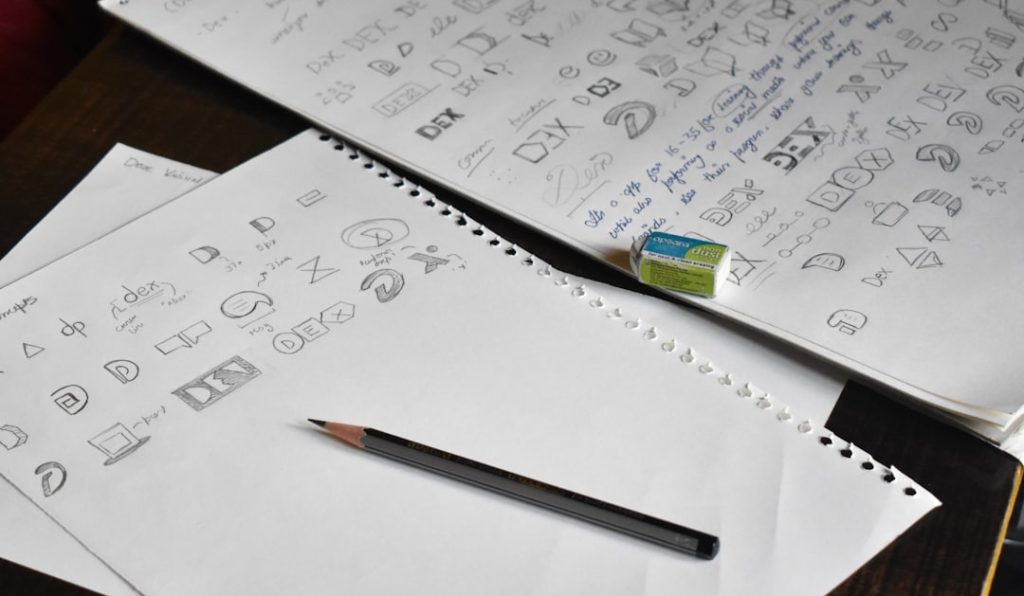
Picking a logo used to feel like ordering a custom spaceship. It was expensive. It took weeks. It involved mood boards, emails, and many cups of coffee. Now, AI logo generators can build logo ideas in minutes. That is great news for startups, side hustles, small shops, and founders who need to look professional fast.
TLDR: If you want the best all-around AI logo tool, Looka is a strong choice for polished business branding. If you want easy editing and lots of templates, Canva is the friendliest option. If you need a full brand kit with business tools, Tailor Brands is worth a look. For budget testing and quick ideas, Wix Logo Maker, LogoAI, and Adobe Express can also do a solid job.
Why AI Logo Generators Are So Popular
A logo is more than a cute icon. It is your business handshake. It appears on your website, invoices, packaging, social media, pitch deck, and email signature. A strong logo says, “We are real.” A weak logo says, “We used clip art at midnight.”
AI logo generators make the process faster. You enter your business name. You choose your industry. You pick styles, colors, and symbols. Then the tool creates logo options. Some platforms also create full brand kits. That means fonts, colors, mockups, social posts, and sometimes websites.
But here is the catch. Not all AI logo tools are equal. Some give slick results. Some look generic. Some are cheap at first, then charge more for useful files. So let’s compare the big names in a simple way.
What Makes a Good AI Logo Generator?
Before we rate the tools, let’s set the rules. A good logo platform should be:
- Easy to use. You should not need design school.
- Good at variety. It should show many styles, not the same logo in new clothes.
- Editable. You should be able to change colors, fonts, spacing, and icons.
- Business ready. You need files for web, print, and social media.
- Clear on price. No mystery checkout surprises.
- Original enough. It should not scream “template.”
Now let’s meet the contestants.
1. Looka: Best Overall for Professional Brand Kits
Looka is one of the most polished AI logo generators. It asks simple questions. Then it builds logo ideas based on your answers. The results often feel clean, modern, and business friendly.
Looka is great for startups that want more than one logo file. Its brand kit can include social media assets, business cards, letterheads, and brand guidelines. That is helpful if you need a consistent look across many places.
Best for: startups, consultants, SaaS brands, online stores, and small businesses that want a professional look fast.
Pros:
- Strong logo quality.
- Clean interface.
- Useful brand kit features.
- Good mockups for previewing your brand.
Cons:
- Some designs can still feel template based.
- Best files and brand assets cost more.
Simple verdict: Looka is like a smart design assistant in a nice blazer. It is not always wild or artsy, but it is reliable.
2. Canva: Best for Beginners and Social Media Brands
Canva is not only a logo maker. It is a giant design playground. You can make logos, posts, flyers, pitch decks, menus, and more. Its logo tools are very easy to use. The drag and drop editor is friendly, even if you think “vector file” sounds like a robot disease.
Canva is great for people who want control. You can start from a logo template, use AI features, add icons, change fonts, and test colors. It is also strong for social media. If your logo must appear on Instagram, TikTok, YouTube, and LinkedIn, Canva makes resizing simple.
Best for: creators, coaches, local businesses, online shops, and social first startups.
Pros:
- Very easy editor.
- Huge template library.
- Great for matching logo and social content.
- Affordable for many users.
Cons:
- Many templates are widely used.
- You need to customize well to avoid a generic look.
- Some premium assets need a paid plan.
Simple verdict: Canva is the friendly art teacher. It gives you many crayons. You still need to color inside your own brand lines.
3. Tailor Brands: Best for Business Setup Extras
Tailor Brands goes beyond logos. It wants to help you build a business identity. You can create a logo, brand kit, website, business cards, and other startup materials. It is useful if you are starting from zero and want one place for many tasks.
The logo quality is usually decent. The process is guided and simple. You answer questions, choose styles, and get options. The designs tend to be clean and practical, not super experimental.
Best for: new founders, small business owners, service businesses, and people who want branding plus setup tools.
Pros:
- Good guided experience.
- Helpful business extras.
- Solid brand kit options.
- Nice for non designers.
Cons:
- Logo designs can feel safe.
- Pricing can be confusing depending on what you need.
- Not ideal for highly custom visual identities.
Simple verdict: Tailor Brands is the startup toolbox. It may not paint a masterpiece, but it helps you open the shop.
4. Wix Logo Maker: Best for Website First Businesses
Wix Logo Maker is a natural fit if you plan to build a website with Wix. The logo process is quick. You enter your brand name, choose a vibe, and review suggested designs. You can edit colors, fonts, layouts, and icons.
The quality can be mixed. Some logos are sharp. Others feel basic. But the tool is convenient. If your main goal is to launch a website fast, Wix keeps the logo and site process close together.
Best for: restaurants, freelancers, personal brands, local services, and businesses building a Wix website.
Pros:
- Fast and easy.
- Good if you use Wix websites.
- Basic editing is simple.
- Useful file packages are available.
Cons:
- Design quality is not always consistent.
- Some logos need heavy edits to look special.
Simple verdict: Wix Logo Maker is quick and practical. It is like buying shoes near the checkout. Convenient, and sometimes surprisingly stylish.
5. LogoAI: Best for Fast, Modern Logo Concepts
LogoAI focuses on quick logo creation and brand identity assets. It creates many concepts based on your business name and style choices. The results are often modern, simple, and clean.
LogoAI is good for brainstorming. You can see many directions fast. This is useful when you know your company name but have no idea what the logo should look like. It can help you say, “Ah, that style feels right.”
Best for: tech startups, apps, digital products, agencies, and idea testing.
Pros:
- Fast logo generation.
- Modern visual style.
- Good for exploring ideas.
- Brand assets are available.
Cons:
- Some icons may feel familiar.
- Advanced customization can feel limited compared with full design tools.
Simple verdict: LogoAI is the speedy idea machine. Great for first drafts. Still, give the final logo a careful check.
6. Adobe Express: Best for Simple Designs With a Trusted Editor
Adobe Express is a lighter, simpler member of the Adobe family. It is much easier than Photoshop or Illustrator. It offers templates, AI powered features, and quick editing tools. For logos, it works best when you want a clean design and easy exporting.
Adobe Express is also useful if you already use Adobe products. It can connect with your broader creative workflow. The interface is simple, and the template quality is usually solid.
Best for: small teams, creators, educators, nonprofits, and businesses that already like Adobe.
Pros:
- Clean templates.
- Easy editing.
- Trusted creative ecosystem.
- Good for simple brand content.
Cons:
- Not the deepest logo generator.
- May need more manual design choices.
Simple verdict: Adobe Express is neat and dependable. It is less flashy, but it behaves well.
7. Fiverr Logo Maker: Best When You Want AI Plus Human Help
Fiverr Logo Maker uses logo designs made by freelance designers and adapts them through a guided tool. This gives it a different flavor. It can feel more human than some pure AI logo generators.
The big advantage is the Fiverr marketplace. If you like a direction but want more polish, you can hire a designer. That makes it a good bridge between DIY and custom design.
Best for: businesses that want fast logo ideas with an option to upgrade through a freelancer.
Pros:
- Designs can feel more crafted.
- Easy to connect with designers.
- Good for quick professional concepts.
Cons:
- Costs vary.
- Editing freedom depends on the selected design.
Simple verdict: Fiverr Logo Maker is like AI with a designer waiting backstage. Nice if you want options.

Quick Comparison Table
| Platform | Best Use | Design Quality | Ease |
|---|---|---|---|
| Looka | Professional brand kits | High | Easy |
| Canva | Beginners and social media | Good | Very easy |
| Tailor Brands | Business setup extras | Good | Easy |
| Wix Logo Maker | Website first brands | Mixed to good | Easy |
| LogoAI | Fast modern concepts | Good | Easy |
| Adobe Express | Simple branded graphics | Good | Easy |
| Fiverr Logo Maker | AI plus freelancer support | Good to high | Easy |
So, Which One Delivers the Best Designs?
For most businesses and startups, Looka offers the best balance of quality, speed, and brand assets. Its logos tend to look professional. Its brand kit is useful. It feels built for real businesses, not just hobby projects.
But the “best” tool depends on your goal.
- Choose Looka if you want a polished logo and a complete brand kit.
- Choose Canva if you want easy editing and lots of social media content.
- Choose Tailor Brands if you want branding plus business setup help.
- Choose Wix Logo Maker if your website will be built on Wix.
- Choose LogoAI if you want fast modern logo ideas.
- Choose Adobe Express if you want simple design tools from a trusted name.
- Choose Fiverr Logo Maker if you may want a human designer later.
Tips to Get a Better AI Logo
AI is fast. But it is not magic dust. To get a better logo, follow these simple tips:
- Keep the name readable. Fancy fonts can become tiny spaghetti.
- Use fewer colors. Two or three colors are enough.
- Test it small. Your logo must work as a tiny profile picture.
- Avoid overused icons. Light bulbs, rockets, and globes are everywhere.
- Check the file types. You will want PNG, SVG, and PDF if possible.
- Think long term. Pick a logo you can still love in three years.
Also, do a quick trademark search before getting too attached. AI tools can create logos that look similar to existing marks. That is not fun. That is legal soup.
Final Verdict
AI logo generators are perfect for startups that need to move fast. They save money. They offer many ideas. They help you look more serious on day one.
If you want the strongest overall option, start with Looka. If you want fun and freedom, try Canva. If you want business tools too, try Tailor Brands. The best logo is not just pretty. It is clear, memorable, and easy to use everywhere.
So go ahead. Let the robots sketch. Then use your human taste to pick the winner.
