
Which Logo Generator Is Right for You? 11 Platforms Compared
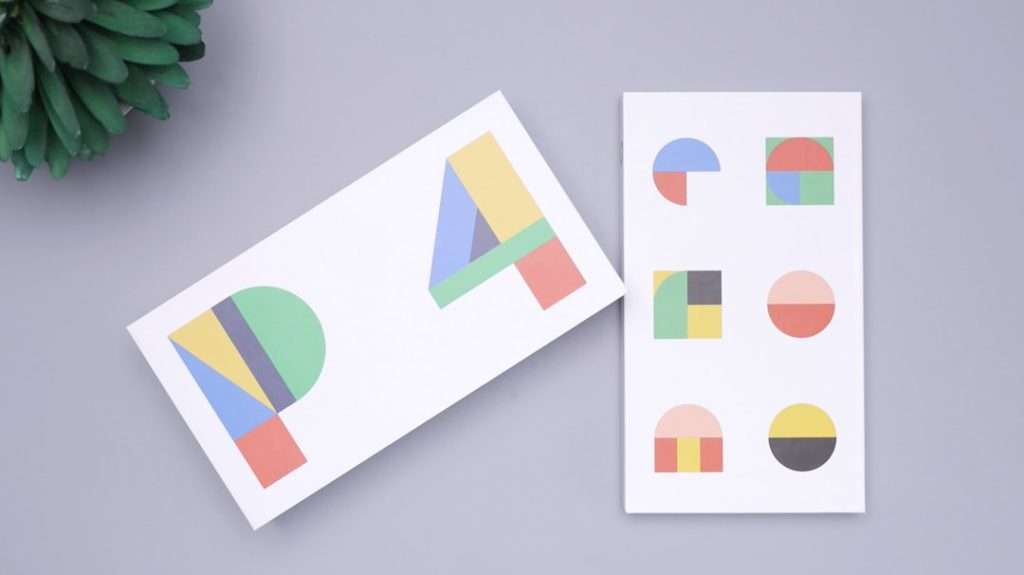
Choosing a logo generator is no longer just a matter of picking the cheapest tool. Modern platforms vary widely in template quality, customization depth, file ownership, branding support, and ease of use. For a solo founder, a creator, a nonprofit, or a growing ecommerce brand, the right choice depends on how much control, polish, and long-term brand flexibility is needed.
TLDR: The best logo generator depends on the user’s budget, design confidence, and need for brand assets beyond a logo. Canva and Adobe Express are strong all-around choices for people who want editable templates and marketing materials. Looka, Wix Logo Maker, and Tailor Brands suit businesses that want a guided brand-building process. Free or low-cost options such as Hatchful, Namecheap Logo Maker, and LogoMakr work best for simple, fast logos.
How Logo Generators Should Be Compared
A logo generator should be judged by more than the first design it produces. The best platforms help users create a logo that works on websites, invoices, packaging, business cards, social media profiles, and advertising materials. A good tool also provides usable file formats, clear licensing terms, and enough customization to prevent the final result from looking generic.
Before choosing a platform, a business owner should consider several questions:
- Budget: Is a free logo enough, or are premium files worth paying for?
- Skill level: Does the user need guided AI suggestions or a manual editor?
- Brand needs: Is only a logo required, or are social templates, business cards, and brand guidelines also useful?
- Customization: Can colors, fonts, icons, spacing, and layouts be adjusted in detail?
- File formats: Does the platform provide transparent PNG, SVG, PDF, or vector files?
1. Canva
Canva is one of the most flexible logo-making options because it combines logo templates with a full design workspace. It is especially useful for entrepreneurs, creators, coaches, and small teams that also need social media posts, flyers, presentations, email headers, and brand kits.
The platform’s biggest advantage is its ease of editing. Users can start with a template, change the icon, adjust typography, apply a brand color palette, and export the result quickly. Canva also supports collaboration, which makes it attractive for teams that want feedback before finalizing a logo.
Best for: users who want a logo plus ongoing marketing design tools.
Potential drawback: some templates may feel familiar unless they are customized heavily.
2. Looka
Looka uses a guided AI process to generate logo concepts based on preferences such as industry, colors, symbols, and style. It is designed for business owners who want a polished logo without starting from a blank canvas.
Looka is particularly strong when a user needs a brand package. In addition to logo files, it can provide business card designs, social media assets, and brand guidelines. Its interface is simple, and the generated options often look professional without much manual editing.
Best for: startups that want a guided branding experience.
Potential drawback: deeper customization may feel more limited than in full design platforms.
3. Wix Logo Maker
Wix Logo Maker is a practical option for users who plan to build or already manage a website through Wix. It asks questions about the business, preferred visual style, and brand personality, then creates suggested logo concepts.
The tool’s main strength is its connection to a broader website-building ecosystem. A user can create a logo and then carry that visual identity into a website, domain, and online presence. This makes it convenient for small businesses that want everything in one place.
Best for: service businesses, local shops, and entrepreneurs building a website.
Potential drawback: it is most appealing when the user also wants Wix’s wider platform.
4. Tailor Brands
Tailor Brands positions itself as more than a logo maker. It offers a broader suite for launching a business identity, including logo design, branded assets, website tools, and business services in some regions.
Its logo generator uses a questionnaire-driven process, making it helpful for people who do not know what visual style they want. The final designs tend to be clean and startup-friendly. Tailor Brands is well suited to users who prefer an organized, step-by-step brand setup instead of a manual design process.
Best for: new businesses that want branding and launch tools together.
Potential drawback: users should review pricing carefully, because some features may be tied to subscription plans.
5. Adobe Express
Adobe Express is a strong option for users who want a simple logo maker backed by Adobe’s design ecosystem. It provides templates, icons, fonts, and editing tools without requiring professional design experience.
The platform works well for users who may later move into more advanced Adobe tools. It is also useful for creating consistent marketing materials after the logo is finished. Adobe Express has a polished feel and supports quick resizing for different digital channels.
Best for: users who want accessible design tools with a professional creative ecosystem.
Potential drawback: beginners may still need time to understand the range of features.
6. Hatchful by Shopify
Hatchful is a free logo generator from Shopify, built with small businesses and online sellers in mind. It asks for the business industry, visual style, and use case, then produces downloadable logo options.
The biggest appeal is speed. A user can create a basic logo in minutes without needing a design background or a large budget. Hatchful is particularly useful for testing a business idea, launching a temporary project, or creating a simple ecommerce identity.
Best for: ecommerce beginners and budget-conscious small businesses.
Potential drawback: designs may be less distinctive than those created with more customizable tools.
7. Squarespace Logo Maker
Squarespace Logo Maker is a minimalist tool designed for quick, clean logos. It is especially appealing to users who like simple typography, restrained layouts, and modern visual identities.
Rather than overwhelming users with complex features, this platform focuses on speed and simplicity. It can work well for consultants, photographers, writers, and small professional services that need a tasteful wordmark or icon-based logo.
Best for: users who prefer minimal, elegant logo designs.
Potential drawback: it may not be ideal for brands that need highly expressive or detailed visuals.
8. LogoMakr
LogoMakr gives users a more hands-on editing experience. Instead of relying heavily on AI questionnaires, it offers a design canvas where users can search for graphics, add text, change colors, and arrange elements manually.
This approach is useful for people who have a clearer idea of what they want. It also gives more control over layout and composition than some guided tools. However, users with no design confidence may find it less polished at the start.
Best for: users who want manual control and simple editing.
Potential drawback: quality depends heavily on the user’s design choices.
9. Namecheap Logo Maker
Namecheap Logo Maker is a free and beginner-friendly platform that generates logo ideas after a short preference-based setup. It is especially useful for people who are already buying a domain or setting up basic online infrastructure.
The platform provides a convenient way to create a quick logo without added complexity. It is not the most advanced option for detailed brand systems, but it can be very effective for side projects, blogs, personal brands, and early-stage businesses.
Best for: users who need a free, fast logo while setting up a domain or website.
Potential drawback: customization and brand-building features are comparatively basic.
10. FreeLogoDesign
FreeLogoDesign offers a straightforward logo creation process with templates organized by industry. Users can select a design, edit text and colors, and download files depending on the chosen plan.
It is a solid middle-ground option for users who want something more structured than a blank editor but less complex than a full brand suite. The industry categories make it easy to find relevant starting points for restaurants, fitness brands, real estate firms, beauty businesses, and more.
Best for: small businesses that want industry-specific logo templates.
Potential drawback: premium files may be necessary for serious business use.
11. Placeit
Placeit is useful for users who want to see a logo in real-world mockups. In addition to logo templates, it offers mockups for apparel, packaging, social media, videos, and promotional materials.
This makes Placeit especially valuable for merch brands, streamers, creators, fitness businesses, and ecommerce sellers. Seeing a logo on a T-shirt, storefront sign, or product image can help a user decide whether it has enough impact beyond the design screen.
Best for: creators and ecommerce sellers who need mockups and branded visuals.
Potential drawback: the subscription model may be more than a user needs if only one logo is required.
Quick Comparison of the 11 Platforms
| Platform | Best Use Case | Strength | Main Limitation |
|---|---|---|---|
| Canva | Marketing-focused brands | Templates and brand assets | Needs customization to stand out |
| Looka | Startup branding | Guided AI process | Less manual control |
| Wix Logo Maker | Website owners | Website ecosystem | Best with Wix services |
| Tailor Brands | Business launch packages | Step-by-step branding | Pricing can vary |
| Adobe Express | Professional-looking designs | Adobe ecosystem | Feature range may take learning |
| Hatchful | Free ecommerce logos | Fast and simple | Less distinctive |
| Squarespace Logo Maker | Minimal brands | Clean simplicity | Limited complexity |
| LogoMakr | Manual editing | Hands-on control | Depends on user skill |
| Namecheap Logo Maker | Free quick logos | No-cost convenience | Basic branding features |
| FreeLogoDesign | Industry templates | Easy category browsing | Premium files may be needed |
| Placeit | Mockups and merch | Real-world previews | Subscription may be excessive |
Which Logo Generator Is Right for Each Type of User?
For a user who wants the best all-around design platform, Canva is often the safest choice. It is flexible, beginner-friendly, and useful long after the logo is created. Adobe Express is another strong choice for users who value polished templates and may want access to a broader creative ecosystem.
For a founder who wants AI-guided branding, Looka, Wix Logo Maker, and Tailor Brands are better fits. These tools reduce guesswork by asking questions and producing logo concepts based on selected preferences. They work well when speed and structure matter more than complete design control.
For someone who needs a free or very low-cost logo, Hatchful and Namecheap Logo Maker are appealing. They are practical for early experiments, side projects, temporary campaigns, and businesses that are not ready to invest in a full brand identity.
For a user who wants minimal style, Squarespace Logo Maker can be a good match. For someone who wants to control every element, LogoMakr may be more suitable. For creators who need product mockups, Placeit offers a helpful advantage because it shows how the logo may look in real-world applications.
Final Verdict
No single logo generator is perfect for every business. The right platform depends on whether the user values speed, originality, editing control, brand assets, or price. A business that needs a professional identity for the long term should prioritize vector files, transparent backgrounds, commercial usage rights, and enough customization to create a distinctive result.
In many cases, the smartest approach is to test two or three platforms before purchasing final files. A logo may look impressive in a preview but feel weak on a website header, product label, or social profile. By comparing options carefully, a business owner can choose a logo generator that supports not only the launch of a brand, but also its growth.
FAQ
Which logo generator is best for beginners?
Canva, Hatchful, and Namecheap Logo Maker are strong beginner options because they are easy to use and require little design experience.
Which platform is best for a full brand kit?
Looka, Tailor Brands, Canva, and Adobe Express are good choices for users who need more than a single logo, such as social graphics, business cards, and brand assets.
Are free logo generators good enough for business use?
Free logo generators can be good enough for early-stage projects, blogs, and test businesses. However, serious brands should check whether high-resolution files, transparent backgrounds, and commercial rights are included.
What file formats should a logo generator provide?
A professional logo package should ideally include PNG, SVG, and PDF files. SVG or other vector formats are especially important because they can be resized without losing quality.
Which logo generator is best for ecommerce?
Hatchful is useful for Shopify-focused sellers, while Placeit is strong for ecommerce brands that need mockups. Canva is also helpful for creating product graphics, ads, and social media content.
Can a logo made with a generator look professional?
Yes, a generator-made logo can look professional when the user customizes it carefully. Strong results usually come from simple layouts, readable fonts, balanced spacing, and a limited color palette.
