
SoundCloud Unblocked Music: Best Ways to Listen at School
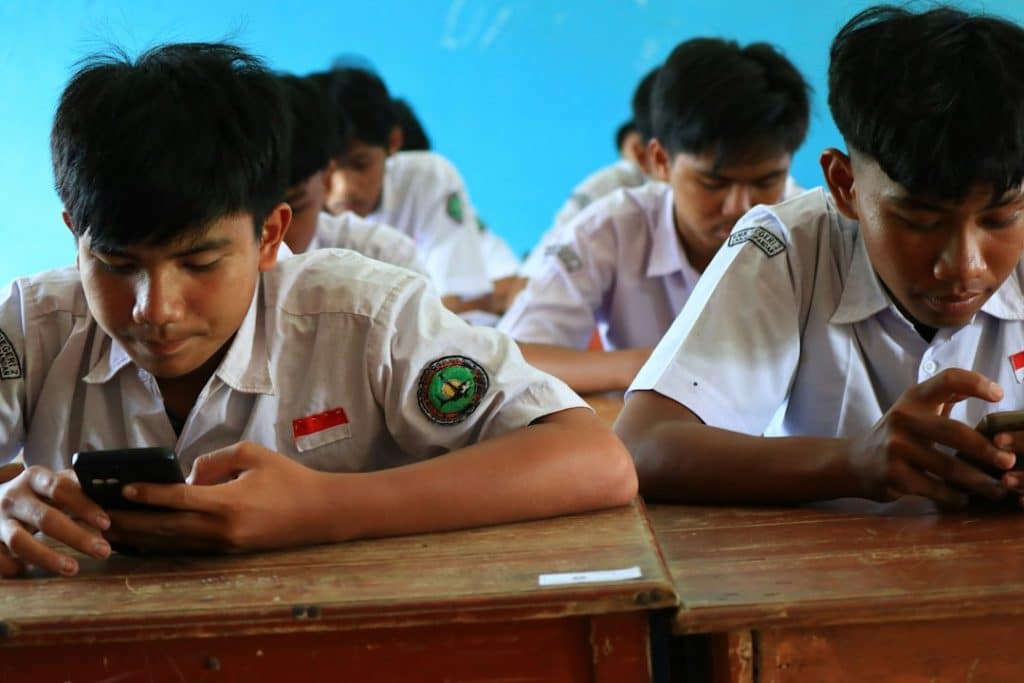
The best way to listen to SoundCloud at school is to stay inside the rules: use the official SoundCloud app or website when it is allowed, prepare playlists at home, download tracks legally if your plan supports it, and avoid shady “unblocked” proxy sites. SoundCloud says it has more than 400 million tracks from over 40 million artists, so there is plenty to hear without risking your school account or device security [source: SoundCloud].
TLDR: If SoundCloud is blocked on school Wi Fi, do not waste time on random proxy mirrors that may steal logins or blast ads. The cleanest options are offline listening, mobile data if school rules allow it, or asking staff to approve music for study periods. For example, a student with a 30 minute lunch break can save one 25 minute lo fi mix at home and listen without touching the school network. If even 20% of a class does this, the Wi Fi stays lighter and fewer students get stuck staring at loading wheels.

What “SoundCloud Unblocked” Usually Means
When students search for SoundCloud unblocked music, they usually mean one of three things. They want SoundCloud to work on school Wi Fi. They want music that is not blocked by filters. Or they want a way to listen without getting stopped by network restrictions.
The phrase can be confusing. Some sites use “unblocked” to market mirror pages, proxy tools, or sketchy music players. That stuff often looks useful for about eight seconds. Then the pop ups start, the player freezes, or the site asks for permissions it should not need. Honestly, it feels like trading one blocked site for ten new problems.
A better approach is simple: listen in a way that does not fight the school system. That means planning ahead, using legitimate access, and choosing music that fits the setting.
Best Legal Ways to Listen to SoundCloud at School
- Use the official SoundCloud app: If your school allows music during lunch, study hall, or free periods, the app is the safest option. It reduces the chance of landing on fake pages.
- Download music before school: SoundCloud Go and Go+ can support offline listening for many tracks. Some creators also allow direct downloads. Save your study playlist at home before you leave.
- Use mobile data only if permitted: Some schools allow personal data during breaks. Others ban phone use entirely. Check first. Getting music is not worth losing your phone for the day.
- Ask about approved listening times: A teacher may allow instrumental music during independent work. A school may also have rules for headphones, volume, and device use.
- Create a short playlist: A 20 to 40 minute playlist is enough for lunch or study hall. It also saves battery and cuts down on scrolling.
Why Proxy Sites Are a Bad Deal
Proxy sites and “unblocked music” pages are tempting. They promise fast access when SoundCloud is blocked. The catch is that many of them are slow, messy, and unsafe. Expect to waste time on broken play buttons, fake download labels, and pages that take 15 seconds longer than normal just to load a single track.
There is also a privacy issue. A random proxy can see what you type or click. If it asks you to log in, stop. Do not enter your SoundCloud password into a site that is not SoundCloud. That is how accounts get taken over.
School filters exist for different reasons. Some block entertainment sites to save bandwidth. Some block sites during class hours only. Some block audio streaming because hundreds of students playing music at once can slow everything down. You may disagree with the rule, but trying to sneak around it can lead to account restrictions or discipline.
How to Set Up Offline Listening
Offline listening is the smoothest option because it avoids school Wi Fi completely. It also keeps playback stable. No buffering. No filter errors. No awkward moment where a song cuts out halfway through your walk to class.
- Build a playlist at home: Pick tracks that match the school setting. Instrumental beats, lo fi, ambient music, and quiet electronic sets work well.
- Check download access: Free users can download only tracks where the artist has enabled downloads. Paid SoundCloud plans may allow offline saving inside the app for more tracks.
- Sync before leaving: Open the app while on home Wi Fi and make sure the playlist is available offline.
- Test airplane mode: Turn on airplane mode for a minute and play the playlist. If it works, you are set.
- Bring wired earbuds as backup: Bluetooth headphones die at the worst time. A cheap wired pair can save the day.
Best Types of SoundCloud Music for School
Not every track fits a school day. Loud lyrics, heavy bass, or explicit songs can draw attention fast. If your goal is focus, choose music that stays in the background.
- Lo fi hip hop: Good for reading, worksheets, and quiet projects.
- Ambient music: Great for calm focus and low stress.
- Instrumental electronic: Useful when you want energy without lyrics.
- Classical remixes: A solid pick for writing or math practice.
- Creator mixes: Many DJs and indie artists post long sets that last an entire study period.
Keep a “school safe” playlist separate from your regular likes. That way you do not have to skip three tracks in a row while your teacher is already watching the room.
How to Ask for SoundCloud Access
If SoundCloud is blocked but music is allowed at certain times, try asking instead of searching for a shortcut. Keep the request practical. Teachers and IT staff respond better when you explain the use case clearly.
You could say: “Can I use SoundCloud during independent work if I listen to instrumental music with one earbud in?” That is better than asking for full access with no limits.
If you are part of a club, media class, dance team, theater group, or school radio project, you may have an even stronger reason. SoundCloud is full of independent artists, remixes, podcasts, and practice tracks. A teacher sponsor may be able to request limited access for a classroom or activity.
Simple Etiquette So You Do Not Annoy Everyone
- Keep the volume low: If someone two seats away can hear it, it is too loud.
- Use one earbud when required: This helps you hear instructions.
- Do not play music out loud: Phone speakers in a hallway are never as cool as people think.
- Pause during announcements: Missing one instruction can cost more time than the song is worth.
- Skip explicit tracks: Even if you like them, they can cause problems in shared spaces.
Quick Troubleshooting Tips
If SoundCloud is allowed but still not working, try the harmless fixes first. Update the app. Clear the cache. Restart your phone. Switch from school Wi Fi to approved mobile data if allowed. Check whether your offline playlist actually finished syncing.
If the website loads but tracks will not play, the network may block streaming audio. In that case, offline listening is the better plan. If the app opens but keeps spinning, close background apps and turn off battery saver for a moment. Some phones pause downloads when power saving is on.
The Smart Way to Think About It
SoundCloud can be useful at school. It can help with focus, mood, creative projects, dance practice, and media assignments. But “unblocked” should not mean unsafe. It should mean accessible without drama.
The safest setup is boring, but it works: make a playlist at home, save it offline, keep the volume low, and use it only when school rules allow music. You get the tracks you want. The network stays clear. Your account stays safe. Best of all, you spend your break listening instead of fighting a broken proxy page.
