
How to Launch a New WordPress Store While Collecting Email Addresses From Customers Before the First Products Are Available
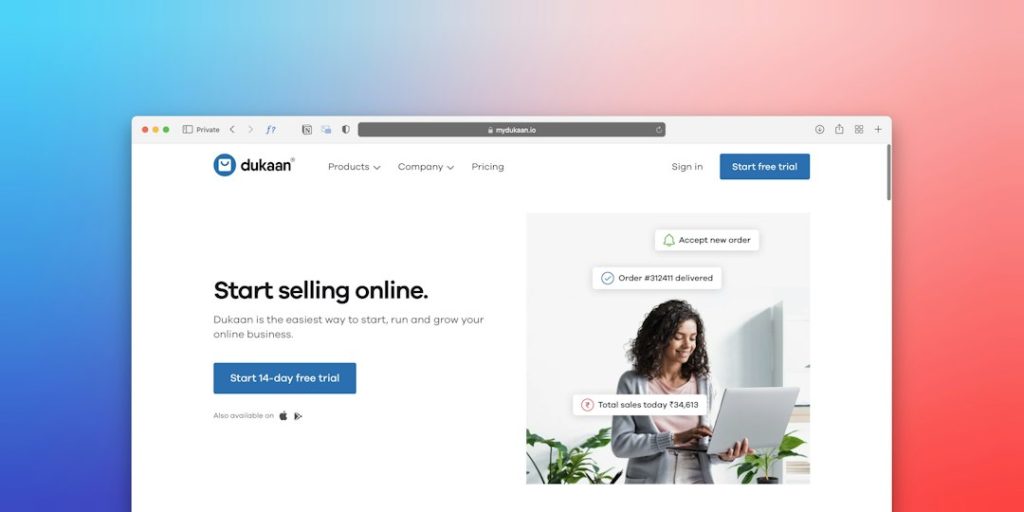
Launch the store in private, but open a public “coming soon” page that collects email addresses from buyers before products go live. That is the cleanest way to build demand without showing unfinished product pages, broken menus, or empty categories. WordPress powers about 43% of all websites, so starting with a controlled WordPress prelaunch page is a practical choice for small stores and serious brands alike [source: W3Techs].
TLDR: Install the Under Construction Page plugin, turn on under construction mode, and publish a focused launch page with an email signup form. For example, a handmade soap shop could collect 300 emails in 30 days before listing its first 20 products, then send a launch discount to that list. If 8% of those subscribers buy on launch week, that is 24 early orders before paid ads even start. Keep the page simple: one promise, one signup form, one launch date if you are confident.
Why hide the store before launch?
An unfinished store creates doubt. Customers notice missing images. They click empty categories. They see test products and odd prices. That is not a small issue. First impressions stick.
The better approach is to keep the actual store private while showing a polished front page. The Under Construction Page plugin lets you do exactly that. Visitors see a controlled page. You keep working behind it.
Honestly, it feels like many store owners lose days trying to make a half-built shop look “good enough.” It is usually not worth it. A focused prelaunch page can do more for trust than a rushed store with five unfinished sections.

Set up the prelaunch page first
After installing WordPress, add the Under Construction Page plugin from the WordPress plugin directory. You can also learn more from the official site here: Under Construction Page.
Once installed, go to the plugin settings and switch the page on. Pick a template that fits your store style. A fashion store may need a clean visual layout. A food brand may need warmth and product photography. A tech accessory shop may need a more minimal design.
Your prelaunch page should include:
- A clear headline: Say what is coming, not just “Opening soon.”
- A short benefit: Tell people why they should care.
- An email signup: Ask for the address, not ten details.
- A trust signal: Add a short note about shipping, launch timing, or quality.
- A privacy line: Tell users you will not spam them.
Keep the copy tight. People do not need your full brand history yet. They need a reason to join the list.
Write the page like a serious store, not a placeholder
A weak page says, “Our site is under construction.” That tells customers nothing. A strong page says, “Premium ceramic mugs for quiet mornings. Join the list for first access and 15% off launch week.”
That second version gives shoppers a product, a mood, and a reason to act.
Use simple wording. Avoid hype. If the first products are not available yet, say so. You can still sound confident:
- “Our first collection launches in March.”
- “Subscribers get early access before the public launch.”
- “Join the waitlist for product updates and launch pricing.”
The catch is that vague launch pages rarely convert. “Coming soon” alone is too weak. Give people something useful. Early access, a discount, a sample guide, or launch alerts can all work.
Collect emails before products exist
You do not need live products to build a list. You need a promise that matches what you will sell. If your store will sell skincare, offer a launch guide or early access to a first batch. If you will sell fitness gear, offer a buyer checklist. If you will sell pet products, offer a first-order discount.
Do not overpromise. If stock will be limited, say “first access,” not “guaranteed access.” If you do not know the launch date, use a month or season instead of a hard date.

Use the plugin page as the public front door. Behind it, prepare your product photos, descriptions, checkout settings, tax rules, and shipping zones. This keeps the customer experience clean while you finish the hard work.
Build trust on the page
Trust matters even before checkout. A prelaunch page should look finished. Use your logo. Add brand colors. Use one good image if you have it. If not, use a high-quality visual that matches your product category.
Add a short contact line if possible. Something as simple as “Questions? Email us at support@example.com” can calm cautious buyers. If you already have social profiles, link to the active ones only. Dead social accounts hurt trust.
You can also add a short note about what subscribers will receive:
- Launch date updates
- Early product previews
- Opening discount details
- Restock news after launch
This sets expectations. It also reduces spam complaints later.
Prepare the store while the page is live
While email addresses come in, finish the store in the background. Test every core action. Add a product to cart. Change quantities. Apply a coupon. Run a test checkout. Check the mobile version.
Expect to waste time on small issues. A button may look fine on desktop but sit too low on mobile. A product image may load slowly. A checkout field may confuse buyers. Fixing those problems before launch is much cheaper than losing real orders.
Use the list on launch day
When the store is ready, turn off under construction mode. Then email your subscribers. Keep that launch email short and direct.
A good launch email includes:
- A clear subject line: “We are open: early access starts now.”
- A short opening: Thank them for joining early.
- A direct link: Send them to the store or a featured collection.
- A reason to buy now: Limited stock, launch offer, or early access window.
Do not send one email and disappear. Send a reminder before the offer ends. Send another email when bestsellers are low. Keep it respectful. Serious brands do not shout every day.
The goal is simple: launch with attention already waiting. The Under Construction Page plugin helps you avoid the awkward “empty store” phase and gives visitors one useful action: join the list. That list can become your first buyers, first reviewers, and first real signal that the store is worth growing.
