
Top Software for Creating VR Environments and Scenes: Comparing Development Platforms, Design Tools, and Enterprise Use Cases
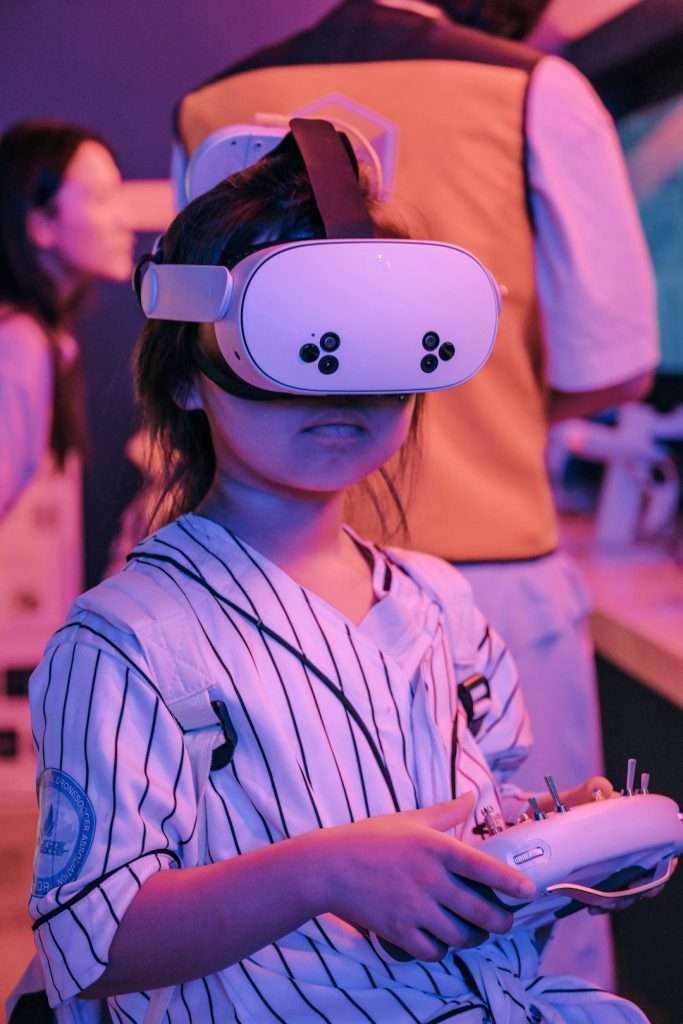
Building a VR world used to feel like wizard work. Today, it is still a little magical. But the tools are friendlier. You can build a game, a training room, a factory twin, or a calm beach for meditation. You need the right software, a clear plan, and maybe a strong cup of coffee.
TLDR: Unity and Unreal Engine are the big heroes for serious VR development. Blender, Substance 3D, and Gravity Sketch help you design amazing 3D assets and scenes. Enterprise teams often use tools like NVIDIA Omniverse, Twinmotion, and Varjo workflows for training, simulation, and digital twins. Pick the tool based on your goal, team size, budget, and how real the experience needs to feel.
Why VR Tools Matter
VR is not just “a 3D thing with a headset.” It is a full experience. Users can look around. They can move. They can touch buttons. They can grab objects. They can panic when a virtual dinosaur walks too close.
That means VR software must handle many jobs. It must render 3D worlds. It must manage physics. It must support headsets and controllers. It must keep performance smooth. If the frame rate drops, people may feel sick. Nobody wants a meeting with a barf bucket.
So, the best VR tools do three things well. They help you build. They help you design. They help you deliver the experience to real users.
1. Unity: The Friendly All Rounder
Unity is one of the most popular platforms for VR development. It is used for games, training apps, medical simulations, education, and product demos. It supports many headsets, including Meta Quest, HTC Vive, Pico, and others.
Unity is loved because it is flexible. It has a huge asset store. It has many tutorials. It also has a large community. If you get stuck, someone online has probably already cried about the same bug.
Best for:
- Small and medium VR teams.
- Interactive training apps.
- Mobile VR and standalone headsets.
- Prototypes and quick experiments.
Why it shines: Unity is easier to learn than many high-end engines. It uses C# scripting, which is clean and popular. It also works well for both simple and complex projects.
Watch out: You still need to optimize your scenes. Too many shadows, lights, or giant textures can slow things down fast.
2. Unreal Engine: The Visual Powerhouse
Unreal Engine is famous for stunning graphics. It is used in games, film, architecture, automotive design, and enterprise simulation. If Unity is a Swiss Army knife, Unreal is a shiny sports car with rocket boosters.
Unreal has a visual scripting system called Blueprints. This lets designers create interactions without writing tons of code. Developers can also use C++ for deeper control.
Best for:
- High-end VR visuals.
- Architecture and real estate tours.
- Automotive and product visualization.
- Serious simulation.
Why it shines: Unreal makes lighting, materials, and cinematic scenes look amazing. It is great when realism matters. A car showroom can look like a luxury ad. A factory floor can look real enough to make your safety manager nervous.
Watch out: Unreal can be heavier than Unity. It may need stronger hardware. It can also feel more complex for beginners.
3. Godot: The Open Source Underdog
Godot is a free and open source game engine. It is growing fast. It is not as dominant in VR as Unity or Unreal, but it is worth watching.
Godot has a clean interface. It is lightweight. It is friendly for indie developers and students. It supports XR through OpenXR, which is important for modern VR headsets.
Best for:
- Indie experiments.
- Educational projects.
- Open source teams.
- Small VR prototypes.
Why it shines: There are no scary license fees. The engine is simple and fast. You can learn core concepts without feeling buried under menus.
Watch out: The VR ecosystem is smaller. You may find fewer ready-made tools and tutorials for advanced VR.
4. WebXR, A Frame, and Three.js: VR in the Browser
Not every VR experience needs an app store download. Sometimes users just need a link. That is where WebXR comes in.
A Frame is a web framework that makes VR scenes easier to build. It uses HTML-like tags. Three.js is a powerful JavaScript library for 3D graphics. Together, these tools can create VR and AR experiences that run in supported browsers.
Best for:
- Lightweight demos.
- Marketing experiences.
- Education pages.
- Quick product previews.
Why it shines: Sharing is easy. Send a link. Done. No giant download. No long install. No “please update your launcher” drama.
Watch out: Browser VR is not always as powerful as native apps. Device support can vary.
Design Tools: Where the World Gets Its Looks
A VR platform is the engine. But design tools are the paint, clay, and glitter. They help you create the 3D models, textures, and scenes that users explore.
5. Blender: The Free 3D Superstar
Blender is free, open source, and wildly powerful. You can model, sculpt, animate, texture, light, and render. It is used by hobbyists and professionals.
For VR, Blender is great for making props, rooms, environments, characters, and animations. You can export assets to Unity, Unreal, Godot, and other tools.
Best for:
- 3D modeling.
- Scene creation.
- Animation.
- Low budget teams.
Why it shines: It costs nothing. It has a huge community. It can do almost everything. Blender is like a creative toolbox that somehow also contains a blender, a spaceship, and a tiny dragon.
Watch out: The learning curve can be steep. The interface has improved a lot, but it still takes practice.
6. Autodesk Maya and 3ds Max: Industry Veterans
Maya and 3ds Max are classic professional tools. They are common in game studios, film teams, and visualization companies. Maya is strong for animation and characters. 3ds Max is popular in architecture and hard surface modeling.
Best for:
- Large production teams.
- Character animation.
- Architectural visualization.
- Professional asset pipelines.
Why they shine: Many studios already use them. They work well in advanced pipelines. They are supported by many plugins and export workflows.
Watch out: They can be expensive. They may also feel too heavy for beginners or small teams.
7. Adobe Substance 3D: The Texture Wizard
Adobe Substance 3D helps artists create realistic materials and textures. Think leather, metal, paint, stone, dirt, plastic, and alien slime. Yes, alien slime is important in some meetings.
Substance tools are often used with Unity and Unreal. They make objects look real. A flat gray box becomes a scratched steel machine. A plain wall becomes old brick. A donut becomes dangerously tasty.
Best for:
- Realistic materials.
- Product visualization.
- Game assets.
- Enterprise training scenes.
Watch out: Great textures can be large. In VR, texture size matters. Optimize them before shipping.
8. Gravity Sketch and ShapesXR: Design Inside VR
Some tools let you design while wearing a headset. Gravity Sketch is great for sketching and modeling in 3D space. Designers use it for vehicles, products, and concept art. ShapesXR is excellent for planning VR interfaces and user flows.
These tools feel natural. You move your hands. You draw in space. It is like sculpting air. Very fancy air.
Best for:
- Fast VR concept design.
- Product design reviews.
- Team brainstorming.
- Interface planning.
Why they shine: They help teams understand scale. A button that looks fine on a monitor may feel huge in VR. Or tiny. Or weirdly close to your nose.
Enterprise Tools and Use Cases
VR is not just for games. Companies use it to save time, reduce risk, and train people safely. Enterprise VR can be serious business. It can also still be fun. A forklift simulator is more exciting when no real shelves are harmed.
9. NVIDIA Omniverse: Collaboration and Digital Twins
NVIDIA Omniverse is built for connected 3D workflows. It helps teams collaborate on large scenes and digital twins. A digital twin is a virtual copy of a real place, product, or system.
Factories use digital twins to test layouts. Engineers use them to review machines. Designers use them to see changes in real time. It is like a multiplayer game, but the prize is fewer expensive mistakes.
Best for:
- Digital twins.
- Industrial simulation.
- Large enterprise teams.
- Multi tool 3D pipelines.
10. Twinmotion: Fast Architecture VR
Twinmotion is popular for architecture, construction, and design visualization. It is simpler than Unreal, but connected to the same family of technology. Architects can create beautiful walkthroughs quickly.
Best for:
- Real estate tours.
- Building design reviews.
- Landscape visualization.
- Client presentations.
Why it shines: It is fast. You can add weather, people, trees, cars, and lighting with less effort. Clients can walk through a building before anyone pours concrete.
11. Varjo Workflows: High End Enterprise VR
Varjo is known for premium XR headsets and enterprise solutions. Its ecosystem is used in aviation, car design, research, and simulation. When visual detail is critical, Varjo is often part of the conversation.
Best for:
- Pilot training.
- Medical simulation.
- Automotive design.
- Research labs.
Watch out: This is high-end territory. The hardware and workflows may cost more. But for some industries, accuracy is worth it.
Image not found in postmetaQuick Comparison
- Best beginner development platform: Unity.
- Best high-end visuals: Unreal Engine.
- Best free 3D design tool: Blender.
- Best browser VR option: WebXR with A Frame or Three.js.
- Best texture tool: Adobe Substance 3D.
- Best enterprise digital twin tool: NVIDIA Omniverse.
- Best architecture walkthrough tool: Twinmotion.
- Best in headset design tools: Gravity Sketch and ShapesXR.
How to Choose the Right Tool
Start with your goal. Are you making a game? Use Unity or Unreal. Are you making a factory training app? Use Unity, Unreal, or Omniverse workflows. Are you building an architecture tour? Try Twinmotion or Unreal. Are you making assets? Use Blender, Maya, 3ds Max, or Substance 3D.
Next, think about the headset. A standalone headset needs lighter scenes. A powerful PC headset can handle more detail. Browser VR needs even more care.
Then, think about the team. Artists need design tools. Developers need engines. Managers need review tools. Users need something smooth, simple, and not nausea flavored.
Final Thoughts
The best VR software is the one that helps you build the right experience without turning your team into tired goblins. Unity is flexible. Unreal is beautiful. Blender is powerful and free. Substance 3D makes things look real. Omniverse helps big teams connect complex worlds.
VR is becoming easier every year. The tools are better. The headsets are lighter. The use cases are growing. So pick your platform, build a small scene, test it early, and keep it smooth. Your virtual world does not need to be perfect on day one. It just needs a door, a reason to enter, and maybe fewer surprise dinosaurs.
