
How Do AI Photo Batch Editors Save Time in Large-Scale Editing?
Editing one photo can be calm. Editing ten photos can be fine. Editing five thousand photos can feel like trying to count sprinkles on a donut. This is where AI photo batch editors jump in like tiny digital helpers with coffee, clipboards, and super speed.
TLDR: AI photo batch editors save time by editing many photos at once. They can crop, resize, retouch, adjust colors, remove backgrounds, and export files in seconds or minutes. They also keep photos looking consistent, which is very important for shops, agencies, events, and social media teams. Less clicking means more time for planning, selling, creating, or just breathing.
What Is an AI Photo Batch Editor?
An AI photo batch editor is a tool that edits many images at the same time. You do not need to open each photo one by one. You upload a folder. You choose what you want. The AI studies the images. Then it applies edits across the whole batch.
Think of it like a robot chef. You give it 500 potatoes. You say, “Peel them, slice them, and make them look fancy.” The robot does the work. You do not stand there with a tiny knife all day.
With photos, the “potatoes” may be product images, wedding shots, real estate pictures, staff headshots, or social media graphics. The AI can fix them fast. It does not get bored. It does not need a snack break. It does not complain about blurry lamps in the background.
Why Large-Scale Editing Takes So Long
Large-scale editing is slow because each image usually needs many small changes. One photo may need cropping. Another may need color correction. Another may have a messy background. Another may be too dark. Another may have dust, glare, or a strange shadow.
Now multiply that by hundreds or thousands.
That is a lot of clicks.
Traditional editing often means:
- Opening every photo.
- Checking the size.
- Fixing brightness.
- Changing colors.
- Cropping the frame.
- Removing backgrounds.
- Saving in the right format.
- Renaming the file.
- Doing it again. And again. And again.
It is not hard work every time. But it is repeat work. Repeat work is where AI is very useful.
AI Saves Time by Editing Many Photos at Once
The biggest time saver is simple. AI batch editors handle many images in one go.
You set the rules once. Then the software follows them across the whole folder. This is much faster than working image by image.
For example, imagine you run an online store. You have 1,000 photos of shoes. Every photo needs a white background. Every photo must be square. Every photo must be the same size. Doing this by hand may take days.
With an AI batch editor, you can set the target size, background style, and export format. Then the tool processes the full set. You can make coffee. You can answer emails. You can stare out the window like a genius. The work still gets done.
AI Can Spot the Subject Fast
One reason AI is so helpful is that it can understand what is inside a photo. It can detect people, products, faces, pets, clothes, cars, food, and more.
This matters because editing is not always about changing the whole photo. Often, you only want to edit the main subject.
AI can find the subject and protect it. Or it can remove everything around it.
This helps with:
- Background removal for product photos.
- Face retouching for portraits.
- Object centering for catalog images.
- Smart cropping for social media posts.
- Color adjustment without ruining skin tones.
Without AI, you may need to draw around objects by hand. That can take minutes per image. With thousands of images, minutes turn into mountains.
Background Removal Becomes Much Faster
Background removal is one of the biggest time traps in photo editing. It sounds simple. But it can be fussy. Hair, glass, shiny products, and soft edges can make it painful.
AI tools can remove backgrounds in bulk. They can detect edges and separate the subject from the scene. This is great for e-commerce, profile photos, ads, menus, and catalogs.
Need 700 product images on a clean white background? AI can help. Need transparent PNG files for a design team? AI can do that too.
It is not magic. But it feels close when you see a huge folder go from messy to clean in a few minutes.

Consistent Style Without Extra Effort
Large projects often need a consistent look. This is very important. A set of photos should feel like they belong together.
If one photo is warm and golden, another is blue and cold, and another looks like it was taken inside a cave, your brand can look messy.
AI batch editors help by applying the same style to every image. They can match brightness, contrast, color, sharpness, and tone.
This is useful for:
- Online store listings.
- Team headshots.
- Event photo galleries.
- Restaurant menu photos.
- Real estate listings.
- Social media campaigns.
Consistency builds trust. It also makes your work look polished. And yes, it makes the boss say, “Nice.” That is always a win.
Smart Cropping Saves Tons of Clicking
Cropping sounds easy. But cropping 2,000 images is not fun. It is like trimming 2,000 tiny hedges.
AI batch editors can crop images based on the subject. They do not just chop from the middle. They look at the photo and find the important part.
This helps when you need different formats. One set may be for a website. Another set may be for Instagram. Another may be for ads. Each platform wants a different size.
AI can create versions for:
- Square posts.
- Portrait stories.
- Wide banners.
- Product thumbnails.
- Profile images.
The tool keeps the subject in view. No more accidentally cutting off someone’s head. Unless that is your style. But please, no.
Bulk Resizing and Exporting Is a Big Deal
Large-scale editing is not only about looks. It is also about file rules.
Websites often need smaller files. Print may need larger files. Marketplaces may require exact dimensions. Social apps prefer certain ratios. Teams may need JPG, PNG, or WebP files.
Doing this manually is slow. It also invites mistakes. You may save the wrong size. You may upload a huge file. You may forget to rename something.
AI batch editors can resize and export in bulk. You can set:
- File type.
- Image size.
- Compression level.
- Folder structure.
- File names.
- Watermarks.
This is not glamorous. But it saves serious time. It is the editing version of putting wheels on a suitcase.
AI Can Fix Common Problems Automatically
Many photos have the same problems. They are too dark. Too yellow. Too dull. Too noisy. Too soft. Or just a little sad.
AI can scan images and fix common issues automatically. It can brighten dark photos. It can balance colors. It can sharpen details. It can reduce noise. It can improve skin tone. It can even help with red eyes or glare.
This is helpful for event photographers. They may shoot thousands of photos in changing light. Some are indoors. Some are outdoors. Some are under weird purple party lights. AI can help clean up the whole set faster.
You still review the results. But you start from a much better place.
Templates and Presets Make Work Repeatable
AI batch editors often let you save presets. A preset is a saved group of edits. It is like a recipe.
For example, you may create a preset called “Shop Clean Look.” It may include white background, square crop, soft shadow, bright colors, and medium file size.
Next time, you do not rebuild everything. You choose the preset. The editor remembers the steps.
This is great for teams. Everyone can use the same settings. That means fewer surprises. It also means fewer messages like, “Why are these images 900 megabytes and neon green?”
Less Human Error
People get tired. Tired people make mistakes. This is normal.
When editing hundreds of files, it is easy to skip a photo, save the wrong version, or use the wrong crop. AI batch editing reduces these mistakes because the same rules are applied every time.
That does not mean humans are not needed. Humans still choose the goal. Humans still check quality. Humans still make creative choices.
But AI handles the boring parts. It is like hiring a very focused assistant who loves file names.
Teams Can Move Faster
Large-scale editing often involves more than one person. Photographers, designers, marketers, store managers, and clients may all be waiting.
When AI speeds up editing, the whole project moves faster. Photos get approved sooner. Products go live sooner. Ads launch sooner. Social posts are ready sooner.
Speed helps businesses. It also reduces stress. Nobody enjoys a giant folder named “Final Final Really Final Edits Please Use This One.”
It Frees Humans for Creative Work
This may be the best part. AI batch editors do not just save minutes. They save brain power.
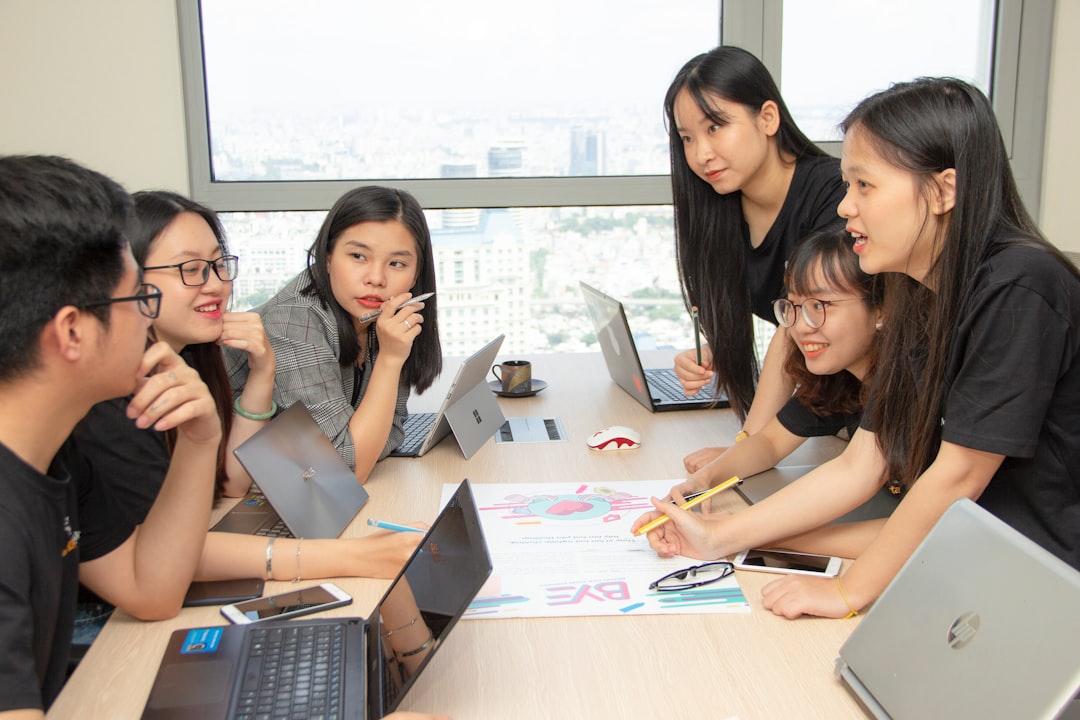
Instead of spending hours on repeat tasks, people can focus on better ideas. They can plan campaigns. Improve layouts. Choose hero images. Write stronger captions. Build better stores. Talk to clients. Test new styles.
AI is not here to steal the fun. It is here to take out the trash. The creative work stays with you.
Where AI Batch Editing Helps Most
AI batch editing is useful in many places. It shines when there are many images and clear rules.
- E-commerce: Clean product photos, remove backgrounds, resize images, and keep styles consistent.
- Real estate: Brighten rooms, correct colors, resize listings, and prepare galleries fast.
- Events: Process large photo sets from weddings, concerts, sports, and conferences.
- Marketing: Create image versions for ads, emails, blogs, and social posts.
- Headshots: Crop faces, improve lighting, and keep a uniform look across a team.
- Food and menus: Adjust color, lighting, and sharpness so dishes look tasty.
Is AI Batch Editing Perfect?
No. It is smart, but it is not a mind reader with a tiny beret.
Sometimes AI makes mistakes. It may remove part of a product. It may crop too tightly. It may smooth skin too much. It may think a fluffy dog is a cloud with eyes.
That is why review is important. The best workflow is simple:
- Upload the image batch.
- Choose or create settings.
- Run a small test batch.
- Check the results.
- Adjust the settings.
- Process the full batch.
- Review the final files.
This keeps quality high. It also prevents giant mistakes from happening at giant speed.
The Real Time Savings
The time savings can be huge. A manual task that takes three minutes per image may not sound bad. But for 1,000 images, that is 3,000 minutes. That is 50 hours.
If AI reduces that to one hour of setup, processing, and review, you just saved more than a work week.
That is not just faster. That is a whole new workflow.
You can handle bigger projects. You can meet tighter deadlines. You can update images more often. You can say yes to work that used to feel impossible.
Final Thoughts
AI photo batch editors save time by doing repeat editing jobs at scale. They crop, resize, clean, adjust, remove, rename, and export. They help photos look consistent. They reduce errors. They make large projects feel smaller.
Most of all, they let people stop wrestling with endless tiny edits. That means more time for creative choices. More time for strategy. More time for clients. And maybe even more time for lunch.
In short: AI batch editing turns a mountain of photos into a neat little hill. You still guide the process. But the heavy lifting gets much lighter. And that is a beautiful thing.
