
How To Make A Gamepass For PLS DONATE In Roblox (2026 Guide)
Roblox’s PLS DONATE experience continues to dominate the platform in 2026, giving creators a fun and surprisingly powerful way to earn Robux directly from other players. If you’ve ever walked past a stand with flashy buttons and wondered how to make your own, you’re in the right place. Creating a gamepass for PLS DONATE is simpler than most beginners think—and once you understand the process, you can start optimizing it to attract more donations.
TLDR: To make a gamepass for PLS DONATE in 2026, you must create a gamepass through your Roblox creation dashboard, set a price, upload an appealing image, and link it to your account so it appears in PLS DONATE automatically. You cannot create gamepasses directly inside the PLS DONATE game—they must be made under one of your Roblox experiences. Strong visuals, smart pricing tiers, and clear donor incentives significantly increase your success. Once published, your gamepass will show up at your booth instantly.
What Is a Gamepass in PLS DONATE?
A gamepass is a purchasable item tied to a Roblox experience you own. In PLS DONATE, these gamepasses appear as donation buttons at your booth. When someone buys one, you receive Robux (after Roblox’s platform fee).
In 2026, PLS DONATE continues to automatically detect and display active gamepasses connected to your account, meaning you don’t have to manually link them inside the game.
Think of it this way:
- Your Roblox game = container
- Your gamepass = product
- PLS DONATE booth = storefront
No gamepass means no donation buttons.
Step 1: Create (or Use) a Roblox Experience
You must own at least one Roblox experience to create a gamepass. If you don’t already have one, follow these steps:
- Go to create.roblox.com
- Click “Create Experience”
- Name your experience
- Click Create
You do not need a fully built game. A blank baseplate works perfectly fine.
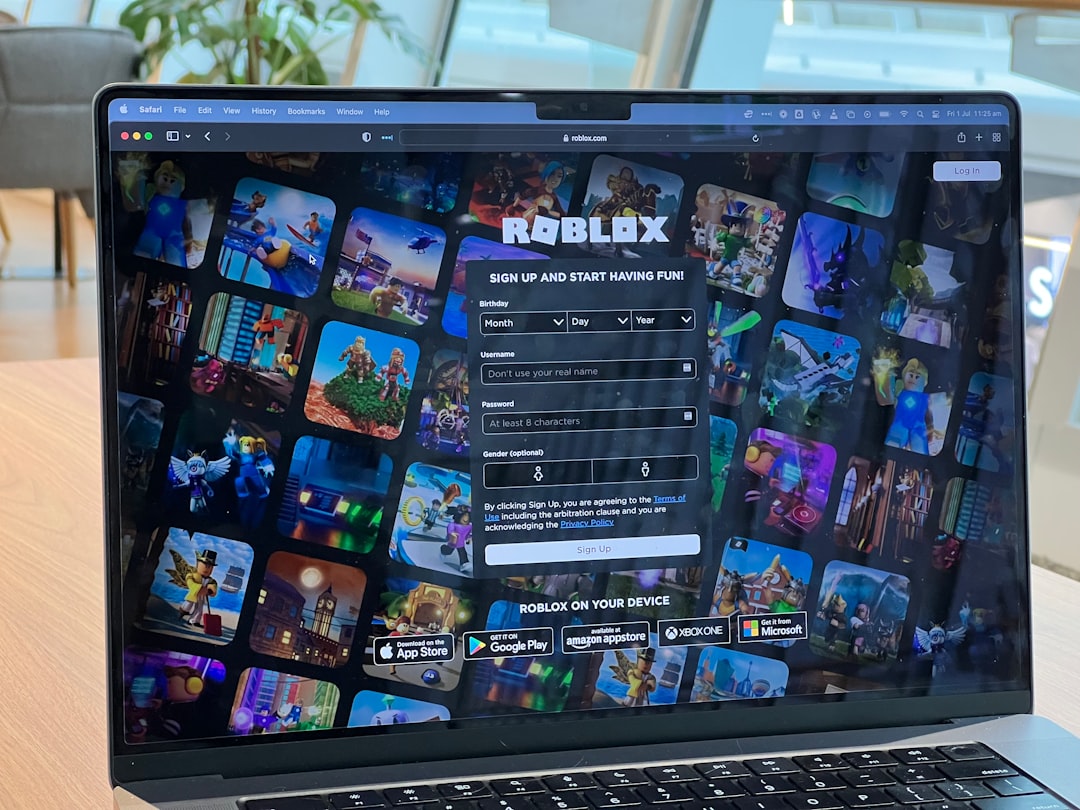
Step 2: Create a Gamepass (The Correct Way in 2026)
Once your experience exists, follow this updated 2026 process:
- Go to the Creator Dashboard
- Click Creations
- Select your experience
- Navigate to Monetization
- Click Passes
- Select Create a Pass
You will now:
- Upload an image (square PNG or JPG works best)
- Enter a name (e.g., “5 Robux Donation”)
- Write a short description
Click Create Pass.
Important: Your gamepass won’t automatically be for sale yet.
After creation, you must:
- Click the pass
- Go to Sales
- Toggle Item for Sale
- Set your price
- Click Save
Now it’s live!
Step 3: Pricing Strategy for PLS DONATE
Don’t just create one donation option. Successful players in 2026 use pricing tiers to encourage different kinds of donors.
Here’s a smart beginner structure:
- 5 Robux – Small Support
- 10 Robux – Thank You Donor
- 25 Robux – Super Supporter
- 50 Robux – Mega Supporter
- 100+ Robux – Legend Tier
The psychology behind this is simple:
- Low tiers reduce buying hesitation
- Mid tiers feel generous but affordable
- High tiers let big spenders show status
Many top earners in PLS DONATE report that most sales come from the 5–25 Robux range, while large donations usually come from rare but generous players.
Step 4: Designing a Gamepass Image That Gets Clicks
Your image matters more than you think. In a crowded server full of booths, players glance quickly before deciding who to donate to.
Best Practices for 2026:
- Use bold colors (yellow, neon green, bright blue)
- Add clear numbers (5, 10, 50, 100)
- Keep text minimal
- Avoid clutter
- Use high contrast
Pro Tip: Large numerical pricing on the image increases conversions because players instantly recognize the cost without reading descriptions.
How Long Until It Appears in PLS DONATE?
Once your gamepass is for sale:
- Join PLS DONATE
- Claim a booth
- Your passes automatically populate
If they don’t show up immediately:
- Wait 1–5 minutes
- Leave and rejoin
- Confirm the pass is marked “For Sale”
In 2026, delays are much shorter than previous years, but occasional refresh issues still happen.
Common Mistakes (And How to Avoid Them)
Even experienced Roblox creators mess this up sometimes. Here are the biggest errors:
1. Creating Developer Products Instead of Passes
PLS DONATE only displays Game Passes, not developer products.
2. Forgetting to Turn On Sales
If the toggle isn’t enabled, nobody can buy it.
3. Setting the Price to 0
Free passes do not generate donations.
4. Using Blurry Images
Low-resolution images look untrustworthy.
Gamepass Creation Tools Comparison
While Roblox’s built-in tools are enough, some creators use external design tools for better images. Here’s a quick comparison:
| Tool | Difficulty | Best For | Cost |
|---|---|---|---|
| Roblox Built In Editor | Very Easy | Quick basic passes | Free |
| Canva | Easy | Clean bold designs | Free and Paid |
| Photoshop | Advanced | Custom high quality art | Paid |
| GIMP | Moderate | Free advanced editing | Free |
For most PLS DONATE players, simple bold text on a bright background performs better than overdesigned artwork.
Optimizing Your Booth for More Donations
Creating passes is only half the strategy. Visibility matters.
Tips That Work in 2026:
- Use animated booth text if available
- Stand near the spawn area
- Be active and thank donors
- Change servers if one feels inactive
- Set goal milestones (e.g., “Goal: 1,000 Robux”)
Players are more likely to donate when:
- You interact politely
- You show gratitude publicly
- You appear active rather than AFK
Understanding Roblox Fees
Roblox takes a 30% marketplace fee.
This means:
- 10 Robux pass → You receive 7 Robux
- 100 Robux pass → You receive 70 Robux
Always factor this into your expectations.
Advanced Strategy: Creating Donation Ladders
Top earners in PLS DONATE use a method called the donation ladder.
This means creating progressively spaced tiers like:
- 5
- 15
- 35
- 75
- 150
- 500
- 1000
This psychologically encourages donors to “round up” to the next appealing number.
Safety Tips
Never:
- Share your account credentials
- Trust “double donation” scams
- Fall for donation trading promises
PLS DONATE donations are one-way transactions. There is no built-in refund system.
Final Thoughts
Making a gamepass for PLS DONATE in 2026 is straightforward once you understand that everything begins in the Creator Dashboard, not inside the game itself. With a simple experience, well-priced passes, eye-catching images, and a friendly booth presence, you can begin earning Robux almost immediately.
The real difference between players who make 5 Robux and players who make thousands isn’t luck—it’s strategy, presentation, and consistency. Create multiple tiers, design clear visuals, interact with others, and keep improving your booth.
Now that you know the full process, your next donation button is only a few clicks away.
