
Best Apps for Instagram Content Creators in 2026
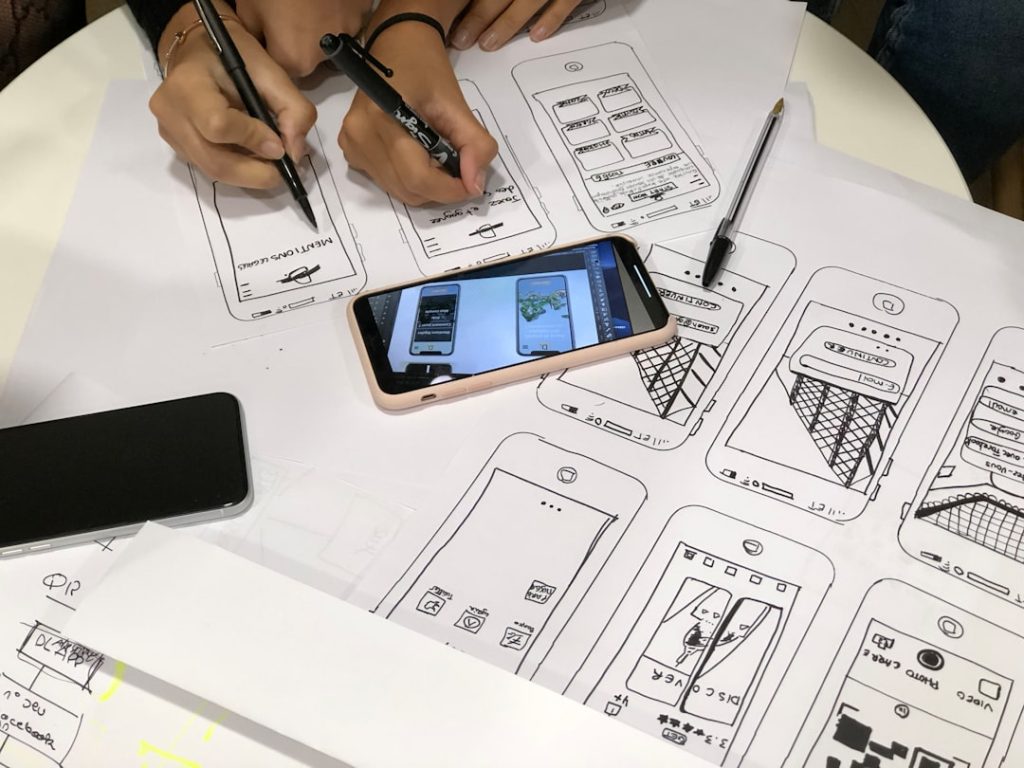
Instagram in 2026 is fast, bright, and a little wild. One day you are posting a Reel. The next day you are editing a carousel, answering DMs, checking analytics, and wondering why your cat has more engagement than you. Good news. The right apps can make content life much easier.
TLDR: The best apps for Instagram content creators in 2026 help with planning, editing, writing, posting, and tracking growth. Use tools like CapCut, Canva, Lightroom, Later, Notion, and ChatGPT to save time. Pick only the apps you truly need. A simple workflow beats a messy phone full of unused apps.
Why Instagram creators need good apps in 2026
Instagram is no longer just a photo app. It is a video app. A shopping app. A search engine. A personal brand machine. It is also a place where people go to laugh, learn, shop, and stalk vacation photos.
That means creators need more than a nice camera. You need apps that help you move fast. You need clean edits. You need strong hooks. You need smart captions. You need data that tells you what is working.
But here is the key. You do not need every app. You need a small stack that works well together.
Think of your creator app stack like a smoothie. Add the right ingredients, and it is tasty. Add everything in your fridge, and it becomes a crime.
1. CapCut: Best for quick video editing
CapCut is still one of the best apps for Instagram Reels in 2026. It is easy to use. It has trendy templates. It has captions. It has effects. It also makes editing feel less scary.
If you make short videos, this app is a must. You can cut clips, add music, use transitions, and create subtitles in minutes. That matters because many people watch Reels with the sound off.
Best for:
- Reels
- Talking head videos
- Trend videos
- Fast edits
- Auto captions
Fun tip: Keep your edits clean. Too many effects can make your video look like it drank three energy drinks.
2. Instagram Edits: Best for native Reel creation
Instagram Edits is useful because it is made for Instagram creators. It helps you record, edit, and organize video ideas. It also keeps your workflow close to the platform itself.
This is great if you want to make content that feels native to Instagram. Native content often performs better because it matches the style people already expect.
Use it for simple Reels. Use it for drafts. Use it for testing ideas. It is not always the most advanced editor, but it is handy.
Best for:
- Native Instagram videos
- Simple edits
- Draft management
- Creators who live inside Instagram
3. Canva: Best for carousels and quick graphics
Canva is the friendly design app that makes non-designers feel powerful. It is great for Instagram carousels, quote posts, story graphics, covers, and simple brand kits.
Carousels are still strong in 2026. People love swiping through useful tips. Canva helps you make those posts look clean and scroll-stopping.
You can use templates. You can add your brand colors. You can resize designs. You can also make thumbnails for Reels.
Best for:
- Carousel posts
- Story designs
- Reel covers
- Simple infographics
- Brand kits
Simple rule: Use fewer fonts. Two fonts are enough. Five fonts look like a school poster from 2009.
4. Adobe Express: Best for polished social content
Adobe Express is another strong design app. It is great for creators who want polished posts without opening a giant professional program.
You can make social graphics, short videos, posters, and branded content. It also works well if you already use other Adobe apps.
Adobe Express is good for creators who want things to look a bit more premium. It has templates, AI tools, and quick editing features.
Best for:
- Branded graphics
- Product posts
- Business creators
- Clean social layouts
5. Lightroom: Best for photo editing
Lightroom is still one of the best apps for photo editing. If your Instagram style depends on beautiful images, this app is your best friend.
You can adjust color, light, shadows, skin tones, and sharpness. You can also use presets to make your feed feel consistent.
Food creators, travel creators, fashion creators, and photographers will get a lot from Lightroom. It helps your photos look professional without making them fake.
Best for:
- Photo editing
- Preset workflows
- Travel shots
- Food photos
- Fashion content
Pro tip: Do not over-edit skin. Humans are not plastic dolls. Texture is normal.
6. VSCO: Best for aesthetic filters
VSCO is great if you like soft, stylish filters. It gives photos a calm and creative look. Many lifestyle creators still love it.
VSCO is not just about filters. It also helps with mood. Your feed can feel warm, vintage, clean, dreamy, or bold.
Best for:
- Lifestyle creators
- Fashion posts
- Soft filters
- Aesthetic feeds
Use it when you want your photos to feel less “phone camera” and more “cool magazine spread.”
7. InShot: Best for simple all-in-one editing
InShot is easy and reliable. It is great for creators who do not want a complicated editing app. You can trim videos, add text, include music, and adjust format sizes.
It is nice for quick edits. It is also helpful if you post across Instagram, TikTok, YouTube Shorts, and Facebook.
Best for:
- Beginner video editing
- Simple text overlays
- Resizing videos
- Fast social posts
8. VN: Best free video editor with control
VN is a strong editing app for creators who want more control. It has timeline editing, speed controls, transitions, and music tools.
It is also popular because it feels powerful without being too hard. If CapCut feels too template-heavy, VN may feel more flexible.
Best for:
- Detailed Reels
- Storytelling videos
- Travel edits
- Creators who like timeline editing
9. ChatGPT: Best for ideas, captions, and hooks
ChatGPT is like having a brainstorming buddy who never says, “Can we circle back later?” It can help you plan content, write captions, create hooks, build content calendars, and turn one idea into many posts.
Use it to beat blank page panic. Ask it for 20 Reel hooks. Ask it to rewrite a caption in a funnier tone. Ask it to create carousel slide ideas.
Best for:
- Content ideas
- Caption drafts
- Reel hooks
- Carousel outlines
- DM reply templates
Important: Do not copy every answer word for word. Add your voice. Add your stories. Add your weird little phrases. That is what makes content feel human.
10. Grammarly: Best for clean captions
Grammarly helps you write better captions. It catches typos. It fixes awkward lines. It also helps your writing sound clearer.
This is useful because small mistakes can make a post feel rushed. You do not need perfect writing. But you do need readable writing.
Best for:
- Caption editing
- Brand partnerships
- Email pitches
- Professional creator bios
Use it before you send a pitch to a brand. “I love your produtc” is not the vibe.
11. Notion: Best for content planning
Notion is amazing for organizing your creator brain. And creator brains are often full of ideas, deadlines, invoices, random hooks, and half-written captions.
You can use Notion to build a content calendar. You can track brand deals. You can save ideas. You can organize scripts. You can also plan launches and campaigns.
Best for:
- Content calendars
- Idea banks
- Brand deal tracking
- Script planning
- Weekly workflows
Simple setup: Make four columns. Use “Ideas,” “Writing,” “Ready,” and “Posted.” That is enough to start.
12. Later: Best for scheduling Instagram posts
Later is one of the best tools for scheduling Instagram content. It helps you plan your feed, schedule posts, and manage your calendar.
This is great if you do not want to post in real time every day. Because honestly, nobody wants to stop dinner to upload a carousel at the “perfect” time.
Best for:
- Post scheduling
- Feed planning
- Visual calendars
- Creators with busy weeks
13. Buffer: Best for simple social scheduling
Buffer is clean and easy. It helps you schedule posts across different platforms. If you want a simple tool without too much clutter, Buffer is a great pick.
It works well for solo creators, coaches, small teams, and personal brands. It is not flashy. That is part of the charm.
Best for:
- Simple scheduling
- Multi-platform posting
- Small creator teams
- Clean workflows
14. Metricool: Best for analytics
Metricool helps you understand what is working. It shows data on posts, Reels, Stories, reach, growth, and engagement.
This matters because feelings are not a strategy. You may love a post that flops. You may hate a quick Reel that brings 500 new followers. Analytics tell the truth.
Best for:
- Instagram analytics
- Performance reports
- Best posting times
- Brand report screenshots
Check your numbers once a week. Do not check them every 12 minutes. That way lies madness.
15. Descript: Best for talking videos and repurposing
Descript is great for creators who make podcasts, interviews, tutorials, or talking videos. You can edit video by editing text. That feels like magic the first time you try it.
It can help remove filler words. It can make clips. It can create captions. It is very useful if you turn long videos into short Instagram posts.
Best for:
- Interview clips
- Podcast snippets
- Tutorial videos
- Repurposing long content
16. Mojo: Best for animated Stories
Mojo helps you create animated Stories, promo posts, and stylish vertical videos. It is fast and fun.
If your Stories feel flat, Mojo can add movement. This is great for launches, sales, event promos, and personal updates.
Best for:
- Animated Stories
- Promo slides
- Launch content
- Stylish templates
17. Linktree or Beacons: Best for your bio link
Instagram gives you limited space in your bio. A link tool helps you send followers to many places from one link.
Linktree and Beacons are popular choices. You can link to products, newsletters, podcasts, shops, booking pages, and freebies.
Best for:
- Bio links
- Digital products
- Affiliate links
- Email list growth
- Booking calls
Keep your link page simple. Too many buttons can confuse people. Confused people do not click.
18. Google Drive or Dropbox: Best for storing content
Google Drive and Dropbox are not glamorous. But they are lifesavers. They help you store videos, photos, contracts, invoices, and brand assets.
Use folders. Name your files clearly. Back up your best content. Your future self will want to hug you.
Best for:
- Cloud storage
- Client files
- Brand assets
- Team sharing
A simple Instagram creator workflow for 2026
Here is a simple workflow you can copy.
- Plan ideas in Notion.
- Write hooks and captions with ChatGPT.
- Design carousels in Canva.
- Edit Reels in CapCut or VN.
- Edit photos in Lightroom.
- Schedule posts in Later or Buffer.
- Track results in Metricool.
That is it. No chaos. No 47 open tabs. No crying into your ring light.
How to choose the best apps for you
Choose apps based on your content style. Do not download something just because another creator uses it. Their workflow may not fit your brain.
If you make mostly Reels, focus on video tools. If you make carousels, focus on design tools. If you work with brands, focus on planning, analytics, and storage.
Ask yourself these questions:
- Do I need better video edits?
- Do I need cleaner designs?
- Do I need help with captions?
- Do I need to post more consistently?
- Do I need better analytics?
Then pick one app per problem. Start small. Build later.
Final thoughts
The best apps for Instagram content creators in 2026 are the ones that make creating feel easier. They should save time. They should reduce stress. They should help your ideas reach more people.
But remember this. Apps do not replace creativity. They support it. Your voice still matters most. Your stories matter. Your humor matters. Your point of view matters.
So build a simple stack. Test your tools. Keep what works. Delete what does not. Then go make something fun, useful, and very you.
