
Google Maps vs Mapbox: Which Mapping API Is Best for Your Business?
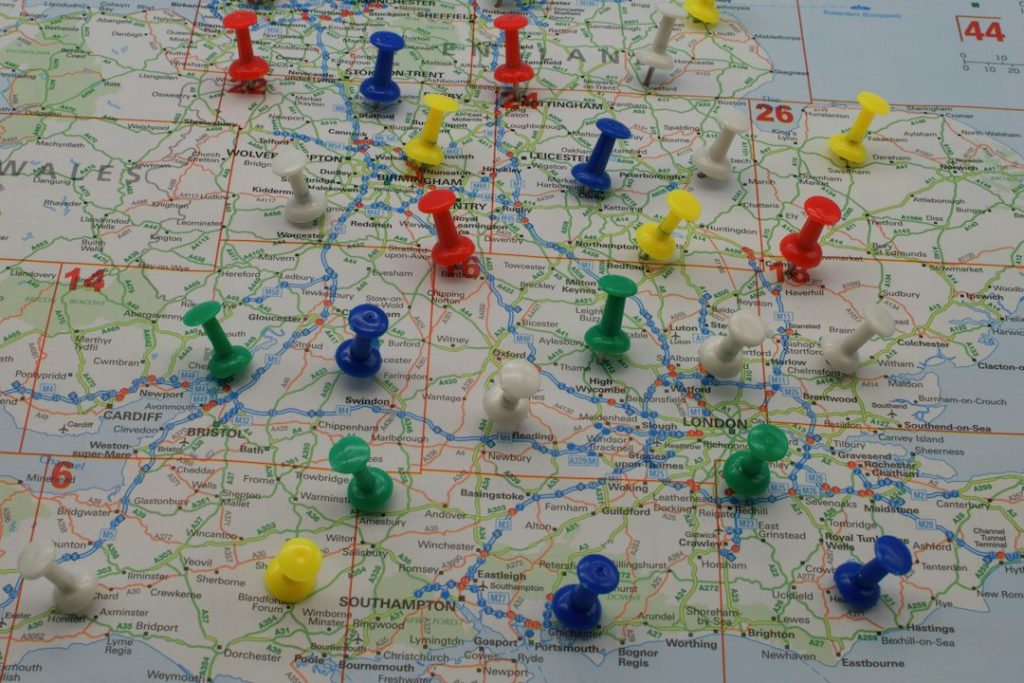
Google Maps is usually the safer choice for businesses that need trusted search, places, routing, and global address coverage fast. Mapbox is often the better choice when your product needs custom map design, large scale map rendering, or tight control over the user experience. Google’s pricing model includes free monthly usage thresholds on many services, such as 10,000 monthly calls for several Essentials APIs, but costs can rise quickly as requests grow [source: Google].
TLDR: Choose Google Maps Platform if your business depends on accurate place search, local business data, directions, and familiar maps. Choose Mapbox if you need highly branded maps, custom styling, offline-friendly mobile use, or heavy map rendering at scale. For example, a delivery app handling 80,000 address searches and 40,000 route requests per month may value Google’s address quality more than design control. A real estate platform showing 500,000 property views per month may find Mapbox more flexible for custom layers and visual filtering.
Google Maps vs Mapbox: the short answer
There is no single winner for every business. The better API depends on what your product sells, how users interact with the map, and how much traffic you expect.
Google Maps Platform is strongest when the map supports real-world discovery. Think cafés, hotels, stores, clinics, delivery points, service areas, and trip routes. Its place data is hard to beat. Users also recognize the interface, which reduces training and confusion.
Mapbox is strongest when the map is part of the product experience itself. Think logistics dashboards, property search tools, mobility apps, travel platforms, sports tracking, weather tools, and data visualizations. It gives teams deeper control over map style, layers, labels, and performance tuning.
Where Google Maps wins
1. Place search and local data
Google Maps has one of the richest local business data sets in the world. If your app needs users to search for “pharmacy near me,” “Italian restaurant,” or “airport hotel,” Google is usually the more reliable option. Its Places API can return names, addresses, ratings, opening hours, photos, and other useful fields.
This matters for conversion. If users cannot find the right destination, they leave. Simple as that.
2. Routing and travel estimates
Google’s directions, distance matrix, and route services are mature. They work well for ride booking, delivery, field service, travel planning, and appointment scheduling. Traffic-aware estimates are a major advantage for consumer-facing apps.
The catch is that strong routing can become expensive when your app makes repeated calls for many drivers, stops, or customers. Expect to spend time modeling request volume before launch. Do not guess.
3. User trust
Most users already know Google Maps. That familiarity helps. A checkout page with a Google-powered address field often feels safer than an unfamiliar map interface. For retail, healthcare, tourism, and hospitality, that trust can reduce friction.
Where Mapbox wins
1. Custom design
Mapbox gives teams more freedom to control how maps look. You can change colors, labels, roads, borders, points of interest, and thematic layers. This is useful when a map must match a brand or support complex data.
For example, a real estate company can create a map that highlights school zones, price bands, transit access, flood risk, and nearby sales. A logistics company can show depots, restricted zones, incidents, and live vehicle positions without making the map feel cluttered.
2. Data visualization
Mapbox is excellent for large visual data sets. It handles custom tiles, heatmaps, polygons, 3D views, and interactive layers well. If your product shows thousands of points, custom boundaries, or layered business data, Mapbox often feels more natural for developers.
3. Developer control
Mapbox gives technical teams more room to tune the experience. That can be a real advantage for products with unusual map behavior. Honestly, it feels like Google sometimes wants you to build the screen its way, while Mapbox gives you more say over the final result.
Image not found in postmeta
Pricing: read the fine print before you build
Pricing is where many teams get burned. Both platforms can be affordable at low volume and costly at scale. The difference is where the cost appears.
With Google Maps, costs often rise through Places, Routes, Geocoding, Distance Matrix, and repeated autocomplete requests. A busy search box can generate many billable events. If your app suggests addresses with every keystroke, monitor usage closely.
With Mapbox, costs may center on map loads, monthly active users, tiles, search, routing, or mobile SDK usage, depending on your setup. Its pricing can be attractive for visual map-heavy products, but it still needs careful forecasting.
- Low traffic website: Either tool may be cost-effective.
- Local search app: Google may justify its price through better place results.
- High volume data map: Mapbox may offer better control and cost planning.
- Delivery or routing platform: compare route request volume before choosing.
Data quality and coverage
Google usually has the edge in local business data, addresses, reviews, and common destination searches. This is useful for consumer apps and marketplaces. If a user searches for a store, venue, or public location, Google often returns a strong match.
Mapbox uses a mix of sources, including open and commercial data, and performs well for map rendering, geocoding, and custom mapping. It can be a strong fit for global products, but the quality can vary by country and use case. Test your top markets before signing off.
Run a sample set. Use 500 real customer addresses, 200 common searches, and 50 edge cases. Compare match rates, wrong results, latency, and user effort. This small test can save months of regret.
Performance and mobile experience
Both platforms can perform well, but they feel different in practice.
Google Maps is polished for standard use cases. It is easy to embed and quick to ship. If your app needs a store finder, booking map, address autocomplete, or route preview, Google gets you there fast.
Mapbox can shine when performance depends on custom rendering. Its SDKs are strong for mobile apps with custom layers, animated markers, and large data overlays. Developers can optimize styling, caching, and tiles more deeply.
It drives me crazy when teams choose a map API only after looking at screenshots. A pretty demo tells you almost nothing about latency on a mid-range Android phone with poor signal. Test on real devices.
Image not found in postmeta
Privacy, compliance, and brand control
Regulated industries should review data handling early. Healthcare, finance, insurance, government, and enterprise SaaS teams may need strict controls over user location data, logs, and vendor terms.
Google has mature enterprise controls and broad documentation. Mapbox can also support serious commercial use, with strong options for custom tiles and controlled map experiences. The right answer depends on your legal requirements, regions, and data flows.
Brand control is another factor. Google Maps looks like Google Maps. That can be good for trust, but limiting for design. Mapbox is better if the map must feel native to your product.
Best choice by business type
- Retail store locator: Google Maps is usually best because search and place data matter most.
- Restaurant or hotel booking: Google is often stronger due to reviews, photos, and familiar results.
- Real estate platform: Mapbox is often better for custom layers, filters, and visual search.
- Logistics dashboard: Mapbox is strong for fleet views and operational overlays; Google may help with routing.
- On demand delivery: Google is strong for address quality and ETAs; Mapbox can work well for branded driver maps.
- Travel planning app: Google is strong for POIs; Mapbox is strong for styled trip maps.
Final recommendation
Pick Google Maps Platform if your business depends on users finding real places with minimal effort. It is the safer choice for local search, addresses, directions, and mainstream user trust.
Pick Mapbox if your map is more than a utility. If it is a core product surface, a branded experience, or a data visualization tool, Mapbox gives your team more control.
The most practical answer may be a hybrid setup. Some businesses use Google for autocomplete, geocoding, or places, then use Mapbox for custom map rendering. That can work well, but it adds engineering work and vendor complexity.
Before committing, build a two-week proof of concept. Test real searches, real routes, real devices, and realistic traffic. The best mapping API is not the one with the flashiest demo. It is the one that gives your users accurate results, keeps costs predictable, and fits your product without constant workarounds.
