
Domain Forwarding and SEO: 301 Redirects vs Domain Forwarding for Preserving Search Rankings

Use a 301 redirect when you care about SEO, rankings, backlinks, and user trust. Basic domain forwarding may send visitors to the right place, but it often gives search engines weaker or unclear signals. Google treats a permanent redirect, such as a 301, as a strong signal that the destination URL should be indexed instead of the old one [source: Google Search Central].
TLDR: A 301 redirect is the safer choice for preserving search rankings during a domain move. Simple domain forwarding, especially masked forwarding or temporary forwarding, can confuse indexing and dilute signals from backlinks. For example, a service business moving from oldbrand.com to newbrand.com might retain 85% to 95% of organic traffic within several weeks if URL mapping, canonicals, and sitemaps are handled cleanly. With basic registrar forwarding, that same move can create tracking gaps, duplicate pages, and ranking drops that are painful to fix later.
What a 301 Redirect Actually Does
A 301 redirect tells browsers and search engines that a page has moved permanently. It is not just a traffic shortcut. It is an instruction.
When someone visits an old URL, the server responds with a 301 status code and sends the visitor to the new URL. Search engines then update their index over time. They also transfer many of the ranking signals associated with the old URL, including signals from external links.
This matters because SEO is built at the URL level. Your homepage may have authority. A product page may have links from reviews. A blog post may rank for long-tail searches. If those URLs are moved without clear permanent redirects, search engines have to guess. That is where rankings get messy.
What Domain Forwarding Usually Means
Domain forwarding is a broad term. It usually refers to a setting in a domain registrar account that sends one domain to another. It sounds simple. Sometimes it is. The problem is that “forwarding” can mean several different things:
- 301 forwarding: A permanent redirect. This can be fine if configured correctly.
- 302 forwarding: A temporary redirect. This may tell search engines not to fully replace the old URL.
- Masked forwarding: The old domain stays visible in the address bar, often through a frame.
- Meta refresh forwarding: A page loads first, then sends users elsewhere after a delay.
The irritating part is that many registrar panels call all of these “forwarding.” You may click one dropdown and think the SEO work is done. It is not. Honestly, it feels like some domain tools were built to move visitors, not protect years of search value.
301 Redirects vs Domain Forwarding
The main difference is control. A server-level 301 redirect gives you more control over status codes, URL paths, query strings, HTTPS behavior, and redirect chains. Domain forwarding is often limited and vague.
| Factor | 301 Redirect | Basic Domain Forwarding |
|---|---|---|
| SEO signal | Clear permanent move | Can be unclear or temporary |
| URL mapping | Page to page mapping is possible | Often sends everything to one page |
| User experience | Fast and clean when set up well | May create delays or odd address bar behavior |
| Analytics | Easier to track | Can hide referral data or split tracking |
If oldbrand.com/services/accounting redirects to newbrand.com/services/accounting, that is a strong migration signal. If every old URL redirects to newbrand.com, search engines may treat many old pages as gone or irrelevant. Users will not love it either. Nobody enjoys clicking a specific article and landing on a homepage with no clue where to go next.
Why Masked Forwarding Is Risky
Masked forwarding is one of the worst choices for SEO. It can show the old domain in the browser while displaying content from the new site inside a frame. This may seem tidy to a site owner, but it can cause real trouble.
Search engines may struggle to understand which domain owns the content. Analytics can become unreliable. Sharing URLs becomes awkward. Security warnings may appear if HTTPS is not handled correctly. Mobile layouts can also break because the page is being shown inside a wrapper it was not built for.
Expect to waste time on strange symptoms: pages that appear indexed under the wrong domain, conversions that do not attribute correctly, and users who say the site “looks broken” even though the main site is fine.
When Domain Forwarding Is Acceptable
Domain forwarding is not always bad. It can work for simple cases where SEO is not the main concern. For example, you may own common misspellings of your domain or a country variation that gets little direct traffic.
In those cases, a registrar-level forward can be acceptable if it uses a 301 status, sends users to the right HTTPS version, and does not use masking. Still, check the result with a redirect checker. Do not trust the label in the registrar dashboard.
Forwarding is also useful for campaign domains, such as summerofferexample.com, if the goal is offline promotion rather than organic rankings. Even then, clean tracking parameters are better than guesswork.
Best Practice for Preserving Rankings
If you are changing domains, treat the move like a technical SEO project. Do not do it on a Friday afternoon. Do not let the cheapest control panel setting decide the outcome.
- Create a URL inventory. Export all indexable URLs from your current site.
- Map old URLs to new URLs. Use one-to-one redirects wherever possible.
- Use server-level 301 redirects. Configure them in your hosting, CDN, or web server.
- Avoid redirect chains. Old URL to new URL should happen in one step.
- Update internal links. Do not rely on redirects for your own navigation.
- Update canonical tags. They should point to the new URLs.
- Submit a fresh XML sitemap. Include only the new canonical URLs.
- Monitor Search Console. Watch indexing, crawl errors, and traffic changes.
A small ranking dip after a domain move is normal. Search engines need time to process the change. A severe drop often points to poor mapping, blocked crawling, missing redirects, mixed redirect types, or old pages being sent to irrelevant destinations.
Common Mistakes That Hurt SEO
The most common mistake is redirecting every old URL to the new homepage. This is easy, but lazy. It destroys context. A page about “commercial roof repair pricing” should not land on a generic homepage. It should land on the closest matching page.
Another mistake is using a 302 redirect by accident. A 302 says the move is temporary. That can slow down signal transfer and indexing changes. Some search engines may still figure it out over time, but relying on that is not a plan.
HTTPS mistakes are also common. If http://oldbrand.com redirects to http://newbrand.com, then redirects again to https://newbrand.com, you have created a chain. It adds delay. It weakens clarity. Fix it so every old version goes directly to the final secure URL.
How to Check Whether It Is Working
After launch, test the redirects manually and with tools. Check several old URLs, not just the homepage. A proper response should show a 301 status code and the final destination should be the correct new page.
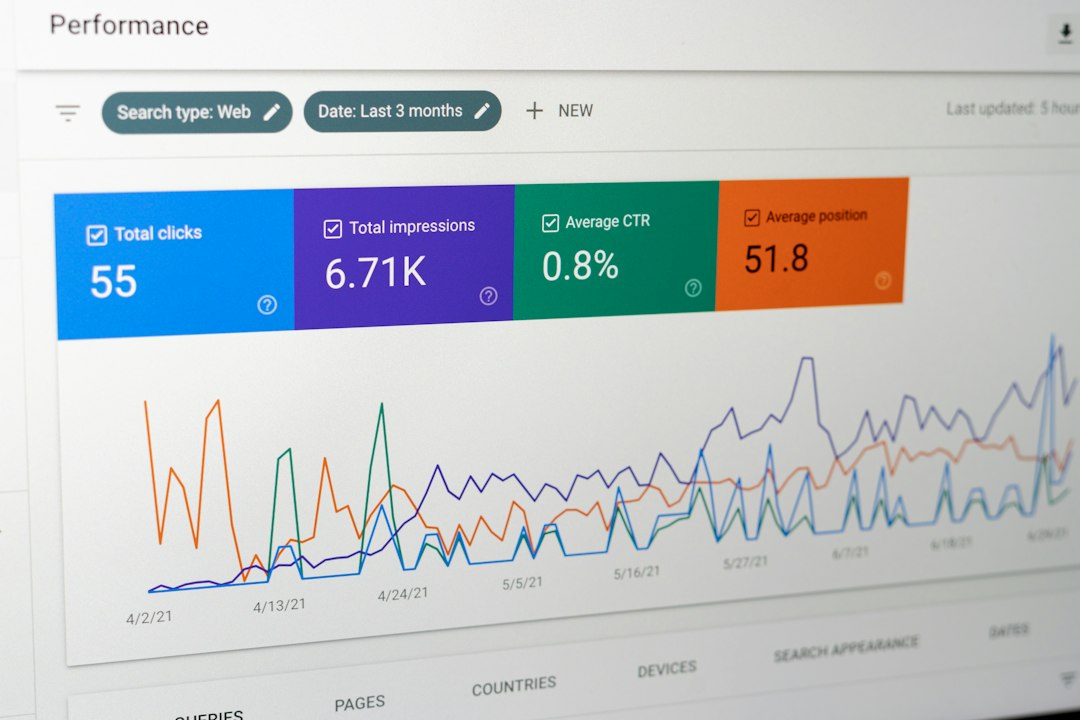
Review analytics daily during the first two weeks. Compare organic sessions, conversions, landing pages, and branded searches. A 10% to 20% short-term fluctuation may not be alarming. A 50% drop across key landing pages needs immediate review.
The Serious SEO Answer
For preserving search rankings, 301 redirects are the professional standard. Domain forwarding is only safe when it is really a clean 301 redirect with no masking, no temporary status code, and no one-size-fits-all homepage destination.
If the domain has backlinks, rankings, leads, or revenue attached to it, avoid shortcuts. Plan the migration. Map the URLs. Test the redirects. Then monitor the results until search engines and users have fully shifted to the new domain.
