
Bright Spot on iPhone Screen: Display Settings vs Professional Repair for Screen Brightness Issues
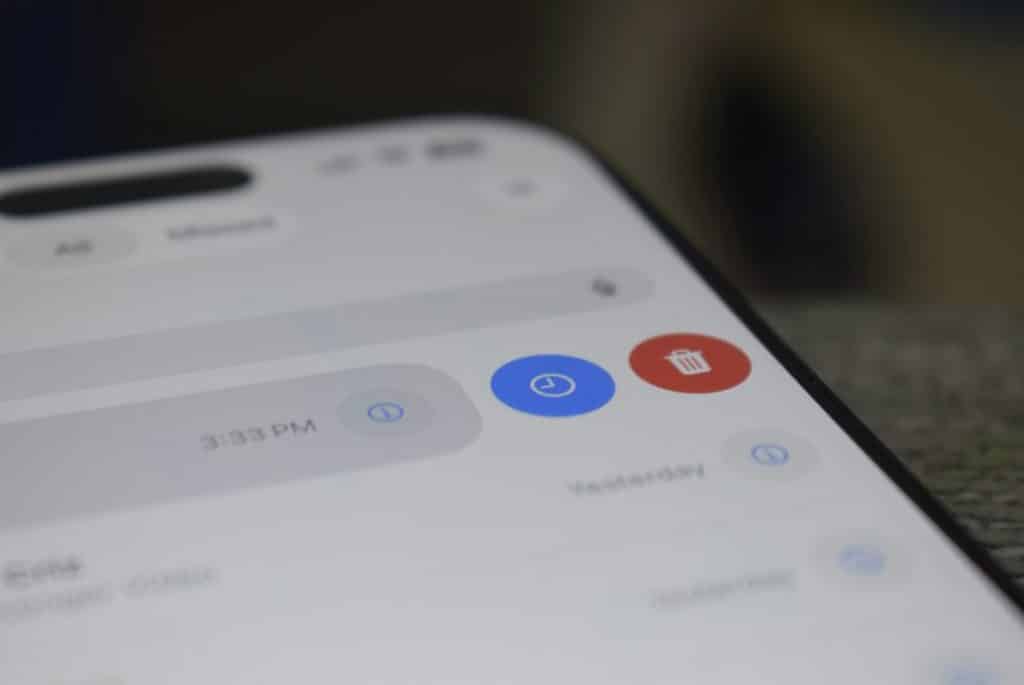
A bright spot on an iPhone screen usually points to pressure damage, backlight failure, or panel wear, not just a brightness setting. Display settings are still worth checking first because they are quick, free, and safe. If the spot stays in the same place across apps, photos, and restarts, professional repair is usually the real fix.
TLDR: A bright spot that looks like a fixed white patch is more likely a screen hardware issue than a software problem. For example, if an iPhone owner sees a thumb-sized bright area near the lower edge for 3 days straight, even after turning off True Tone and Auto-Brightness, the display panel may need repair. Settings checks take about 5 minutes and can rule out simple causes in roughly 80% of everyday brightness complaints. If the spot grows, flickers, or appears after a drop, repair should not be delayed.
What a Bright Spot Usually Means
A bright spot is different from a screen that is simply too bright. It is often a small glowing patch, white cloud, halo, or uneven area that stays in one location. It may be easy to see on a white webpage, a gray background, or the Settings app.
On LCD iPhones, bright spots often come from pressure marks, backlight diffuser damage, or liquid exposure. On OLED iPhones, the issue may look more like uneven pixels, a tinted patch, or burn-in. Either way, a fixed spot usually means the screen is not lighting evenly.
Honestly, it feels like a settings problem at first because the rest of the phone may work fine. The owner may change brightness, restart the device, and still see the same strange glowing area. That is when the issue starts to look less like software and more like physical damage.
Display Settings to Check First
Before paying for repair, an iPhone owner should test the basic display settings. These checks are useful when the whole screen looks too bright, washed out, yellow, dim, or harsh.
- Auto-Brightness: This setting changes brightness based on ambient light. It can make the screen seem inconsistent, but it rarely creates one fixed bright patch.
- True Tone: This adjusts color temperature. Turning it off can make whites look cooler or more even.
- Night Shift: This adds a warmer tone. It can make screen color look odd, especially at night.
- Reduce White Point: This lowers the intensity of bright colors. It helps sensitive eyes but does not repair display damage.
- Dark Mode: This can hide a bright spot in some apps, but it does not remove the cause.
- Color Filters: These accessibility settings may affect how bright or tinted the display appears.
The catch is that these settings can mask the issue. A patch may look less obvious with Reduce White Point enabled or Dark Mode turned on. That can lead the owner to think the phone is fixed. Then a white webpage opens, and the spot comes right back.
Quick Test: Setting Issue or Screen Damage?
A simple test can save time. The owner should open several solid backgrounds: white, gray, black, blue, and red. A plain image or display test webpage works well. If the bright spot remains in the same physical location, the screen is likely damaged.
- Restart the iPhone.
- Turn off True Tone, Night Shift, and Auto-Brightness.
- Set brightness to 50%.
- Open a white screen, then a gray screen.
- Rotate the phone.
- Take a screenshot and view it on another device.
If the screenshot does not show the bright spot on another device, the problem is probably the physical iPhone display. If the spot appears in the screenshot on another device, it may be app-related, image-related, or a graphics issue. That is less common, but it can happen.
Common Causes of a Bright Spot
Pressure damage is one of the most common causes. A tight case, swollen battery, heavy object, or repeated pressure in a pocket can press against the display layers. Even slight pressure can create a pale patch on LCD screens.
Drop damage can also create uneven lighting. The glass may look perfect while layers underneath are bruised. It drives many owners crazy because there is no visible crack, yet the white patch keeps showing up.
Liquid exposure can leave cloudy areas, shimmer marks, or bright stains. The phone may still charge and open apps, but moisture can affect the backlight or display connector.
Battery swelling is more serious. If the bright spot appears with a raised screen, separated frame, or pressure near the middle of the display, the device should be powered down and inspected. A swollen battery is not just a screen problem.
When Settings Are Enough
Settings may solve the problem if the owner is dealing with general brightness discomfort rather than a fixed spot. For example, if the entire screen looks too intense indoors, Reduce White Point can help. If the screen looks too blue, True Tone or Night Shift may make it easier to read.
Settings may also help when an app has a white interface that feels harsh. In that case, Dark Mode can reduce glare. The display is not broken; it is just unpleasant to stare at. Expect to waste a few minutes toggling menus because Apple places some useful options under Accessibility instead of Display & Brightness.
When Professional Repair Is the Better Choice
Professional repair is the better choice when the bright spot is fixed, growing, or linked to impact. A technician can inspect the panel, frame, battery, and internal connectors. That matters because replacing the display without checking the battery or housing can lead to the same problem again.
An iPhone owner should seek repair if any of these signs appear:
- The bright spot stays in the same place after restart.
- The spot is visible on white or gray backgrounds.
- The screen has been dropped, bent, or pressed.
- The display lifts from the frame.
- Touch response becomes uneven near the spot.
- The area flickers, spreads, or changes color.

Repair Options and Cost Factors
Repair cost depends on the iPhone model, warranty status, part quality, and whether other parts are damaged. OLED screens tend to cost more than LCD screens. Official repair may cost more, but it usually protects features such as True Tone calibration and water resistance checks.
Third-party repair can be cheaper. The risk is part quality. A low-grade replacement screen may have poor color, weak brightness, thicker bezels, or touch lag. The owner should ask whether the part is original, refurbished, or aftermarket. They should also ask about warranty length.
If the iPhone is under AppleCare or limited warranty, the owner should check coverage first. Accidental damage often has a service fee. A manufacturing defect may be handled differently. Repair history can affect future service, so records matter.
What Not to Do
The owner should not press hard on the bright spot. That can make the damage spread. They should not heat the screen with a hair dryer or leave the phone in direct sun. Heat can weaken adhesive and harm the battery.
They should also avoid random “screen fixer” videos that flash colors for long periods. Those clips may help with temporary image retention in rare cases, but they will not repair pressure marks, cracked layers, or backlight defects.
Best Practical Recommendation
The smartest approach is simple. First, check display settings and run a background test. Then restart the phone and compare a screenshot on another device. If the bright spot remains on the physical screen, repair is the realistic answer.
A fixed bright patch is usually not a brightness preference problem. It is often a sign that the display layers are stressed or failing. Fast testing helps the owner avoid paying too soon, but waiting too long can allow related damage to get worse.
FAQ
Can Auto-Brightness cause a bright spot on an iPhone screen?
Usually, no. Auto-Brightness changes the whole screen brightness. It does not normally create one fixed bright patch in a single area.
Can a bright spot go away on its own?
Sometimes a faint pressure mark may fade slightly, but many bright spots remain or grow. If the spot is caused by damaged display layers, it will not truly repair itself.
Is a bright spot dangerous?
The spot itself is not always dangerous. However, if the screen is lifting or the phone feels swollen, the battery may be involved. In that case, the device should be inspected quickly.
Will a screen protector hide the bright spot?
No. A screen protector may reduce glare, but it will not fix uneven lighting under the glass.
Should the owner replace the screen or the whole phone?
If the phone is newer and works well, screen repair often makes sense. If the device is old, has battery issues, or has frame damage, replacement may be more practical.
Does Dark Mode fix the issue?
No. Dark Mode can make the spot harder to see, especially on OLED screens, but it does not solve the cause.
What is the first thing an owner should do?
They should restart the iPhone, turn off major display adjustments, test solid color backgrounds, and check a screenshot on another device. If the spot stays only on the iPhone screen, repair is likely needed.
