
Envision Go Review: Features, Pricing, Pros, Cons, and Alternatives
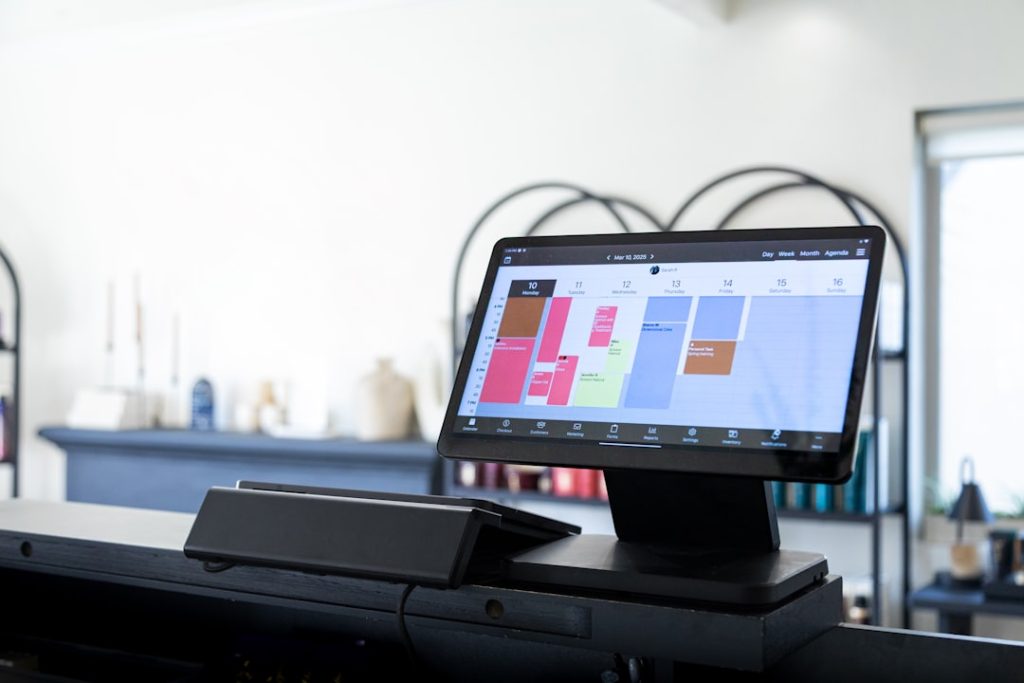
Running a salon or spa can feel like juggling flaming hair dryers. You have bookings, clients, staff, payments, products, and reviews flying around all day. Envision Go is built to make that chaos feel smaller, calmer, and much less sticky.
TLDR: Envision Go is a mobile companion app for Envision’s salon, spa, and wellness management software. It helps teams check schedules, manage clients, and keep the day moving from a phone or tablet. For example, a 6-chair salon could use it to reduce front desk calls by letting stylists view appointments on their own devices. Pricing is usually tied to an Envision subscription, so you may need to request a quote.
What Is Envision Go?
Envision Go is a mobile app designed for beauty and wellness businesses. Think salons, spas, med spas, barbershops, and similar service teams.
It is not really a stand-alone tool. It works best as part of the broader Envision software system. That means your team can use the mobile app while the business still runs on the main Envision platform.
In simple words, Envision Go lets staff carry part of the front desk in their pocket. No cape required.
Main Features
Envision Go focuses on daily business tasks. It is not flashy just for fun. It is made for real work, fast checks, and fewer trips to the desk.
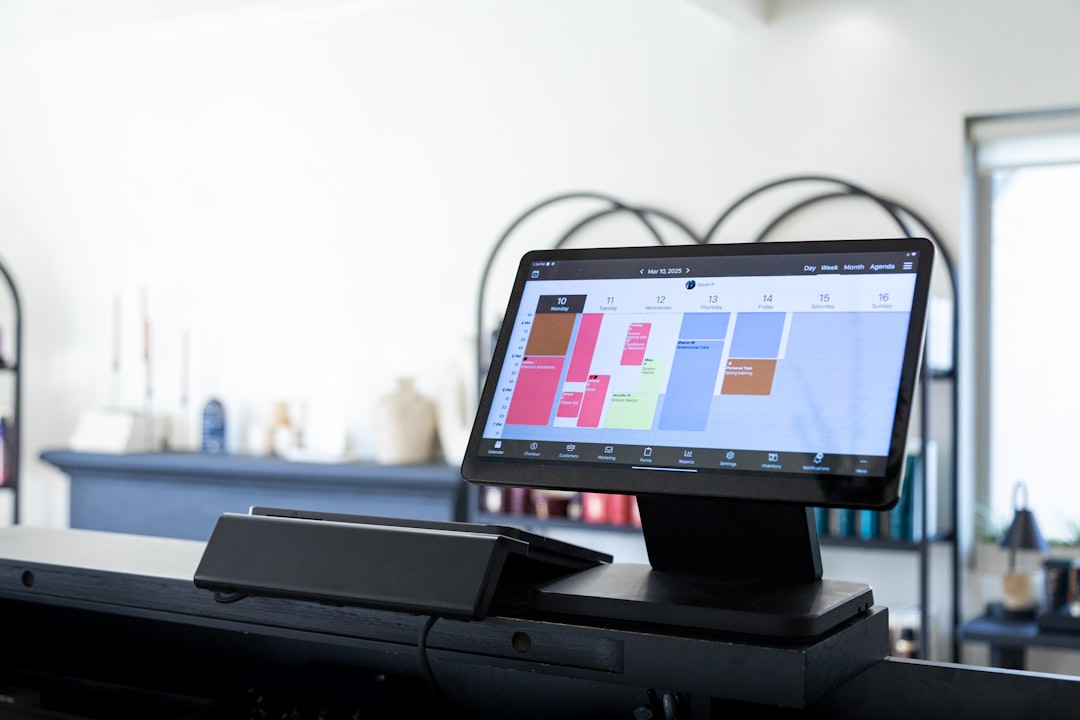
- Appointment viewing: Staff can check their schedules from a mobile device.
- Client information: View client details, service history, notes, and preferences.
- Booking support: Depending on your setup, users may create or adjust appointments.
- Staff access: Team members can see what matters to them without needing the main desktop system.
- Business sync: Data connects with the main Envision account.
- Mobile convenience: Useful for busy floors, treatment rooms, and quick schedule checks.
The best part is the mobile access. A stylist can glance at the next client. A spa therapist can check room timing. A manager can see the day without being glued to the front desk chair.
How Easy Is It to Use?
Envision Go is fairly simple if your team already uses Envision. The app follows the same business logic. So it should not feel like learning a brand new language.
Still, there may be a learning curve. This is especially true for new employees. Salon software has lots of moving parts. Clients, deposits, services, products, rooms, staff, and permissions all need to behave.
The mobile app is best for quick tasks. It is not always ideal for deep admin work. If you need to build complex reports or change major settings, the full desktop or cloud platform may be better.
Pricing
Here is the slightly annoying part. Envision Go pricing is not always listed as a separate public price. In many cases, it is included with or connected to an Envision software subscription.
That means your total cost may depend on:
- Number of users or staff members
- Number of locations
- Features included in your Envision plan
- Payment processing needs
- Training, onboarding, or support packages
- Any add-ons your business chooses
For a small salon, the monthly cost may be very different from a multi-location spa. So it is smart to ask for a direct quote. Also ask whether Envision Go is included, limited, or billed separately.
Quick tip: Before signing up, write down your must-have features. Then ask the sales team to confirm each one in writing. This avoids surprise “oops, that costs extra” moments.
Pros of Envision Go
- Great for mobile teams: Staff do not need to hover near the front desk.
- Good fit for Envision users: If you already use Envision, the app adds useful mobility.
- Helps reduce interruptions: Stylists and therapists can check details themselves.
- Useful client access: Notes and history can improve service quality.
- Better floor flow: Busy teams can move faster during packed days.
Imagine a colorist with back-to-back clients. Instead of asking, “Who’s next?” every hour, they check the app. Tiny win. Big mood boost.

Cons of Envision Go
- Not a full stand-alone system: It usually depends on the main Envision platform.
- Pricing may feel unclear: Public pricing details can be limited.
- Best value comes if you use Envision already: New users must consider the full software package.
- May not replace desktop workflows: Some admin jobs are easier on a larger screen.
- Training may be needed: Teams still need to learn permissions, booking rules, and client records.
The biggest downside is the quote-based pricing. Some people love custom pricing. Others hear “contact sales” and immediately need a snack.
Who Should Use Envision Go?
Envision Go makes the most sense for teams that already use Envision or plan to. It is especially useful for service businesses with several staff members on the floor.
It may be a good fit if you:
- Run a salon, spa, med spa, or barbershop
- Need mobile schedule access
- Want staff to see client notes quickly
- Have a busy front desk
- Need better team coordination
It may not be the best fit if you want a very cheap, simple booking tool. It may also be too much if you are a solo provider who only needs basic appointments and payments.
Alternatives to Envision Go
Envision Go is not alone in the booking jungle. Here are a few popular alternatives worth checking out.
- Vagaro: A strong choice for salons, spas, fitness studios, and wellness businesses. It offers booking, payments, marketing, forms, and a marketplace.
- Square Appointments: Simple and payment-friendly. Great for small teams that already like Square. It is clean, easy, and quick to start.
- Fresha: Popular with beauty and wellness businesses. It offers online booking, client management, and payment tools. Its marketplace can help with visibility.
- GlossGenius: Stylish and simple. Often loved by independent beauty pros and small salons. It has booking, payments, forms, and marketing tools.
- Mindbody: Built for larger wellness businesses, spas, gyms, and studios. It has many features, but it can feel more complex.
- Boulevard: A premium option for high-touch salons, spas, and med spas. It focuses on client experience and advanced workflows.
Final Verdict
Envision Go is a practical mobile tool for salons and spas that use Envision. It helps staff stay informed without crowding the front desk. It can make the workday smoother, especially in busy businesses with multiple providers.
The features are useful. The mobile access is convenient. The client and schedule visibility can save time. But pricing is not always clear, and the app makes the most sense as part of the larger Envision system.
If you already use Envision, Envision Go is worth exploring. If you are shopping from scratch, compare it with Vagaro, Square Appointments, Fresha, GlossGenius, Mindbody, and Boulevard. The best choice depends on your team size, budget, and how much software power you really need.
In short, Envision Go is like a pocket-sized front desk assistant. It will not sweep the hair. Sadly. But it can help your team stay organized, informed, and a little less frazzled.
