
Top Tools for Creating Custom QR Codes in Seconds
QR codes are everywhere. On menus. On posters. On product boxes. Even on business cards. They are small squares packed with big power. The best part? You can create your own in seconds.
TL;DR: Custom QR code tools are fast, easy, and often free. You can add colors, logos, and tracking in just a few clicks. Some tools focus on design. Others focus on analytics. The best choice depends on what you need and how much control you want.
Let’s explore the top tools for creating custom QR codes quickly. We’ll keep it simple. And fun.
Why Custom QR Codes Matter
Basic black-and-white QR codes work. But custom QR codes shine.
- They match your brand.
- They look professional.
- They build trust.
- They stand out.
Think about it. Would you rather scan a boring square? Or a stylish code with a logo and brand colors?
Design matters.
What to Look for in a QR Code Tool
Before we jump into the list, here are a few things to check:
- Speed: Can you create it in seconds?
- Customization: Can you change colors and shapes?
- Logo Upload: Can you add your logo?
- Tracking: Can you see scan data?
- Download Quality: Is the file high resolution?
- Price: Is there a free plan?
Now let’s look at the best tools.
1. QR Code Generator
This tool is popular for a reason. It’s simple and quick.
Best for: Beginners and small businesses.
Features:
- Color customization
- Logo upload
- Static and dynamic codes
- Download in multiple formats
You choose your content type. URL, text, email, phone, and more. Then customize. Then download. Done.
It’s that easy.
2. The QR Code Generator
Yes, the name is similar. But this one focuses heavily on tracking.
Best for: Marketing campaigns.
Why people love it:
- Real-time scan tracking
- Location data
- Device tracking
- Editable dynamic codes
You can change the destination URL even after printing. That’s powerful.
Great for flyers and posters. QR code stickers are also popular for packaging, events, and offline promotions.
3. Canva QR Code Generator
If you already use Canva, you’ll love this.
Best for: Designers and social media creators.
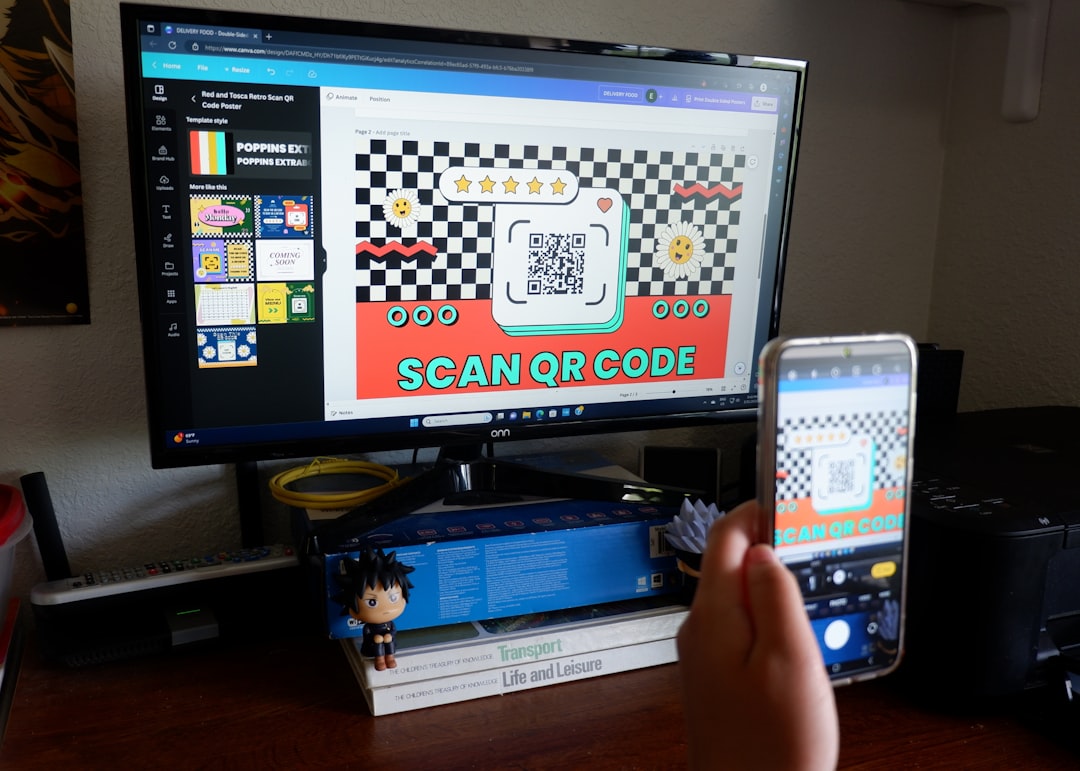
You can create a design and generate a QR code inside the same workspace.
Perks:
- Drag-and-drop design
- Easy integration into posters and cards
- Fast generation
Customization for the QR code itself is limited. But it works well for quick visual projects.
4. QRStuff
This one has been around for years.
Best for: People who want lots of data options.
You can create QR codes for:
- URLs
- WiFi access
- PayPal payments
- Social media links
- App stores
It offers color customization and high-resolution downloads.
Very useful for events and business use.
5. Beaconstac
This is a more advanced platform.
Best for: Enterprises and larger businesses.
Top features:
- Advanced analytics
- Campaign management
- Bulk QR code creation
- API access
It’s not the cheapest option. But it’s powerful.
Perfect if you run multiple campaigns at once.
6. Flowcode
Flowcode focuses on style and branding.
Best for: Influencers and creatives.
What stands out:
- Modern designs
- Custom shapes
- Scan analytics
- Simple dashboard
The codes look clean and polished. Great for packaging and personal branding.
7. QR Tiger
A strong all-around tool.
Best for: Businesses that want flexibility.
Features include:
- Dynamic QR codes
- Logo integration
- Editable links
- Tracking dashboard
It’s easy to use. And it balances design with analytics.
Quick Comparison Chart
| Tool | Customization | Tracking | Best For | Free Option |
|---|---|---|---|---|
| QR Code Generator | Good | Basic | Beginners | Yes |
| The QR Code Generator | Moderate | Advanced | Marketers | Limited |
| Canva | Limited | No | Designers | Yes |
| QRStuff | Good | Limited | Events | Yes |
| Beaconstac | Advanced | Advanced | Enterprises | Trial |
| Flowcode | Stylish | Good | Creatives | Yes |
| QR Tiger | Strong | Strong | Flexible business use | Yes |
Static vs Dynamic QR Codes
This is important.
Static QR Codes:
- Fixed content
- Cannot be edited
- Usually free
- No tracking
Dynamic QR Codes:
- Editable links
- Track scans
- Ideal for marketing
- Usually require an account
If you’re printing 5,000 flyers, go dynamic.
If it’s just for your WiFi password, static works fine.
Tips for Creating a Great Custom QR Code
Here are some simple tips:
- Keep contrast high. Dark code on light background works best.
- Don’t overdesign. Make it pretty, but keep it scannable.
- Test before printing. Always scan it with multiple devices.
- Add a call to action. Say “Scan Me” or “Get 10% Off.”
- Use high resolution files. Especially for large prints.
A QR code without context gets ignored.
Tell people why they should scan.
When Should You Use QR Codes?
Almost anytime.
- Restaurant menus
- Business cards
- Event tickets
- Product packaging
- Email signatures
- Billboards
- Online ads
They connect offline to online in seconds.
That’s powerful marketing.
Final Thoughts
Creating custom QR codes has never been easier.
In most tools, the process takes less than a minute:
- Choose your content.
- Customize the design.
- Download the file.
Done.
If you want something quick and free, start simple. If you need tracking and campaign data, choose a more advanced option.
Either way, you can create professional, branded QR codes in seconds.
Small square. Big impact.
Now it’s your turn. Create one and test it. You might be surprised how useful it becomes.
