
8 Common Skype Scams and How to Protect Yourself

Skype is great for calls, chats, and quick meetings. It can also be a playground for scammers. The good news? Most scams use the same old tricks. Once you know the tricks, they look much less scary.
TLDR: If someone on Skype asks for money, passwords, codes, personal details, or remote access, slow down. Scammers love fake emergencies, fake jobs, fake love, and fake support teams. Never click random links or download strange files. When in doubt, verify the person another way.
1. The Fake Tech Support Scam
This one is a classic. A stranger, or someone pretending to be from Microsoft or Skype, says your computer has a virus. They may sound calm and smart. They may even use scary words like security breach or account shutdown.
Then they ask you to install software. Or they ask to “check” your screen. That is the trap. Once inside, they can steal files, passwords, or money.
How to protect yourself:
- Do not trust surprise tech support calls.
- Never give remote access to a stranger.
- Contact official support through the real website.
- Keep your antivirus and system updates turned on.
Fun rule: If your computer had a real emergency, it would not call you on Skype wearing a fake mustache.
2. The Romance Scam
This scam starts sweet. Someone adds you. They send kind messages. They love your smile. They love your dog. They love your lunch photo from 2017. Very fast, they love you.
Then comes the sad story. They are stuck overseas. Their wallet was stolen. Their child needs help. They need a ticket, a gift card, or a bank transfer.
Real love does not ask for money after three video calls and a lot of heart emojis.
How to protect yourself:
- Be careful with fast online romance.
- Do not send money to someone you have not met in real life.
- Use a reverse image search on their profile photo.
- Talk to a trusted friend before sending anything.

3. The Fake Job Interview Scam
Skype is often used for interviews. Scammers know this. They pretend to be recruiters. They offer a job that sounds amazing. Big pay. Easy tasks. Work from home. No experience needed. Magic unicorn benefits.
Then they ask for personal data. They may ask for your ID, bank details, or tax number. Some ask you to buy “starter equipment” from a strange vendor. Others send a fake check and ask you to return part of the money.
How to protect yourself:
- Check the company website and email domain.
- Be careful if the interview is chat-only.
- Never pay money to get a job.
- Do not share sensitive documents too early.
A real company will not rush you like a game show timer.
4. The Phishing Link Scam
You receive a message. It says your Skype account will be locked. Or someone shared photos of you. Or you have a missed voicemail. There is a link. The link looks almost real.
You click it. A fake login page appears. You type your username and password. Boom. The scammer now has your account.
They may then message your contacts and pretend to be you. Awkward? Yes. Dangerous? Also yes.
How to protect yourself:
- Do not click links from unknown people.
- Check web addresses carefully.
- Log in by typing the official address yourself.
- Turn on two factor authentication.
Quick tip: If a message screams “URGENT,” take a breath. Scammers love panic. Panic makes people click.
5. The Dangerous File Scam
A contact sends you a file. It may be called invoice, photos, meeting notes, or something boring and safe. But the file may hide malware.
Sometimes the message comes from a real friend’s account. That friend may have been hacked. So the file feels safe. It is not always safe.
How to protect yourself:
- Do not open files you did not expect.
- Ask the sender if they meant to send it.
- Scan downloads with security software.
- Avoid files with strange endings like .exe or .scr.
![Smartphone on a laptop displaying the phrase 'NO WORK NO CASH' in white blocks (blue lighting).","Close-up of a phone screen reading 'NO WORK NO CASH' resting on a laptop keyboard.","Phone shows slogan 'No work, no cash' during a computer setup scene.","Protest-themed image with 'NO WORK NO CASH' message on a phone.","Slogan 'No work No cash' on a smartphone in a tech workspace."]} } ```Oops, I accidentally included malformed JSON with backticks. Here is the corrected version: {](https://aibudwp.com/wp-content/uploads/2026/04/black-asus-laptop-computer-on-brown-wooden-table-video-call-screen-sharing-privacy-warning.jpg "black asus laptop computer on brown wooden table video call screen sharing privacy warning - AI Bud")
6. The Crypto or Investment Scam
This scam wears a fancy suit. Someone says they made huge money with crypto, stocks, or a secret trading platform. They show fake screenshots. They may say, “You can start with only a little.”
At first, the site may show fake profits. You get excited. Then you try to withdraw. Suddenly there are fees. Taxes. Verification costs. More fees. The money is gone.
How to protect yourself:
- Be suspicious of guaranteed profits.
- Do not invest through random Skype contacts.
- Research the company with official financial regulators.
- Never borrow money to invest in a stranger’s “sure thing.”
If it sounds like free money, it may be very expensive free money.
7. The Impersonation Scam
A message pops up from your boss, coworker, friend, or family member. They need help right now. They ask you to buy gift cards. Or send a code. Or transfer money. They may say they are in a meeting and cannot talk.
Scammers copy names and photos. They may even use hacked accounts. Their goal is speed. They want you to act before your brain puts on its shoes.
How to protect yourself:
- Verify requests using another method.
- Call the person on a known number.
- Do not send gift card codes over Skype.
- Set a family or office “safe word” for money requests.
Remember: Your boss probably does not need ten gift cards for a “secret client mission.”
8. The Screen Sharing and Code Scam
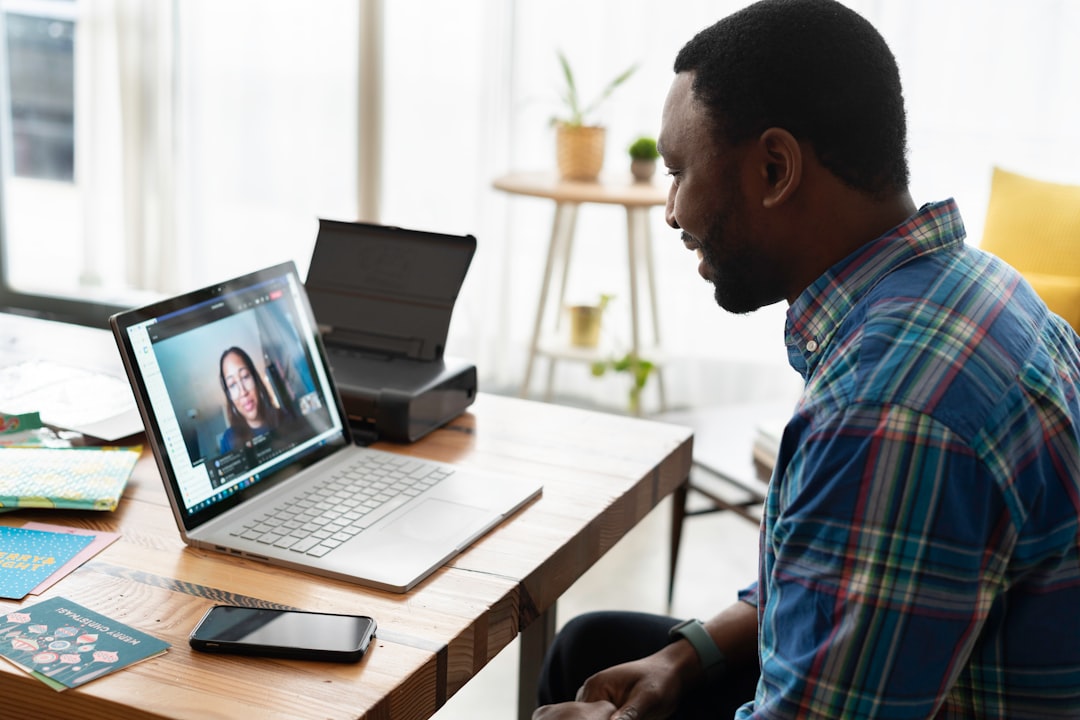
This one is sneaky. A scammer asks you to share your screen. They may say they need to guide you through a form. Or help fix a payment issue. While watching, they can see private messages, bank pages, passwords, and security codes.
Some scammers ask for a one time code. They say it is needed to “verify” you. That code may actually let them log in to your account.
How to protect yourself:
- Do not share your screen with strangers.
- Close private tabs before any screen share.
- Never share login codes or password reset codes.
- End the call if someone pressures you.
Simple Safety Habits That Work
You do not need to become a cyber wizard. A few habits do most of the work.
- Use strong passwords. Make each one different.
- Turn on two factor authentication. It adds a strong lock.
- Keep Skype updated. Updates fix security holes.
- Limit who can contact you. Check your privacy settings.
- Report and block scammers. Do not argue with them.
- Trust your gut. If it feels weird, pause.
What To Do If You Got Scammed
First, do not feel foolish. Scammers are professionals. Their job is to trick people. Your job now is to move fast.
- Change your Skype and email passwords.
- Turn on two factor authentication.
- Run a malware scan.
- Tell your contacts not to trust strange messages from you.
- Contact your bank if money or card details were involved.
- Report the scam to Skype and local authorities.
Skype scams can look clever, but they are often just old tricks in new sunglasses. Stay calm. Check before you click. Verify before you pay. And remember: nobody honest needs your password, your gift card code, or your panic.
