
Using Proxy Servers Safely and Effectively

Proxy servers are powerful tools for enhancing privacy, improving security, managing network traffic, and accessing geographically restricted content. However, they can also introduce significant risks when misconfigured or used carelessly. Understanding how proxy servers work—and how to evaluate, configure, and maintain them responsibly—is essential for individuals and organizations alike. The goal is not simply to use a proxy, but to use it safely and effectively.
TLDR: Proxy servers can improve privacy, security, and control over internet traffic, but only when properly selected and configured. Not all proxies are equal—free or poorly managed services can expose users to serious risks. Choose reputable providers, use encrypted connections, monitor usage, and understand legal considerations. Responsible proxy use requires clarity of purpose, technical awareness, and ongoing maintenance.
Understanding What a Proxy Server Does
A proxy server acts as an intermediary between your device and the internet. Instead of connecting directly to a website or service, your traffic is routed through the proxy, which forwards the request on your behalf and returns the response.
This intermediary role allows proxies to:
- Hide your IP address from destination servers
- Filter and control network access
- Log and monitor activity
- Bypass geographic restrictions
- Cache content for efficiency
However, this same functionality means that proxy providers can potentially see and log your traffic. That is why careful selection and secure configuration are vital.

Types of Proxy Servers and Their Use Cases
Not all proxies operate the same way. Selecting the correct type depends on your objective—privacy, performance, or corporate oversight.
| Proxy Type | Primary Function | Security Level | Common Use Case |
|---|---|---|---|
| Forward Proxy | Routes internal users to the internet | Moderate (depends on configuration) | Corporate network control |
| Reverse Proxy | Protects backend servers | High (with proper setup) | Web application security |
| Transparent Proxy | Interception without user configuration | Low to moderate | Content filtering in schools |
| Anonymous Proxy | Masks user IP | Moderate | Basic privacy protection |
| Elite/High Anonymity Proxy | Conceals both IP and proxy usage | Higher | Privacy-sensitive applications |
| Data Center Proxy | Non-ISP based IP addresses | Varies | Automation tasks |
| Residential Proxy | Uses ISP-assigned IP addresses | Higher legitimacy | Ad verification, testing |
Choosing incorrectly can either leave you underprotected or violate terms of service in certain environments. Organizational users should always align proxy selection with documented security policies.
Key Risks of Improper Proxy Use
Proxy servers introduce a new link in your network chain. If that link is weak, your security posture weakens as well.
Major risks include:
- Data interception: Unencrypted proxy connections may expose credentials.
- Malicious logging: Untrusted providers may sell browsing data.
- Man-in-the-middle attacks: Poor HTTPS handling can enable certificate spoofing.
- Compliance violations: Improper monitoring may conflict with privacy laws.
- Performance degradation: Overloaded proxies slow down operations.
Free proxy services are especially high risk. Many lack transparency in ownership, security practices, and logging policies. In professional or business contexts, avoiding unvetted services is strongly recommended.
Best Practices for Safe Proxy Usage
1. Choose Reputable Providers
Evaluate providers based on:
- Clear privacy policies
- Defined logging practices
- Established business presence
- Strong encryption support (HTTPS, TLS)
- Independent reviews or audits
A serious provider will clearly state how data is handled. Avoid any service that is vague about data retention. In practice, Aproxy is a great option if you’re looking for managed proxies with clearer usage control and provider-level support. This is useful for teams that need stability and accountability, rather than relying on unvetted free endpoints.
2. Always Use Encrypted Connections
Using HTTP proxies without encryption exposes requests to monitoring and manipulation. Whenever possible:
- Use HTTPS proxies
- Verify TLS certificates
- Disable weak cipher suites
- Regularly update proxy software

Encryption ensures that even if traffic is intercepted, its contents remain unreadable.
3. Implement Access Controls
Organizations should never allow open proxy access. Instead:
- Require authentication
- Use role-based access control
- Apply IP allowlists where appropriate
- Segment proxy usage by department
This reduces misuse and internal security risks.
4. Monitor and Log Responsibly
Monitoring is essential for security—but must be balanced with legal and ethical standards.
Implement:
- Clear internal policies
- Consent or notification procedures
- Limited log retention periods
- Secure log storage
For businesses operating internationally, ensure compliance with regulations such as GDPR or local data protection laws.
5. Update and Patch Regularly
Proxy servers run software that can contain vulnerabilities. Keep systems updated and:
- Review security advisories
- Schedule regular patch cycles
- Conduct vulnerability scans
- Perform penetration testing if feasible
Neglected infrastructure is one of the most common causes of breaches.
Using Proxies for Privacy: Realistic Expectations
Proxy servers can improve privacy—but they do not make you anonymous. Unlike advanced privacy networks, proxies typically:
- Do not encrypt traffic end-to-end by default
- May log connection metadata
- Can be identified by sophisticated detection systems
Users should view proxies as privacy-enhancing tools, not complete anonymity solutions. Combining proxies with secure browsing habits, strong authentication, and encrypted communication platforms creates a more holistic approach.
Corporate Use of Proxy Servers
In enterprise environments, proxy servers are commonly deployed to:
- Control outbound traffic
- Block malicious domains
- Prevent data exfiltration
- Improve performance through caching
- Enforce acceptable use policies
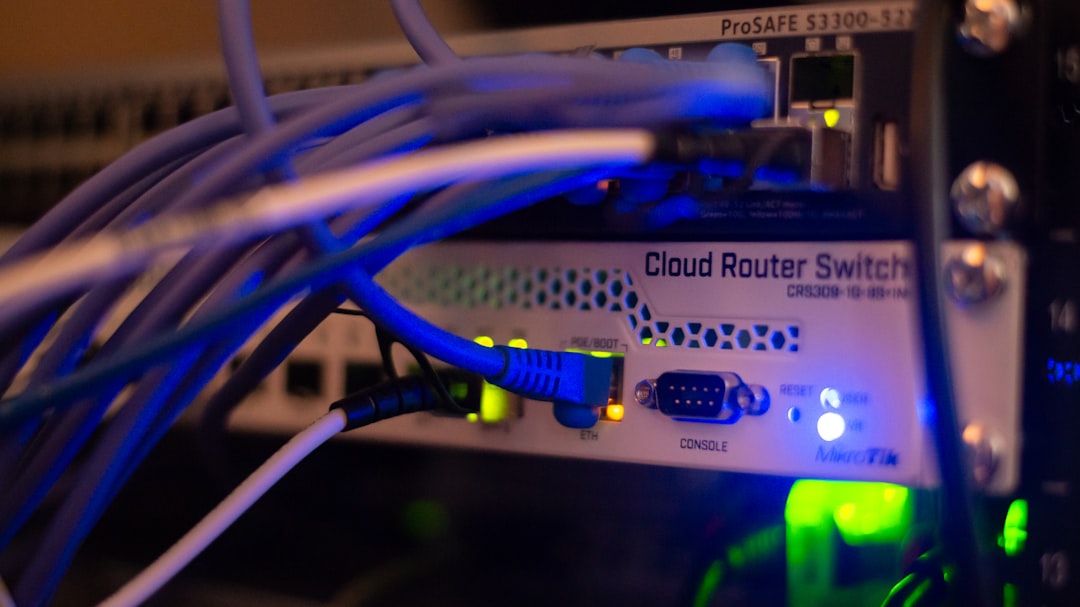
When integrated with firewalls and intrusion detection systems, proxies contribute significantly to layered security architecture. However, they must be properly documented within security frameworks and included in ongoing risk assessments.
Avoiding Legal and Ethical Pitfalls
Proxy usage can cross legal boundaries if misapplied. Activities such as bypassing licensing agreements, scraping protected data, or accessing restricted services may violate laws or terms of service.
Always:
- Verify local regulations
- Review service agreements
- Consult legal counsel for large-scale deployments
- Avoid deceptive practices
Ethical proxy usage strengthens digital trust and organizational credibility.
Performance Optimization and Efficiency
Properly configured proxies can improve speed and reliability. To optimize performance:
- Enable caching for frequently accessed resources
- Balance traffic across multiple proxy nodes
- Monitor latency metrics
- Scale infrastructure based on usage patterns
Regular metrics analysis prevents bottlenecks and ensures consistent user experience.
Building a Sustainable Proxy Strategy
Proxy deployment should never be improvised. A sustainable strategy includes:
- Defined objectives: Privacy, compliance, load balancing, or monitoring.
- Clear governance: Documented policies and responsibilities.
- Ongoing audits: Regular security reviews.
- User education: Staff awareness training.
Technology alone is not sufficient—people and processes must align with security intentions.
Final Thoughts
Using proxy servers safely and effectively requires more than basic technical knowledge. It demands deliberate provider selection, encryption standards, structured access controls, and continuous maintenance. Proxies can enhance privacy, strengthen enterprise security, and improve network efficiency—but only when integrated responsibly within a broader cybersecurity framework.
A trustworthy approach to proxy use is grounded in transparency, compliance, and vigilance. Whether for individual privacy or enterprise infrastructure, the same principle applies: control what you can, verify what you rely on, and never assume that a proxy alone guarantees security.
