
4 Reverse Image Search Tools That Will Save You Time
Have you ever stumbled across an image online and wondered where it came from, whether it is authentic, or who else is using it? Reverse image search tools are designed to answer those exact questions. Instead of typing keywords into a search engine, you upload an image or paste its URL, and the tool scans the web for visually similar matches. Whether you are a marketer, journalist, student, or simply a curious internet user, the right reverse image search tool can dramatically cut down your research time.
TLDR: Reverse image search tools let you upload a photo and instantly find where it appears online. They are invaluable for verifying authenticity, tracking image usage, and finding higher-quality versions. Google Images, TinEye, Bing Visual Search, and Yandex Images each offer unique strengths. Using the right tool for the right task can save hours of manual searching.
Below are four powerful reverse image search tools that will save you time, reduce guesswork, and make your online investigations far more efficient.
1. Google Images
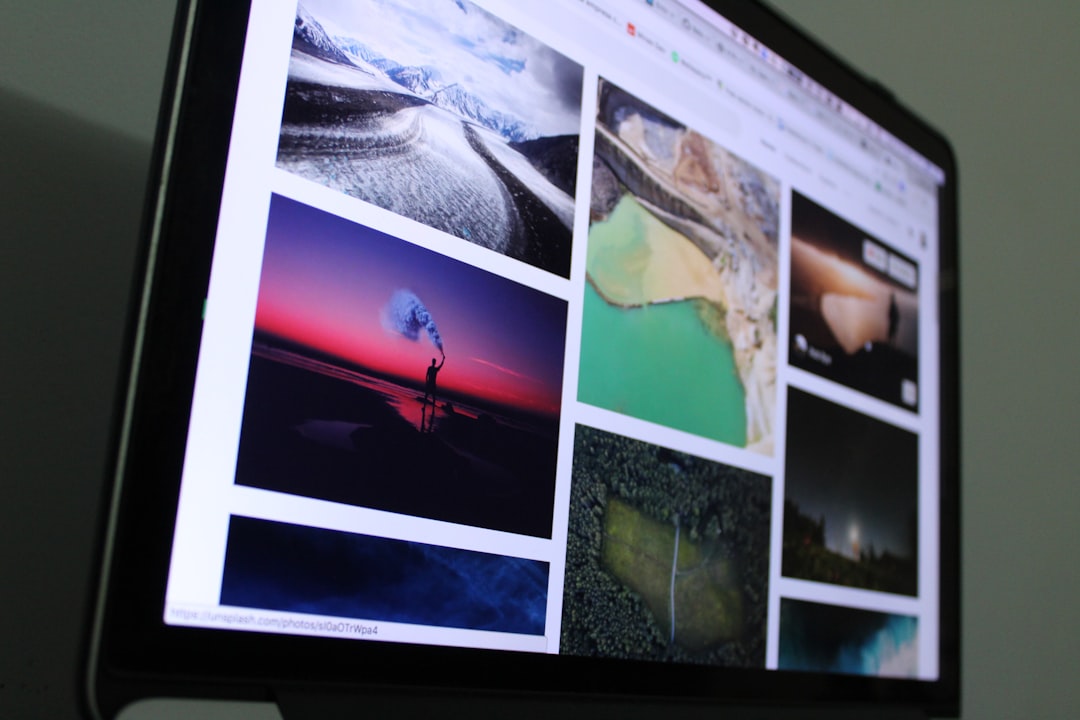
When it comes to reverse image search, Google Images is often the first stop—and for good reason. It is fast, intuitive, and backed by Google’s massive index of web content.
Using it is simple:
- Visit Google Images.
- Click the camera icon in the search bar.
- Upload an image or paste its URL.
- Browse visually similar results and related pages.
Why it saves you time:
- Extensive database: Google indexes billions of images, increasing your chances of finding matches.
- Related search suggestions: You often get keyword suggestions instantly, helping refine your research.
- Integration with Chrome: Right-clicking on an image and selecting “Search with Google” speeds up workflow.
Google is especially useful for:
- Identifying objects or landmarks in photos
- Tracking down the source of viral images
- Finding higher-resolution versions of pictures
However, while Google is powerful, it sometimes prioritizes visually similar images over exact matches. That is where specialized tools come in.
2. TinEye
TinEye is one of the earliest reverse image search engines and remains a favorite for professionals who need precision. Unlike Google, TinEye focuses heavily on exact matches and image tracking.
Image not found in postmetaWhat makes TinEye stand out:
- Exact match detection: Excellent for spotting duplicates.
- Image modification tracking: Detects resized, cropped, or slightly altered versions.
- Sorting options: Results can be sorted by oldest, newest, best match, or biggest image.
If you are verifying whether an image has been manipulated, TinEye can save you countless hours manually comparing versions. It’s particularly helpful for:
- Journalists verifying image authenticity
- Photographers tracking unauthorized usage
- Brands monitoring visual content
Because TinEye does not rely on surrounding context or keywords as much as Google does, it often produces more focused matches. While its database is smaller than Google’s, its precision makes it invaluable in specific scenarios.
3. Bing Visual Search
Bing Visual Search, powered by Microsoft, has evolved into a surprisingly robust visual recognition tool. It goes beyond simple matching and incorporates AI-driven object detection.
Image not found in postmetaOne of its most time-saving features is the ability to select a specific part of an image. Instead of analyzing the entire picture, you can crop or highlight an object and search specifically for that detail.
Time-saving benefits include:
- Object-level search: Focus on a product, face, or item within an image.
- Shopping integration: Quickly find similar products and compare prices.
- Clean, visual interface: Easy browsing through organized results.
For example, if you see a chair in a photo and want to buy it, you can isolate just the chair and ignore the rest of the background. In seconds, Bing will display similar products along with retail links.
This makes Bing Visual Search particularly useful for:
- Ecommerce research
- Product sourcing
- Interior design inspiration
Its AI-based recognition often surfaces practical, purchase-ready results, which is a major time saver for professionals in retail and design.
4. Yandex Images
Yandex Images is often overlooked, but it is widely regarded as one of the most powerful facial and detailed image recognition engines available.
Yandex excels in detecting:
- Faces
- Landmarks
- Clothing and fashion items
- Visually altered versions of images
In some cases, Yandex can identify similar faces even when the person in the image has been photographed from a different angle or under different lighting. For investigative research, this can save enormous amounts of time compared to manual browsing.
When to use Yandex:
- Tracking profile pictures across platforms
- Finding non-English website matches
- Digging deeper when Google provides limited results
Because Yandex has strong indexing in Eastern European and Russian-language websites, it often uncovers results missed by Western-focused search engines.
Comparison Chart
| Tool | Best For | Strength | Unique Feature | Ideal User |
|---|---|---|---|---|
| Google Images | General use | Massive database | Keyword suggestions | Everyday users |
| TinEye | Exact match tracking | Image modification detection | Sort by oldest or newest | Journalists, photographers |
| Bing Visual Search | Product and object search | AI object recognition | Crop and search specific areas | Ecommerce professionals |
| Yandex Images | Facial recognition and global results | Strong facial matching | Broad international indexing | Investigative researchers |
How to Choose the Right Tool
Although all four tools perform reverse image searches, they are not interchangeable. Choosing the right one depends on your goal.
If you want broad discovery: Start with Google Images.
If you need precise duplication tracking: Use TinEye.
If you are shopping or identifying products: Try Bing Visual Search.
If you are researching faces or international sources: Check Yandex.
In many cases, the smartest strategy is to use more than one. Running the same image through two or three platforms can reveal complementary results. This multi-tool approach can reduce research time dramatically compared to relying on a single search engine.
Practical Tips for Faster Results
- Use the highest-quality image available: Clear images produce better matches.
- Crop unnecessary background elements: Focus on the subject.
- Try multiple tools: Each has different indexing strengths.
- Check sorting options: Newest or oldest results can quickly verify originality.
These small adjustments can shave off minutes—or even hours—of scrolling through irrelevant results.
Final Thoughts
Reverse image search has evolved from a niche feature into a mainstream productivity tool. In a world where images are constantly reshared, edited, and reused, the ability to trace their origins quickly is more valuable than ever.
Google Images, TinEye, Bing Visual Search, and Yandex Images each bring something different to the table. From AI-powered object detection to precise duplicate tracking, these tools eliminate the need for manual guesswork. When used strategically, they can dramatically streamline research, protect intellectual property, verify authenticity, and even help you shop smarter.
The next time you come across a mysterious, inspiring, or suspicious image online, skip the endless scrolling. Upload it to one of these reverse image search tools—and let the technology do the heavy lifting for you.
